






The Uneekor EYE XO System — Your Projector, Your Enclosure, Your Mat
This kit is designed for buyers who already know what they want — a specific projector they’ve researched, a mat they trust, or a configuration that doesn’t exist in any pre-built package. The Uneekor EYE XO launch monitor, its Swing Optix camera pair, the ceiling mount, and the full cable install kit are fixed inclusions. Every configuration ships with the same front-overhead tracking foundation. All that’s left is choosing what goes in front of it and what you stand on.
Select your projector, enclosure, and hitting mat using the dropdowns above. A landing mat and putting green are available as optional add-ons at checkout. Use the sections below as a reference guide for each category — dimensions, specs, and fitment notes for every option in the catalog.
Continental US — no shipping charges on any configuration
EYE XO, Swing Optix cameras, ceiling mount, and cabling are pre-selected in every build
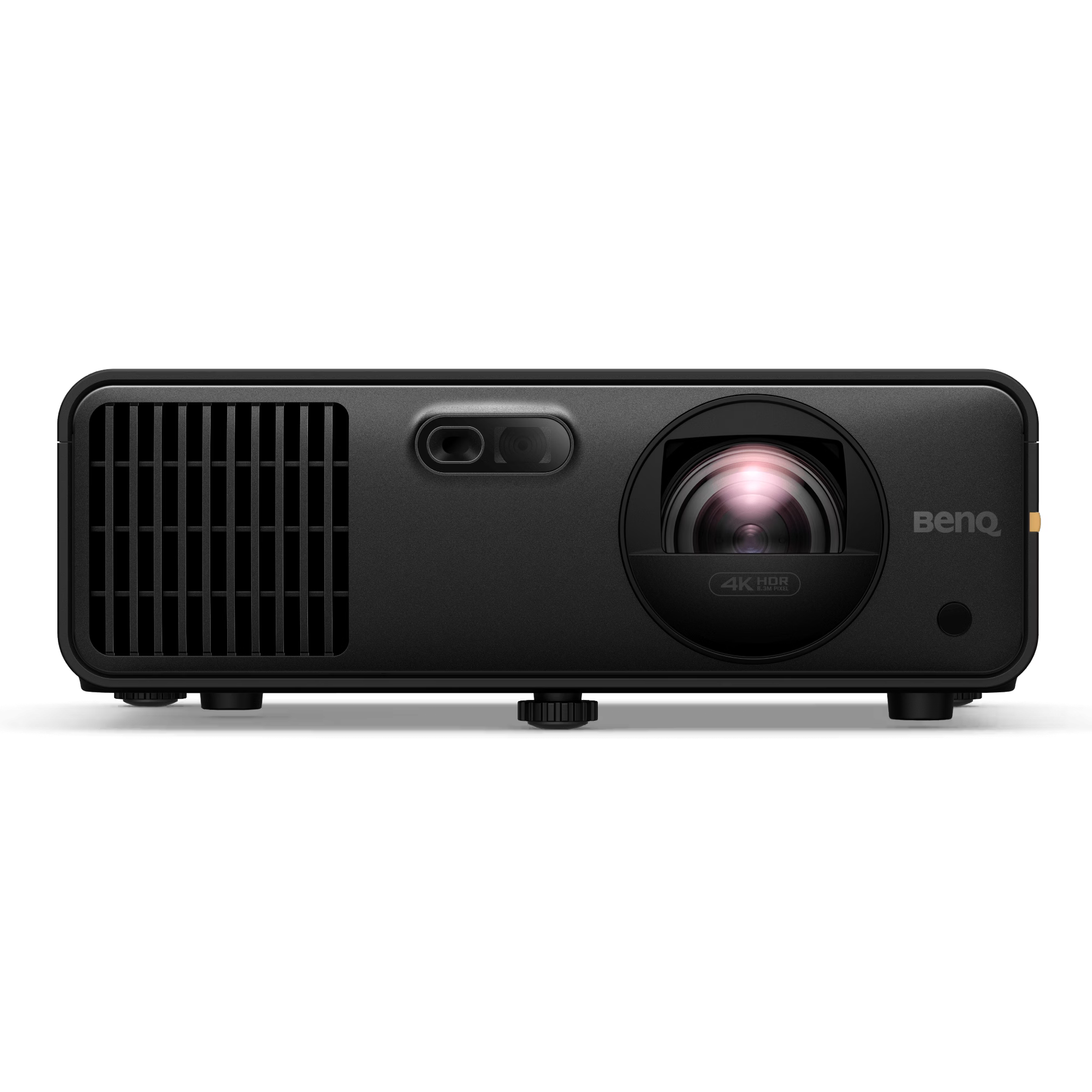
17 models across BenQ and Optoma — 1080P and 4K short-throw options
Setup support is included with every configuration, regardless of which options are selected
Uneekor EYE XO — Included in Every Configuration

The Uneekor EYE XO mounts overhead in front of the hitting zone rather than on the floor beside the mat. Dual 1440p infrared cameras running at 180 frames per second capture roughly 2,500 frames through impact, producing 24 total ball and club data points — 11 club measurements, 5 measured ball metrics, and 8 calculated values.
Every configuration in this Build Your Own SimKit — regardless of which projector or hitting mat is selected — includes the same EYE XO and the same pair of Swing Optix cameras. The launch monitor is the fixed differentiator that separates this kit from budget simulator packages. The projector and mat choices shape the picture quality and feel underfoot; the EYE XO determines the data quality.
View the Uneekor EYE XO standalone listing →Front-Overhead Mount
Mounts overhead in front of the hitting zone — the floor stays clear and nothing sits beside the mat. Right- and left-handed golfers switch instantly in software. Designed for 9ft to 10ft ceiling height.
Dimple Optix — Any Ball
Reads any standard golf ball with no markings, dots, or proprietary ball to reorder. Reflective club stickers are used for the full club data set, and 400 are included.
24 Ball & Club Data Points
11 club measurements, 5 measured ball metrics, and 8 calculated values — the full data set in the Uneekor overhead lineup, captured on every swing.
Swing Optix Cameras Included
Two Swing Optix cameras ship with every configuration, capturing synchronized face-on and down-the-line swing video tied to each recorded shot.
Specifications
| Tracking Method | Dual 1440p infrared cameras at 180fps, front-overhead |
| Mount Position | Overhead, in front of the hitting zone |
| Ceiling Height | 9ft – 10ft |
| Hitting Zone | 12″ W × 16″ L |
| Handedness | Right and left — instant switching in software |
| Ball Requirement | Any standard golf ball (Dimple Optix), no markings needed |
| Club Markers | Reflective club stickers used for full club data — 400 included |
| Data Points | 24 total — 11 club, 5 measured ball, 8 calculated |
| Swing Video | Two Swing Optix cameras included — face-on and down-the-line |
| Uneekor Software | VIEW virtual range, Refine+ and GAME DAY trials, one-year AI Trainer |
Software Compatibility
GSPro
Full integration with GSPro golf simulation software and its community course library. The EYE XO connects over the local network. GSPro is licensed separately.
E6 Connect
Compatible with E6 Connect for access to over 90 courses including Pebble Beach, TPC Sawgrass, and Bandon Dunes. Multiplayer and tournament modes supported.
TGC 2019 & Awesome Golf
Also compatible with TGC 2019 for full-course play and Awesome Golf for practice ranges and skill games. Both are licensed separately.
The EYE XO also runs Uneekor’s own software: the free VIEW virtual range, Refine+ and GAME DAY, and a one-year AI Trainer subscription. The unit connects to a PC running the platform of choice. A PC is not included in this kit and is sold separately. Minimum PC specs vary by simulation platform.
Why Overhead Matters
No Swing Interference
Side-mounted and floor-based launch monitors can interrupt club path for certain swing styles or left-handed golfers. An overhead unit is mechanically out of reach — the unit never needs to move regardless of the shot shape, stance width, or handedness.
No Proprietary Ball
Dimple Optix reads any standard golf ball, so there is no proprietary marked ball to buy or reorder. Reflective club stickers are still used for the full club data set, and 400 ship with the unit.
Permanent Installation
Once mounted and calibrated, the EYE XO stays in place. There is no setup or teardown between sessions. The included ceiling mount and 25ft cable run are designed for a clean, permanent install that keeps the sim bay ready at all times.
17 Projector Options — Organized by Resolution
Resolution is the first decision: 1080P delivers sharp, smooth performance at a lower price point; 4K adds pixel density for buyers who want maximum screen fidelity. Within each group, the choice narrows by lumens output, light source (laser, LED, or lamp), and throw distance. Use the Projector Fitment Tool to confirm which models work in your room before selecting.
Recommended Picks

4,200 lumens • short-throw • HDR • lamp-based. High-brightness 1080P with HDR support — the value pick for buyers who want maximum lumens without stepping into 4K pricing.

4,000 lumens • 0.69–0.83:1 throw • laser light source. Laser longevity in a 1080P package — the premium 1080P option for buyers prioritizing low maintenance over pixel count.

5,000 lumens • short-throw • laser • Smart Fit auto-alignment. The most-specified 4K model — high lumens, laser source, and built-in auto-alignment simplify installation.

4,000 lumens • 0.69–0.83:1 throw • laser light source. Premium 4K laser in the same throw range as the AH700ST — the direct upgrade path for buyers choosing between 1080P and 4K.
1080P Projectors
Full HD resolution. Strong performance at lower price points. Laser, LED, and lamp options available.
-
Optoma GT2400HDRRecommended 1080P Full HD • 4,200 lumens • short-throw • HDR, lamp-based high-brightness 1080P
-
BenQ AH700STRecommended 1080P Full HD • 4,000 lumens • 0.69–0.83:1 throw • laser light source
-
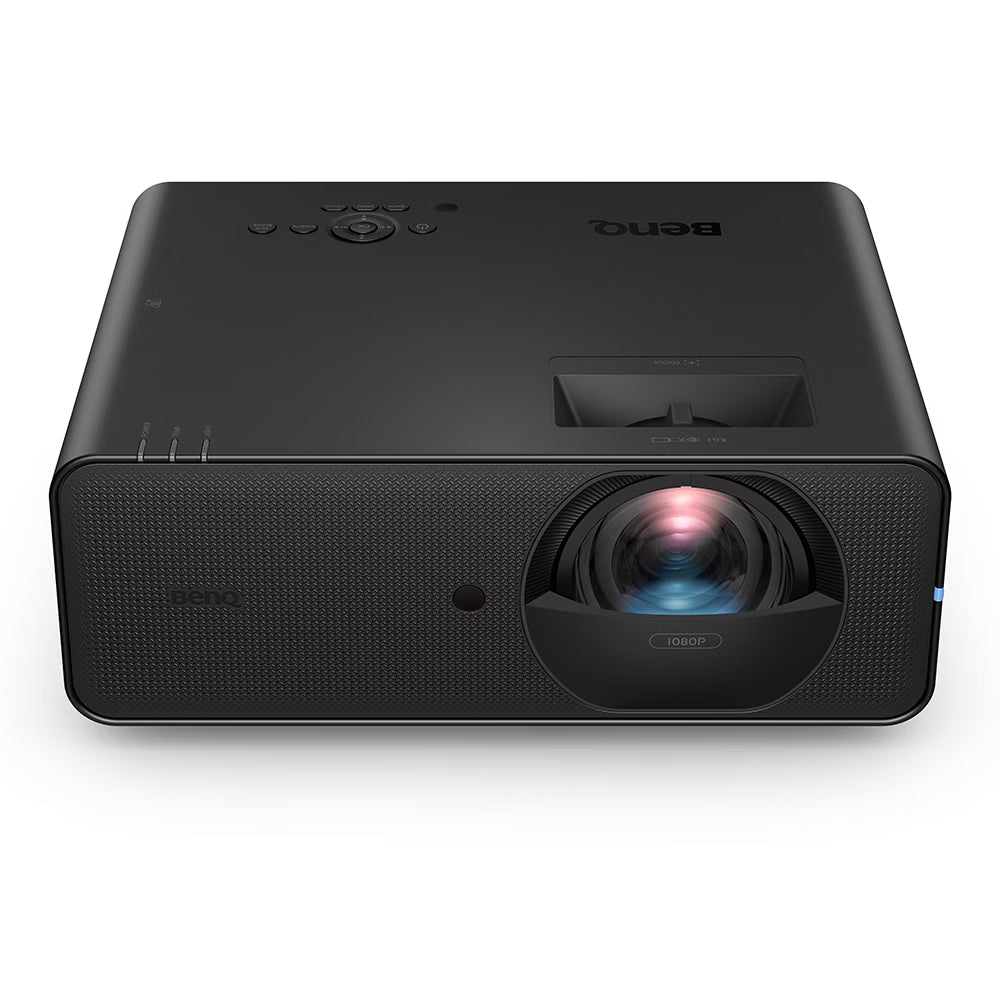 BenQ LH860ST 1080P Full HD • 5,000 lumens • 0.85:1 throw • laser, high-brightness 1080P option
 -
 BenQ AH500ST 1080P Full HD • 4,000 lumens • short-throw • laser light source
 -
 Optoma GT2000HDR 1080P Full HD • 3,500 lumens • short-throw • HDR, lamp-based 1080P entry
 -
 BenQ AH30ST 1080P Full HD • 3,000 lumens • short-throw • LED light source, entry-level 1080P
 -
 BenQ LW600ST+ 1080P WXGA • 3,200 lumens • short-throw • LED light source
 -
 BenQ TH671ST 1080P Full HD • 3,000 lumens • 0.69:1 throw • lamp-based, budget short-throw option
 -
 Optoma ZW350ST WXGA (1280×800) • 3,500 lumens • short-throw • laser, wide-format widescreen output
4K Projectors
4K UHD resolution. Maximum pixel density for the sharpest image on larger screens. All laser-source models unless noted.
-
Optoma ZK521ST-BRecommended 4K UHD • 5,000 lumens • short-throw • laser, includes Smart Fit auto-alignment
-
BenQ AK700STRecommended 4K UHD • 4,000 lumens • 0.69–0.83:1 throw • laser light source
-
 BenQ LK936ST 4K UHD • 5,100 lumens • 0.81:1 throw • BlueCore laser, 20,000–30,000 hr life
 -
 BenQ LK830ST 4K UHD • 4,000 lumens • 0.90:1 throw • laser, 20,000 hr rated
 -
 Optoma ZK608TST 4K UHD • 6,000 lumens • 0.58:1 fixed throw • DuraCore laser, IP6X sealed optical block
 -
 Optoma ZK431ST-B 4K UHD • 4,300 lumens • short-throw • laser, Smart Fit included
 -
 Optoma UHZ35ST 4K UHD • 3,500 lumens • short-throw • laser, compact form factor
 -
 Optoma 4K400STx 4K UHD • 4,000 lumens • 0.5:1 ultra-short throw • lamp-based 4K option
Not sure which projector fits your room and enclosure? Use the Projector Fitment Tool →
Five Bay Sizes — Birdie, Eagle, Albatross, and PRO Series
Measure your room before selecting — enclosure width, depth, and ceiling height all affect which configuration will fit and how the projector needs to be positioned. Width determines the maximum screen size. Depth affects throw distance. Ceiling height must accommodate both the enclosure frame and the EYE XO mounting position (9ft to 10ft).
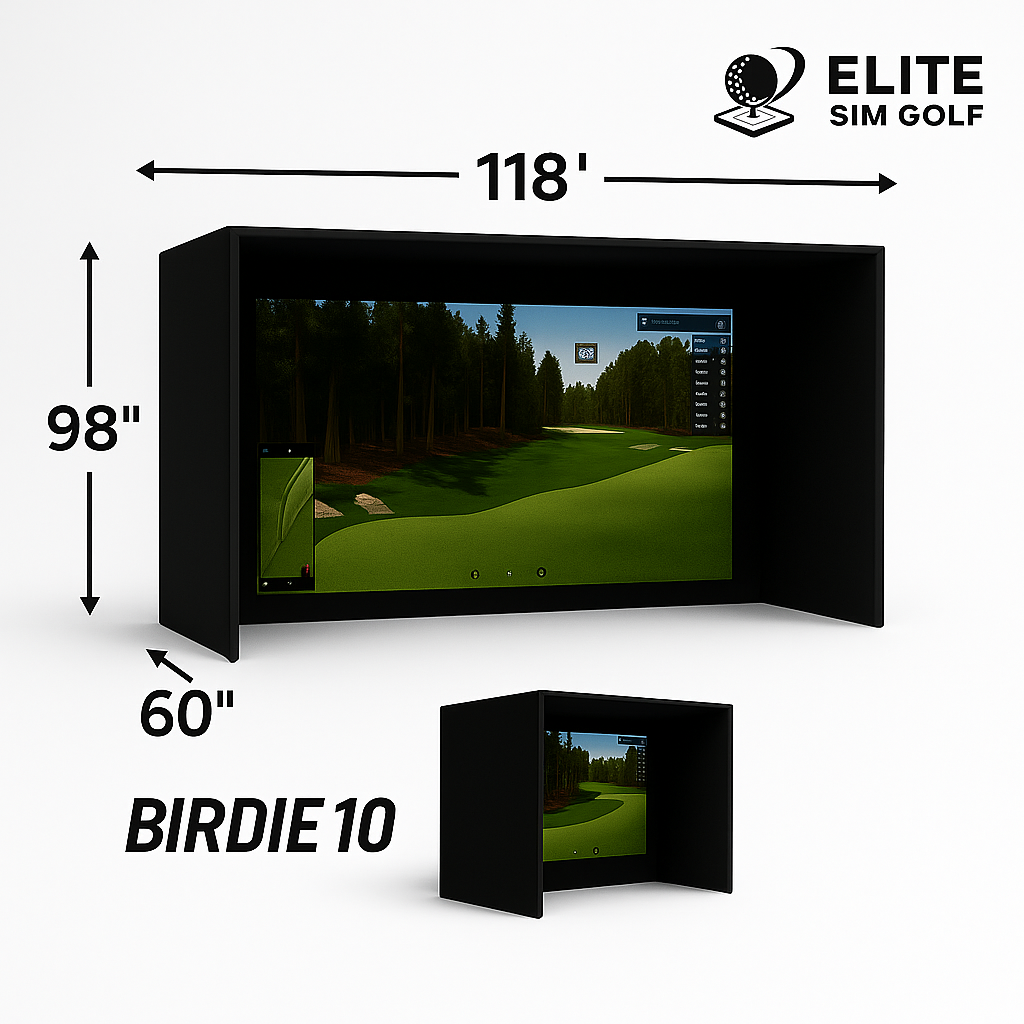
Compact 10ft bay — best for tighter rooms and single-car garages where width is limited. Pairs with 1080P and 4K short-throw projectors.
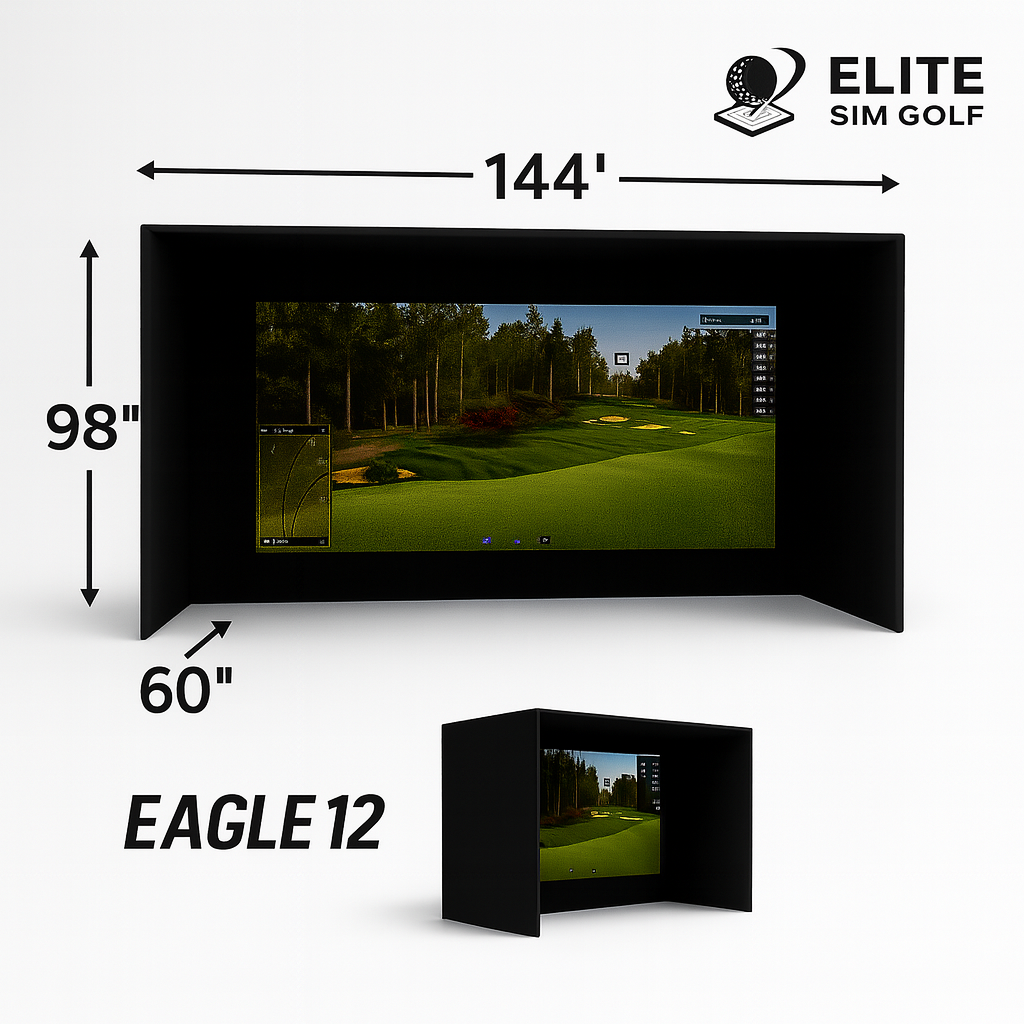
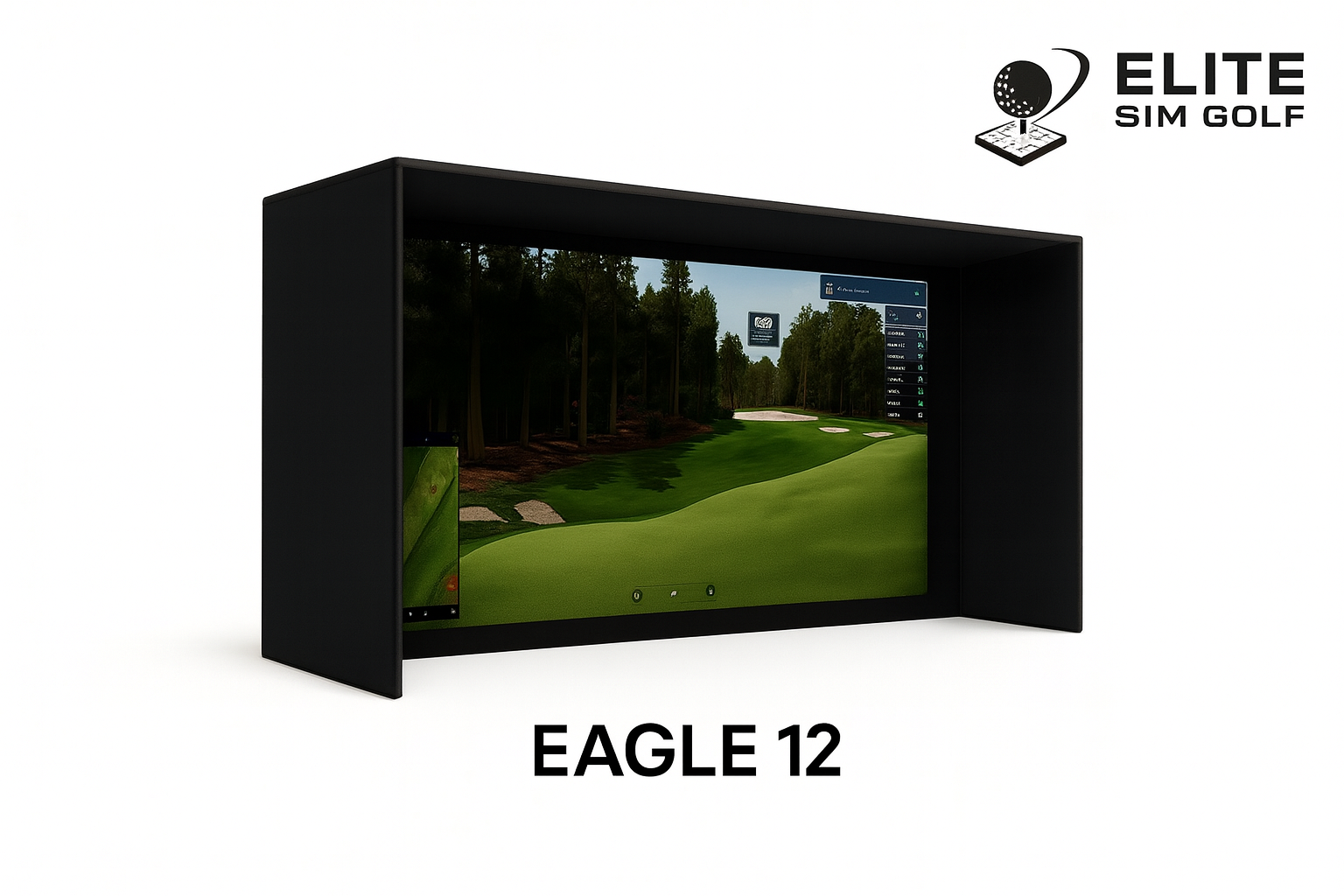
Balanced mid-size bay — the most common choice for dedicated simulator rooms and two-car garages. Works with the full projector lineup.

Wide-format 16:9 bay — a more cinematic, immersive simulator experience for larger rooms with extra ceiling height to spare.

Premium 10ft bay built on a 1″ EMT frame with a triple-layer High Contrast Gray impact screen and RipStop surround. Chosen for picture quality and impact absorption in a compact footprint.

The largest PRO Series bay — same triple-layer screen and EMT frame construction as the 10x8, scaled to 12ft of width and 9ft of height for dedicated simulator rooms.
Projector and enclosure compatibility: Different projector models require different throw distances to fill each enclosure’s screen. Use the Projector Fitment Tool to confirm that the projector choice works with the selected enclosure before adding to cart.
Twelve Mat Options — From Compact to Full Floor Systems
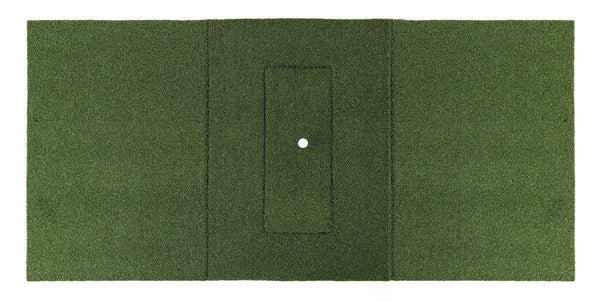
Mat size should align with your enclosure footprint and hitting position preference — a narrower mat works in tight bays, while a full floor system provides the most realistic feel underfoot across the entire simulator area. A landing mat and putting green are available as optional selections in the dropdown above; they are not included by default in this kit.
-
 Carl’s HotShot 4′ × 5′ The smallest footprint in the HotShot lineup. The offset hitting area keeps the tee to one side, preserving stance room in tight bays and single-golfer setups.
 -
 Carl’s HotShot 5′ × 8′ Keeps the offset layout of the 4x5 but adds length and width for a fuller backswing and steadier footing — a fit for taller golfers wanting buffer around the tee.
 -
 Carl’s HotShot 4′ × 9′ The first centered-hitting-area size in the lineup. Right- and left-handed golfers share the same mat without repositioning it, suiting households and shared bays.
 -
 Carl’s HotShot 6′ × 10′ The largest mat in the HotShot System, built for dedicated rooms and heavy use. Centered hitting area with the most surface area underfoot in the family.
 -
 Beaver Tail 4′ × 5.5′ Compact hitting mat with a biomechanically designed hitting strip insert for impact absorption and reduced joint stress. Best for smaller footprints.
 -
 Beaver Tail 4′ × 8.25′ Double-wide version of the Beaver Tail — same impact-absorbing hitting strip, extended mat length for left and right handed positioning side-by-side.
 -
 SigPro Softy 4′ × 7′ A 4×7 performance mat with a softer nylon turf surface for a more natural-feeling strike. Suits mid-size bays and medium hitting positions.
 -
 SigPro Softy LITE 4′ × 10′ Extended 4×10 version of the Softy LITE — extra mat length for full swing coverage and comfortable stance width in larger bays.
 -
 Elite ProTee 5′ × 10′ Full-size 5×10 mat with a removable hitting strip for easy replacement. Wide stance coverage accommodates most swing widths comfortably.
 -
 Elite ProTee 5′ × 5′ Square format ProTee mat with the same removable hitting strip — compact footprint with the full 5-foot width for a natural stance.
 -
 BigMoss Pure Flight 4′ × 9′ BigMoss hitting system with a premium performance turf surface and integrated alignment aids. 4×9 footprint suits Eagle 12 and Albatross 13 bays.
 -
 Complete Sim Floor System A 15×15 SimFlex complete simulator flooring system with integrated hitting area — covers the entire bay floor for a finished, professional simulator appearance.
About the HotShot System: All four HotShot sizes share a 1.75″ thickness and the same 30″ × 12″ replaceable hitting insert, available in Standard, Foam Divot, and Gel feels. The insert swaps on its own, so a worn strip does not require replacing the mat. Inserts are crafted in Milton, Wisconsin by Carl’s Place.
Landing mat and putting green: These are optional add-ons selectable in the dropdown above. A 6×12 or 6×15 landing mat (depending on enclosure depth) and several putting green options are available at checkout — they are not included in the base kit price.
Built and Running


Eagle 12 enclosure pictured. Putting green and landing mat not included unless selected at checkout.
What’s Always in the Kit
Every Build Your Own SimKit ships with the same overhead foundation. The components below are fixed — they are included in every configuration regardless of projector, enclosure, or mat selection.
- Uneekor EYE XO Overhead Launch Monitor
- Two Swing Optix Cameras (face-on and down-the-line)
- 400 Reflective Club Stickers
- Projector Ceiling Mount (BenQ CM00G3 compatible bracket)
- 25ft HDMI Cable
- 25ft Power Cable
- Projector (your choice — 17 models available)
- Enclosure (your choice — Birdie 10, Eagle 12, Albatross 13, PRO Series 10x8, or PRO Series 12x9)
- Hitting Mat (your choice — 12 options available)
- Landing Mat (optional add-on — not included by default)
- Putting Green (optional add-on — not included by default)
- Uneekor EYE XO Protective Case (optional add-on — not included in the price)
Build Your Own SimKit — At a Glance
| Launch Monitor | Uneekor EYE XO (front-overhead, dual 1440p IR camera) |
| Projector | Buyer’s choice — 17 options (BenQ and Optoma) |
| Enclosure | Birdie 10 / Eagle 12 / Albatross 13 / PRO 10x8 / PRO 12x9 |
| Hitting Mat | 12 options available |
| Landing Mat | Optional add-on (6×12 or 6×15) |
| Ceiling Requirement | 9ft – 10ft (EYE XO mounting height) |
| Software Compatibility | GSPro, E6 Connect, TGC 2019, Awesome Golf |
| Shipping | Free UPS Ground, Continental US |
- Specific projector preference — a model already researched and selected for the room
- Specific mat preference — a hitting surface with a known feel and track record
- Non-standard configuration not offered in any pre-built SimKit
- Already own one component and want to build around it
Who This Kit Is Built For
Already compared projectors, read the spec sheets, and knows which model fits the room. Wants that specific unit in a complete overhead package without substitutions.
Has a preferred hitting surface — the Beaver Tail, ProTee, BigMoss, SigPro, or Carl’s HotShot — and wants to build the rest of the simulator around that foundation.
Currently running a different simulator setup and wants to bring in the Uneekor EYE XO. Needs specific components to complement what’s already installed.
Wants a configuration not available in any pre-built SimKit — a specific projector paired with a specific enclosure and a specific floor surface, in one order.
Prefer a Pre-Configured Kit?
Pre-configured SimKits have projectors individually selected and verified for ceiling mount clearance in their specific enclosure configurations. If you don’t need a custom build, a pre-configured kit removes the fitment decision entirely.
EYE XO + BenQ AK700ST SimKit
Pre-selected 4K package: Uneekor EYE XO, BenQ AK700ST, choice of enclosure, and Beaver Tail hitting mat. Projector verified for ceiling mount clearance in this configuration.
Coming Soon →EYE XO + Optoma ZK521ST-B SimKit
The 5,000-lumen pre-built option: same Uneekor EYE XO with the Optoma ZK521ST-B and Smart Fit auto-alignment. Projector verified for ceiling mount clearance.
Coming Soon →Step Up the Uneekor Lineup
The EYE XO2 adds a third camera and the largest hitting zone in the Uneekor overhead range. The EYE XR is the rear-mounted value option that needs no club stickers.
View the EYE XO2 SimKit →All pre-configured SimKits include projectors individually vetted for ceiling mount clearance in their respective enclosure configurations.
Planning & Setup Resources
Before finalizing a Build Your Own configuration, these tools help confirm that the projector, enclosure, and room will work together as expected.
Projector Fitment Tool
Enter your room dimensions and enclosure size to confirm projector throw distance and mounting position before selecting.
elitesimgolf.com/pages/projector-fitment-tool-and-throw-calculator
Enclosure Assembly Guide
Frame assembly diagrams and step-by-step installation guides for the Birdie 10, Eagle 12, and Albatross 13 enclosures.
elitesimgolf.com/blogs/product-install/frame-assembly-diagrams…
Browse All Projectors
Full projector catalog with side-by-side comparisons across all BenQ and Optoma models stocked for golf simulation.
elitesimgolf.com/collections/projectors
Frequently Asked Questions
What’s always included in the Build Your Own SimKit?
Every configuration includes the Uneekor EYE XO, two Swing Optix cameras, 400 reflective club stickers, a ceiling mount, a 25ft HDMI cable, and a 25ft power cable. These components are fixed and ship in every order regardless of which projector, enclosure, or mat is selected. The EYE XO Protective Case is an optional add-on and is not included in the price.
What is NOT included by default?
A landing mat and putting green are not included by default. Both are available as optional selections in the dropdown. A gaming PC is also not included in this kit — the EYE XO connects to a PC running compatible simulation software.
Are the projectors in this kit tested for ceiling mount clearance?
Projectors in the Build Your Own SimKit have not been individually tested for ceiling mount clearance in every enclosure configuration. Pre-configured SimKits include projectors that have been individually verified for their specific enclosure. For this kit, use the Projector Fitment Tool to confirm throw distance and mounting position before selecting.
How do I know which projector fits my room?
Use the Projector Fitment Tool at elitesimgolf.com. Enter your room dimensions and selected enclosure, and the tool will calculate which projectors can achieve the correct image size from the available ceiling mount position. Short-throw projectors generally require less distance from screen to lens, but the throw ratio varies by model.
Which enclosure should I choose?
Choose based on your available room width, depth, and ceiling height. The Birdie 10 (120″ wide) suits standard garage bays and tighter rooms. The Eagle 12 (144″ wide) is the most popular choice for finished basements and dedicated simulator rooms. The Albatross 13 (156″ wide, 102″ tall) is for larger spaces where maximum screen coverage is the priority. The PRO Series 10x8 and 12x9 are the premium tier — a 1″ EMT frame and triple-layer High Contrast Gray screen, with the EMT either supplied by the buyer or ordered pre-cut. The EYE XO is designed for 9ft to 10ft ceiling height in all enclosure configurations.
What’s the difference between the 1080P and 4K projector options?
1080P projectors (such as the BenQ AH700ST, BenQ LH860ST, and Optoma GT2400HDR) deliver a sharp, high-quality simulation image at a lower price point. 4K projectors (such as the BenQ LK936ST, BenQ AK700ST, and Optoma ZK521ST-B) output a higher-resolution image with finer detail on grass textures and fairway rendering — the difference is most noticeable on large screens at close viewing distances. Both tiers support all compatible simulation software at full framerate.
What ceiling height does the EYE XO require?
The EYE XO is a front-overhead launch monitor designed for rooms with 9ft to 10ft ceiling height. Confirm the ceiling height and mounting position before ordering, and use the Projector Fitment Tool to verify overall room clearance for the chosen enclosure. The requirement is the same regardless of enclosure selection.
What software is the EYE XO compatible with?
The EYE XO is compatible with GSPro, E6 Connect, TGC 2019, and Awesome Golf for full-course play, driving ranges, and skill games. It also runs Uneekor’s own software: the free VIEW virtual range, Refine+ and GAME DAY, and a one-year AI Trainer subscription. Third-party licenses are sold separately by those providers.
Does the EYE XO require marked balls or stickers?
No marked balls. Uneekor’s Dimple Optix technology reads any standard golf ball with no markings, dots, or proprietary balls required. Reflective club stickers are a separate matter — 400 are included and they are required for the full set of measured club data.
Is a landing mat included?
A landing mat is not included by default. It is an optional add-on available in the dropdown selection above. Landing mat sizing (6×12 or 6×15) depends on the enclosure depth selected. Putting green options are also available as an optional selection.
How does this SimKit ship?
The Build Your Own SimKit ships free via UPS Ground to any address in the continental United States. Orders are coordinated into a primary shipment whenever possible. Enclosures and large mat systems may ship separately from the EYE XO and projector components.
What support is included after purchase?
Setup support is included with every configuration regardless of which projector, enclosure, or mat is selected. Elite Sim Golf’s support team can assist with EYE XO mounting, projector positioning, cable routing, and software configuration. Contact the team at elitesimgolf.com for installation questions before or after the order arrives.
Is impact protection for the EYE XO included?
No. The Uneekor EYE XO Protective Case is an optional add-on and is sold separately from this kit. It is recommended for high-use bays where shanks, topped shots, or mishits can reach the overhead unit.
What are the Swing Optix cameras and are they included?
Yes, two Swing Optix cameras are included in every configuration. They capture synchronized face-on and down-the-line swing video tied to each recorded shot, so the footage can be reviewed alongside the ball and club data from that same swing.
The Overhead Foundation — Your Configuration
The Uneekor EYE XO is the tracking foundation of every configuration in this kit. Its dual 1440p infrared cameras run at 180 frames per second and produce 24 ball and club data points on every swing, with two Swing Optix cameras capturing synchronized face-on and down-the-line video alongside the numbers. Because the unit mounts overhead in front of the hitting zone, the floor stays clear and handedness switches in software rather than by moving hardware. That foundation does not change regardless of which projector, enclosure, or mat is selected in this kit.
The projector catalog in this kit spans 17 short-throw models across BenQ and Optoma — from 3,000-lumen LED 1080P options to 6,000-lumen 4K laser units sealed against dust with IP6X ratings. The range exists because different rooms, different budgets, and different performance expectations call for different answers. Buyers who have already done that research should not be forced into a pre-selected projector. This kit is built around the premise that the display decision belongs to the buyer.
Setup support is included with every Build Your Own configuration. The team at Elite Sim Golf can assist with throw distance confirmation, mount positioning, cable routing, and EYE XO software setup regardless of which projector or enclosure is selected. The support relationship does not depend on buying a pre-packaged kit — every order ships with the same access to installation guidance and post-purchase assistance.