






ProTee VX Overhead Golf Launch Monitor

Popular ProTee VX Accessories5 add-ons ProTee VX buyers order most
 ProTee VX Protective Case$264.95$299.95
Save $35
ProTee VX Protective Case$264.95$299.95
Save $35
 VX Protector — ProTee VX Impact Shield$299.95$329.95
Save $30
VX Protector — ProTee VX Impact Shield$299.95$329.95
Save $30
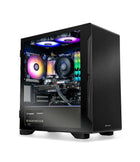 Golf Simulator Gaming Desktop PC by Elite Sim GolfFrom
$1,999.00
Golf Simulator Gaming Desktop PC by Elite Sim GolfFrom
$1,999.00
Show 2 moreShow less
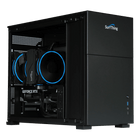
Pro-Level Overhead Tracking, Built By Golfers For Golfers.
The ProTee VX brings professional accuracy to the home simulator without floor sensors, club stickers, or special golf balls. Its ceiling-mounted design keeps the hitting area completely clear, supports right- and left-handed players with an instant switch, and captures ball and club data through dual high-speed cameras backed by ProTee Group's 20-plus years of golf simulation innovation.
Powered by the ProTee Labs software suite and AI-driven club and ball tracking, the VX delivers instant visual and data feedback in under 0.3 seconds from strike to screen. There are no recurring software fees, and every unit connects to a Windows PC over the included Cat6 network cable and USB-to-Ethernet adapter to run GSPro, TGC 2019, and other leading simulation platforms.
Right now, every ProTee VX also ships with two ProTee swing cameras included free — face-on and down-the-line video synced to every shot inside ProTee Labs, with no upgrade purchase required. Elite Sim Golf is an Authorized ProTee Reseller, so units, software licensing, and warranty support all come through official channels.
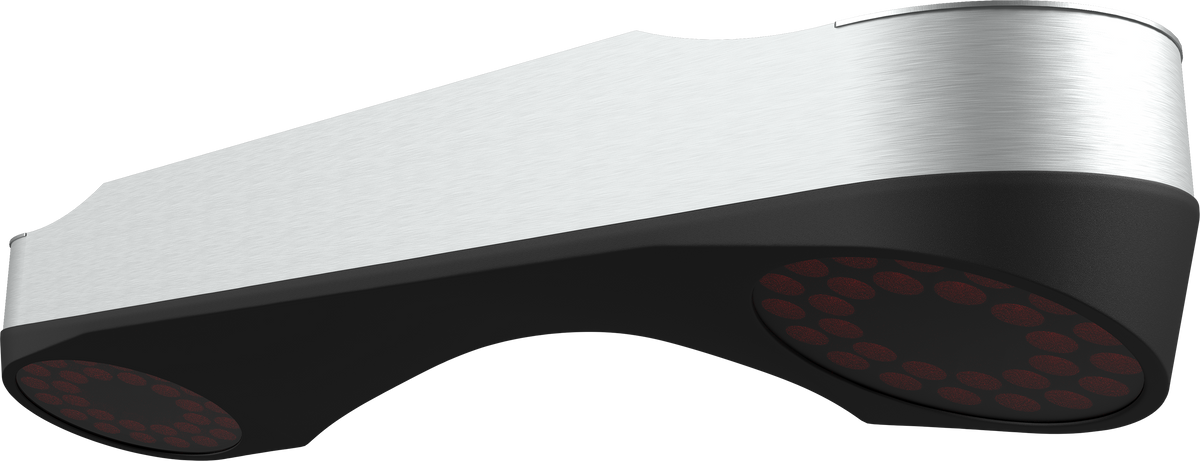
Two ProTee Swing Cameras Included With Every ProTee VX.
Ball and club numbers tell you what happened. Swing video tells you why. Every ProTee VX ordered from Elite Sim Golf currently includes a set of two ProTee swing cameras at no additional cost — roughly a $600 value, and the same cameras other overhead systems treat as a paid upgrade.
Face-On And Down-The-Line, Synced To Every Shot.
The two included cameras set up beside and behind the hitting area, then feed directly into ProTee Labs. Video plays back side by side with the shot data from the same swing, so club delivery, ball flight, and body motion all line up in one screen instead of three separate tools.
- High frame rate swing capture
- Face-on and down-the-line angles
- Tripods or mounts sold separately
- Native ProTee Labs integration
- Video paired with shot data
- No upgrade purchase required

ProTee Labs · Dual Swing Camera Playback With Live Shot Data
Promotion Terms
The two-camera set is included with ProTee VX purchases while camera stock lasts and can end without notice. Cameras ship with the launch monitor on the same order. Tripods and camera mounts are not included. If availability changes before an order ships, Elite Sim Golf will make contact before fulfillment.
What The Cameras Need
The swing cameras connect to the same Windows PC that runs ProTee Labs and the simulator software. Camera placement, mounting options, and ProTee Labs setup are covered on the ProTee VX Setup & Support page.
ProTee Labs — The Feature-Rich Software Companion To ProTee VX.
Every ProTee VX includes ProTee Labs, a user-friendly software suite for accessing, analyzing, and customizing every session. Shot data, swing video, and visualizers can all be displayed on a separate monitor for a full dual-screen experience alongside your simulator course play.
ProTee Labs is continuously updated with new features and AI-powered improvements, so the system keeps getting stronger over time — with no recurring software fee to unlock core functionality.
What This Means
ProTee VX is more than a launch monitor. With ProTee Labs, it becomes a complete practice and improvement tool — dispersion circles, bag mapping, a wedge matrix, a practice range, and shot recording, all in one continuously updated suite.
Practice Range
Structured practice environment for dialing in every club in the bag.
Bag Mapping & Wedge Matrix
Map carry distances across your set and build a repeatable wedge matrix.
Dispersion & Stats
Dispersion circles, shot recording, and statistic tracking for real feedback.
Dual-Screen Visualizers
Display shot data, swing videos, and visualizers on a second monitor.
Installation Requirement — 9 ft To 10 ft Ceiling Window
ProTee VX is designed for overhead mounting. A minimum ceiling height of 9 ft (2.75 m) is required, and the unit is certified for a 9 ft to 10 ft mounting window. Ceilings taller than 10 ft need an extender mount to bring the unit into range. See the ProTee VX Setup & Support page for full installation guidelines.
No Recurring Software Fees
ProTee Labs core tracking and practice functionality are not locked behind a required annual subscription. Third-party software such as GSPro or TGC 2019 may require its own separate license.
Built For Serious Simulator Builds.
Ceiling-Mounted Overhead Design
Clean floor-free setup with no hitting-zone limitations and left/right-handed support.
Dual High-Speed Cameras
Two high-speed cameras capture impact for hyper-accurate ball and club data.
Markerless Club & Ball
No club stickers, dots, or special golf balls required for tracking.
AI-Powered Tracking
AI-driven club path, face angle, and ball data for pro-level insights.
Under 0.3s Feedback
Less than 0.3 seconds from strike to on-screen data and visual feedback.
GSPro & TGC 2019 Compatible
Works with leading third-party simulator platforms on a Windows gaming PC.
Instant Handedness Switch
Switch between right- and left-handed play in seconds without moving the unit.
Two Swing Cameras Included
Face-on and down-the-line swing cameras ship free with every ProTee VX order.
By The Numbers.
Open Platform.
Compatible Simulator Platforms
- GSPro — realistic ball flight, course play, and online simulator golf
- TGC 2019 — extensive course library and simulator play
- E6 Connect & Creative Golf 3D — supported through a separately purchased connector
- Other Top Simulation Software — seamless integration with leading platforms
Included ProTee Labs Tools
- Practice Range for structured training
- Bag Mapping & Wedge Matrix for club distances
- Dispersion Circles & Stats for shot analysis
- Dual Swing Camera Playback for reviewing motion alongside data (two cameras included)
- Shot Recording & Visualizers for a dual-screen experience
24 Data Points. Plus AI-Powered Insights.
ProTee VX delivers a deep set of ball, club, and flight performance metrics for practice, fitting, and coaching — 8 measured club data points, 7 measured ball data points, and 9 calculated flight data points, all powered by AI-driven tracking through the dual high-speed cameras.
8 Club Data (Measured)
Captured directly by the dual high-speed cameras.
- Club Speed
- Swing Path
- Club Face Angle
- Club Face To Path
- Attack Angle
- Dynamic Loft
- Club Lie Angle
- Impact Point (Vertical + Horizontal)
7 Ball Data (Measured)
Captured directly at impact.
- Ball Speed
- Total Spin
- Spin Axis
- Back Spin
- Side Spin
- Launch Direction
- Launch Angle
9 Flight Data (Calculated)
Derived from measured inputs.
- Flight Path
- Apex Height
- Apex Time
- Total Distance
- Carry Distance
- Off Line
- Air Time
- Run
- Descent Angle
Plus: AI-Powered Insights & Two Included Swing Cameras
AI-driven club and ball data on every shot, plus the two swing cameras included free with every ProTee VX so face-on and down-the-line motion can be reviewed alongside shot data inside ProTee Labs, with visualizers displayed on a second monitor for a dual-screen experience.
ProTee Labs — Analyze, Customize, And Improve.
ProTee VX ships with the full ProTee Labs software suite, a user-friendly interface for accessing, analyzing, and customizing data from every session. It turns raw shot numbers into a real practice and improvement system, and it keeps getting better with continuous AI-powered updates.
More Than Data. A Complete Practice System.
ProTee Labs combines ProTee VX's precise ball and club data with swing video and visualizers, then lets you break down every session on a dual-screen setup. Continuously updated with new features and AI-powered improvements, it is the software companion built specifically for the ProTee VX platform.
- Practice RangeStructured practice for every club in the bag.
- Bag MappingMap carry distances and build a wedge matrix.
- Dispersion CirclesVisualize consistency and shot patterns.
- Dual-Screen VisualizersShot data and swing video on a second monitor.
- SwingVid PlaybackBoth included cameras replay side by side with the shot data.
ProTee Labs
The feature-rich software suite — continuously updated with AI-powered improvements.
If This Sounds Like Your Setup, You Are In The Right Place.
Clean Overhead Setup
Perfect for golfers who want nothing sitting beside the ball or on the floor.
Lefty + Righty Play
Great for families, guests, and mixed-handed players — switch in seconds.
Data-Driven Practice
For golfers who want AI-powered ball data, club delivery metrics, and swing review.
Long-Term Value
Strong simulator compatibility with no recurring software fees for core functionality.
Let Elite Sim Golf Install Your ProTee VX.
Prefer a cleaner, easier, more confidence-inspiring setup? Elite Sim Golf offers professional installation for ProTee VX and full SimKit builds — direct installation in the Nashville, TN and Knoxville, TN markets, with nationwide availability through a trusted third-party installer network.
A Finished Simulator Space — Not A Weekend Project.
Because ProTee VX is ceiling-mounted, professional installation takes the guesswork out of overhead positioning, camera alignment, and room fitment. Basic ProTee VX SimKit installation starts at $1,500 for overhead-mounted launch monitor setups. Final pricing may vary based on room conditions, project complexity, and location.
- Overhead PositioningProper placement and alignment of the ceiling-mounted ProTee VX.
- Enclosure & ScreenEnclosure assembly and impact screen tensioning.
- Projector & MatProjector mounting and alignment plus hitting mat and bay layout.
- PC ConfigurationGolf sim PC setup, software configuration, and full system testing.
What Installation Covers
- Enclosure assembly & screen tensioning
- Projector placement & alignment
- ProTee VX overhead positioning
- Hitting mat & simulator bay layout
- Golf sim PC configuration & testing
Not included in base pricing: extender mounts for ceilings above 10 ft, electrical outlet installation, in-ceiling wiring or cabling, structural framing, and drywall or finish work. Some projects require photos, room dimensions, or equipment details before a quote.
Everything You Need To Mount And Run ProTee VX.
Every ProTee VX order from Elite Sim Golf ships complete — launch monitor, mounting plate and hardware, calibration plate, cabling, the perpetual ProTee Labs license, and two free swing cameras. Many users install it themselves, and a professional installer is recommended for the smoothest setup.
- ProTee VX Launch Monitor
- 2 ProTee Swing Cameras (Free Promotion)
- Stainless Steel Mounting Plate
- 4 Mounting Screws + 4 Wall Plugs
- Camera Calibration Plate
- 32 ft (10 m) Cat6 Network Cable
- USB-To-Ethernet Adapter
- Power Cord
- ProTee Labs Perpetual License
- Installation Instructions
Need help with the install? Walk through every step on the ProTee VX Setup & Support page.
Do It Yourself, Or Let Elite Sim Golf Do The Heavy Lifting.
Two ways to get to a complete simulator around your ProTee VX. Configure and assemble it yourself with the SimKit Bundle Builder, or hand it off to Elite Sim Golf for a ready-made package and professional installation — from product selection to a finished, playable space.
Do It Yourself — Build Your Own SimKit
Configure a custom ProTee VX SimKit from the ground up with the SimKit Bundle Builder. Pick your enclosure size, projector tier, hitting mat, and add-ons, then assemble it yourself with the included setup tools and the free ProTee VX Setup & Support guides.
Let ESG Do The Heavy Lifting
Skip the sourcing and the setup day. Start from a ready-made ProTee VX Pre-Built SimKit — matched enclosure, projector, hitting mat, and accessories — and add professional installation so Elite Sim Golf assembles, mounts, and configures the whole build for you.
Already have a projector or enclosure? Start with the ProTee VX Overhead Golf Launch Monitor and build around your existing space.
Setup, Support, And Partner Resources.
Everything you need before and after purchase — mounting guidance, software setup, free remote setup help, and trade pricing for installers and resellers.
ProTee VX Setup & Support
Step-by-step mounting, calibration, and ProTee Labs setup guides, plus free remote setup help for ProTee VX owners.
Open Setup & Support →Professional Installation
Direct installation in Nashville & Knoxville, TN, plus nationwide third-party installer availability. Overhead ProTee VX SimKit installs start at $1,500.
Check Availability →Installer & Reseller Pricing
Installer and reseller pricing is available on most Elite Sim Golf products — launch monitors, projectors, enclosures, screens, mats, and simulator PCs.
Request Partner Pricing →ProTee VX Buyer FAQ.
What ceiling height does the ProTee VX launch monitor need?
ProTee VX requires a minimum ceiling height of 9 ft (2.75 m) and is certified for a 9 ft to 10 ft mounting window. At 9 ft the unit sits roughly 3 ft 3 in in front of the ball, and at 10 ft roughly 3 ft 7 in. Ceilings taller than 10 ft require an extender mount to bring the unit into the certified range. Because it mounts above you, it frees up your floor and works well in tight spaces. Full mounting and clearance specs are on the ProTee VX Setup & Support page.
Are the two swing cameras really included free?
Yes. Every ProTee VX ordered from Elite Sim Golf currently includes a set of two ProTee swing cameras at no additional cost, with no upgrade purchase required. The cameras ship with the launch monitor on the same order and integrate directly with ProTee Labs for face-on and down-the-line video synced to every shot. Tripods or camera mounts are not included and are sold separately. The promotion runs while camera stock lasts and can end without notice.
Is Elite Sim Golf an authorized ProTee reseller?
Yes. Elite Sim Golf is an Authorized ProTee Reseller. Every ProTee VX sold here comes direct through ProTee's authorized channel, so it carries full manufacturer warranty coverage, a genuine ProTee Labs perpetual license, and eligibility for firmware and software updates.
Does ProTee VX require a subscription to use?
No. ProTee VX has no recurring software fees. The included ProTee Labs suite ships with a perpetual license, so core tracking and practice functionality never sit behind an annual subscription. Third-party simulator software such as GSPro or TGC 2019 may require its own separate license.
Is ProTee VX compatible with GSPro and TGC 2019?
Yes. ProTee VX integrates natively with GSPro and TGC 2019 on a capable Windows PC. E6 Connect and Creative Golf 3D are also supported through a separately purchased connector. Setup steps are covered on the Setup & Support page.
Do I need to use special golf balls or club stickers?
No. ProTee VX uses dual high-speed cameras with markerless tracking, so no stickers on the ball or club and no special golf balls are required.
Does ProTee VX work for both right- and left-handed golfers?
Yes. Because ProTee VX is mounted overhead, players can switch from right- to left-handed play in seconds without moving or repositioning the unit. It also supports multiple user profiles for fast switching between players.
What is ProTee Labs?
ProTee Labs is the software companion included with ProTee VX. It provides a user-friendly interface for accessing, analyzing, and customizing session data, and it includes a practice range, bag mapping, dispersion circles, a wedge matrix, shot recording, statistic tracking, and visualizers. Shot data, swing videos, and visualizers can be displayed on a separate monitor for a dual-screen experience, and the suite is continuously updated with new features and AI-powered improvements.
How fast is ProTee VX shot feedback?
ProTee VX delivers instant visual and data feedback in less than 0.3 seconds from strike to screen, fast enough for natural-feeling simulator play and uninterrupted practice sessions.
What data does ProTee VX measure?
ProTee VX measures 24 data points in total: 8 club data points (club speed, swing path, club face angle, face to path, attack angle, dynamic loft, club lie angle, and impact point), 7 ball data points (ball speed, total spin, spin axis, back spin, side spin, launch direction, and launch angle), and 9 calculated flight data points (flight path, apex height, apex time, total distance, carry distance, off line, air time, run, and descent angle).
How does ProTee VX connect to my PC?
ProTee VX connects to a Windows PC over Ethernet. A 32 ft (10 m) Cat6 network cable and a USB-to-Ethernet adapter are included in the box, so the unit plugs into a USB port on the PC through the adapter. A capable Windows gaming PC is recommended to run the ProTee Labs suite and third-party simulator software smoothly.
Can I install ProTee VX myself?
The ceiling-mounted setup is designed to be simple and clean, and many users install it themselves with the included setup tools. For the smoothest result, working with a professional installer is recommended. Elite Sim Golf also provides free remote setup help — details are on the Setup & Support page.
Does Elite Sim Golf offer professional installation for ProTee VX?
Yes. Elite Sim Golf offers professional installation for ProTee VX and full SimKit builds, with direct installation in the Nashville, TN and Knoxville, TN markets and nationwide availability through a trusted third-party installer network. Basic overhead launch monitor SimKit installation starts at $1,500, and typically covers enclosure assembly and screen tensioning, projector placement, ProTee VX overhead positioning, hitting mat and bay layout, and golf sim PC configuration and testing. Items such as extender mounts for ceilings above 10 ft, electrical outlet installation, in-ceiling wiring, structural framing, and drywall or finish work are not included in base pricing. Product-only orders do not automatically include installation unless it is arranged in advance. Check availability on the installation services page.
What kind of post-purchase support is available?
ProTee Group provides global 24/7 live chat support, and Elite Sim Golf provides direct ProTee VX support including mounting guidance, software setup, and free remote setup assistance for ESG customers. Details are on the Setup & Support page.
What is included with the ProTee VX Launch Monitor?
Every ProTee VX order ships with the launch monitor, two ProTee swing cameras included free, a stainless steel mounting plate, four mounting screws and four wall plugs, a camera calibration plate, a 32 ft (10 m) Cat6 network cable, a USB-to-Ethernet adapter, a power cord, the ProTee Labs perpetual license, and installation instructions.
How does Elite Sim Golf ship ProTee VX orders?
ProTee VX orders ship free via UPS Ground within the contiguous United States. Orders move from active inventory, and tracking is provided as soon as the unit is on its way. Expedited service can be arranged on request before the order ships.
Bought Through Official Channels.

Elite Sim Golf Is An Authorized ProTee Reseller.
Every ProTee VX sold here comes direct through ProTee's authorized channel. That means full manufacturer warranty coverage, a genuine ProTee Labs perpetual license registered to the buyer, and access to ProTee Group's global support alongside direct ESG support.
- Sourced direct from ProTee
- Full manufacturer warranty honored
- Genuine ProTee Labs license
- Firmware and software update eligibility
- Direct escalation to ProTee support
- Free remote setup help from ESG
A Smoother ProTee VX Experience — From Delivery To Setup.
Where you buy matters as much as what you buy. Elite Sim Golf is built around fast fulfillment, real product knowledge, and post-purchase support that helps you get the most from your ProTee VX.
Free UPS Ground Shipping
Free UPS Ground shipping on ProTee VX orders within the contiguous United States. Orders ship promptly from active inventory, with tracking provided as soon as the unit is on its way.
Authorized ProTee Reseller
Units come direct through ProTee's authorized channel, with full manufacturer warranty and a genuine ProTee Labs perpetual license.
Two Free Swing Cameras
Every ProTee VX currently ships with two ProTee swing cameras included free, while camera stock lasts.
Real Post-Purchase Support
From setup questions to troubleshooting, ESG is known for responsive support after the sale, including free remote setup help.