






Build a Permanent Indoor Simulator
Around the Uneekor EYE MINI
This EYE MINI SimKit is built around Uneekor’s photometric launch monitor and lets you choose every other component. Pick any of four short-throw projectors — two native 4K UHD models and two Full HD 1080P models, premium and value tiers — either Beaver Tail hitting mat, and the aluminum enclosure size that fits your room. It’s a permanent-installation package built for garage bays and dedicated sim rooms — and because the EYE MINI runs on its own onboard display or a connected PC or iPad with no PC required, the same launch monitor travels to the range when the bay is not in use. Build your configuration below and everything ships together via free UPS Ground.
Uneekor EYE MINI

Ground-Based Placement
Sits in front of the mat facing the golfer. No ceiling mount, no overhead bracket, no drilling required.
Dimple Optix — Any Ball
Reads any standard golf ball by its dimple pattern. No stickers, no markings, no special balls required for ball data.
19 Ball & Club Data Points
Dual-camera system captures ball speed, spin, launch angle, club path, face angle, attack angle, and more across every shot.
Full Uneekor Software Ecosystem
Ships with Uneekor Launcher and VIEW. Compatible with GSPro, E6 Connect, and TGC 2019. Refine and GAME DAY trial included.
- Ball Speed
- Back Spin
- Side Spin
- Launch Angle
- Launch Direction
- Carry Distance
- Total Distance
- Max Height
- Descent Angle
- Flight Time
- Side Carry
- Spin Axis
- Total Spin
- Curve
- Club Head Speed
- Club Path
- Face Angle
- Attack Angle
- Face to Path
The EYE MINI works indoors and outdoors with a built-in rechargeable battery (6–8 hours) and an onboard E-ink display, and connects to a Windows PC or iPad over Ethernet, Wi-Fi, or Bluetooth — no PC required. For full simulator course play in this bay, a Windows PC is recommended. Club stickers near the clubface toe are included and recommended for complete club data tracking.
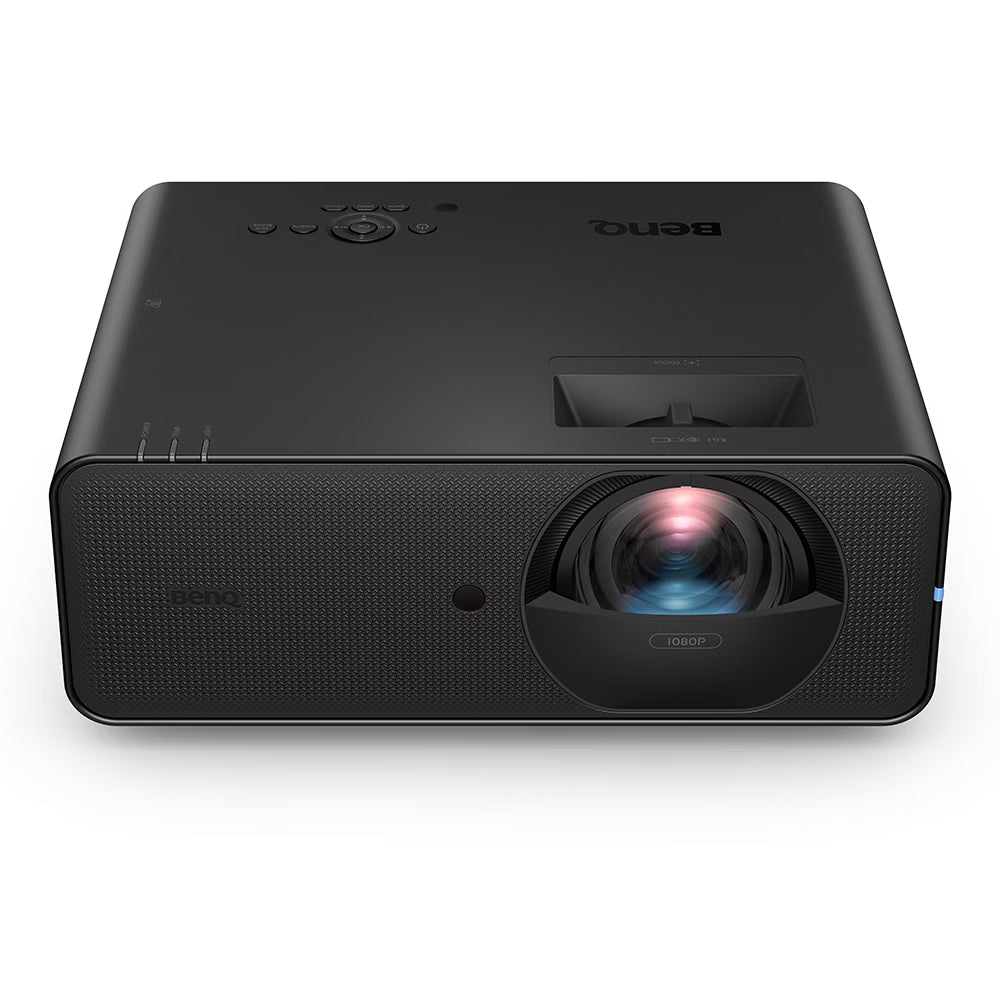
Choose Your Projector — 17 Models
Short-throw projectors from Optoma and BenQ, in 1080P and 4K. Select the model that fits your screen size, room depth, and picture quality goals. Projector is chosen at checkout and ships with the SimKit.




Choose Your Enclosure — 3 Sizes
All three enclosures use a tool-free aluminum frame and ship flat for assembly in your space. Choose the size that fits your room and desired screen width. Confirm ceiling clearance and throw distance with the Projector Fitment Tool before ordering.

Eagle 12 Enclosure
The Eagle 12 is the most versatile SimKit enclosure — wide enough for a generous screen, short enough in depth to fit a standard two-car garage bay or spare room. Tool-free aluminum frame, 4:3 aspect ratio screen, and 6×12 landing mat included with enclosure purchase.

Birdie 10 Enclosure
The Birdie 10 fits rooms where width is limited — a single-car garage, a basement lane, or a tighter dedicated sim room. At 120″ wide, it still delivers a full sim experience with a 4:3 screen and includes the 6×12 landing mat. Tool-free aluminum frame ships flat.

Albatross 13 Enclosure
The Albatross 13 is the widest enclosure in the lineup — 156″ wide with a 16:9 aspect ratio screen and the deeper 6×15 landing mat. Built for rooms with the horizontal space to support a cinema-scale sim display. Tool-free aluminum frame, 72″ depth.
Choose Your Hitting Mat — 8 Options
Because the EYE MINI sits on the floor in front of the mat facing the golfer, mat length matters more than with overhead or side-mounted monitors. The monitor occupies the forward zone in front of the hitting strip — the mat itself should extend far enough behind the strip to provide a full, comfortable stance area. Longer mats give more room to set up naturally without crowding the monitor footprint.


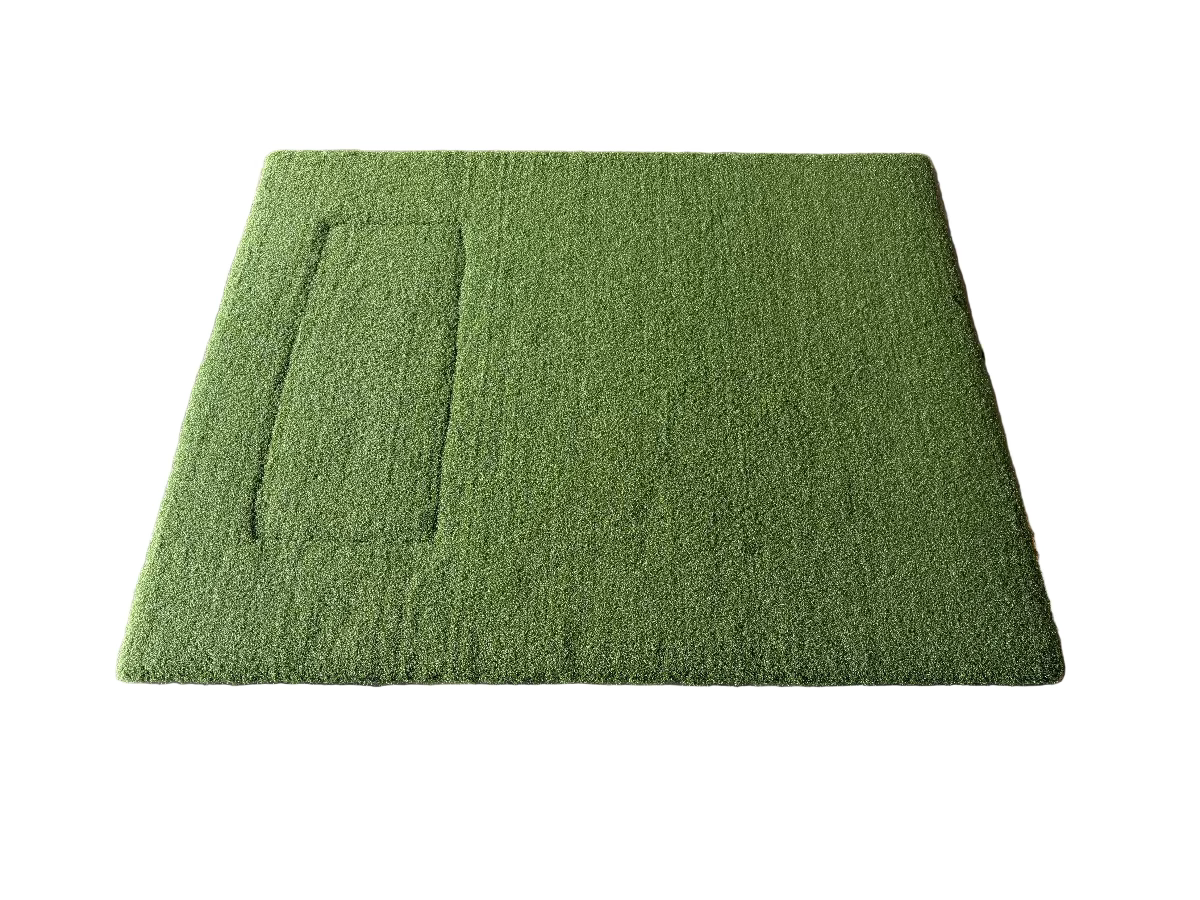


The enclosure landing mat (6×12 or 6×15 depending on enclosure) and putting green are optional add-ons available at checkout. Neither is included in the SimKit by default.
EYE MINI SimKit — Eagle 12 Bay


Eagle 12 enclosure pictured. EYE MINI launch monitor placement and putting green not shown. Putting green not included unless selected at checkout.
What Completes the Build
The SimKit ships with the launch monitor, projector, enclosure, and mat. These three items round out the installation.
Projector Install Kit
BenQ CM00G3 projector ceiling mount, 25ft HDMI cable, and 25ft power cable. Positions the short-throw projector at the correct throw distance from the screen without running cables across the floor.
Landing Mat (Included)
6×12 with Birdie 10 or Eagle 12 enclosures; 6×15 with Albatross 13. Sits at the base of the enclosure in front of the hitting mat. Included in the SimKit — sized automatically to the enclosure selected at checkout.
Windows PC (Optional)
The EYE MINI runs on its own onboard display or an iPad, so a PC is not required. For full simulator course play (GSPro, E6 Connect, TGC 2019) a Windows PC is recommended — it is not included in the SimKit and is sold separately.
Browse Golf Simulator PCsWhat’s In The Box
- Uneekor EYE MINI Launch Monitor
- Short-throw projector (model chosen below)
- Enclosure (size chosen at checkout)
- Beaver Tail hitting mat (4×8.25 or 4×5.5, chosen below)
- BenQ CM00G3 projector ceiling mount
- Landing mat (6×12 / 6×15 by enclosure)
- 25ft HDMI cable
- 25ft power cable
- Uneekor Launcher software (free download)
- VIEW virtual driving range (free)
- Refine / Refine+ / GAME DAY trial license
- Windows PC (optional — recommended for course play, sold separately)
- Putting green (optional add-on)
Quick Specs
| Launch Monitor | Uneekor EYE MINI |
| Tracking | Dual High-Speed IR Cameras (Photometric) |
| Placement | Ground-Based (in front of mat) |
| Hitting Zone | 12″ × 8″ |
| Ball Recognition | Dimple Optix (any ball) |
| Data Points | 19 ball & club metrics |
| Software | Uneekor Launcher, VIEW, Refine, GSPro, E6 Connect, TGC 2019 |
| PC Required | No — onboard display or iPad; PC optional for course play |
| Projector | Choice of 4: ZK521ST-B 4K, AK700ST 4K, AH700ST 1080P, GT2400HDR 1080P |
| Enclosure | Birdie 10, Eagle 12, or Albatross 13 |
| Hitting Mat | Choice of Beaver Tail 4×8.25 or 4×5.5 |
| Shipping | Free UPS Ground (Continental US) |
Why the EYE MINI SimKit?
- Uneekor photometric accuracy at the lowest Uneekor price point
- Ground placement with no ceiling hardware or drilling required
- Any-ball Dimple Optix tracking — no proprietary accessories
- Portable use with onboard display or iPad, plus full GSPro and E6 compatibility via PC
Who This SimKit Is Built For
The Uneekor Buyer
Wants into the Uneekor photometric ecosystem at the lowest price point without compromising on tracking quality.
The Permanent Builder
Setting up a dedicated sim room or garage bay and wants a fixed, wired installation with no portability trade-offs.
The GSPro Player
Wants photometric data for GSPro or E6 course play, plus the freedom to take the same monitor to the range on battery power.
The Upgrader
Moving up from a radar-based or portable device to a proper indoor sim build with permanent hardware and full software access.
Prefer a Ready-Made Configuration?
If choosing every component is more than you need, these four pre-built EYE MINI kits ship with the projector and Beaver Tail mat already set — only the enclosure size is chosen at checkout. Two 4K configurations and two 1080P configurations cover the most popular projector pairings.
EYE MINI Premium 4K — Optoma ZK521ST-B
The brightest pairing. EYE MINI with the Optoma ZK521ST-B 4K laser projector (5,000 lumens, Smart Fit auto-alignment) and the Beaver Tail 4×8.25 double-wide mat. The premium pick for larger screens and rooms with ambient light.
View the ZK521ST-B 4K KitEYE MINI Premium 4K — BenQ AK700ST
The flexible 4K pairing. EYE MINI with the BenQ AK700ST native 4K laser projector (golf picture mode, Auto Screen Fit, 1.2× motorized zoom) and the Beaver Tail 4×8.25 double-wide mat. The easiest 4K placement and setup.
View the AK700ST 4K KitEYE MINI 1080P — BenQ AH700ST
The value laser pairing. EYE MINI with the BenQ AH700ST Full HD 1080P laser projector (BenQ Golf Mode, Auto Screen Fit) and the Beaver Tail 4×5.5 single-sided mat. A low-maintenance, value-tier build for tighter bays.
View the AH700ST 1080P KitEYE MINI 1080P — Optoma GT2400HDR
The tight-room pairing. EYE MINI with the Optoma GT2400HDR Full HD 1080P projector (ultra-short 0.496:1 throw, 4,200 lumens, 8.6ms input lag) and the Beaver Tail 4×5.5 single-sided mat. The brightest 1080P pick for the shallowest rooms.
View the GT2400HDR 1080P KitBuild Your Own or Compare Alternatives
Want to choose every component yourself, or weighing other launch monitors? Open the bundle builder or compare other pre-configured alternatives.
Build Your Own SimKit
Prefer to choose every component yourself? The SimKit Bundle Builder lets you pick your launch monitor, projector, enclosure, and mat individually and confirm fitment as you go.
Open the Bundle BuilderGarmin R50 SimKit
Ground-based photometric launch monitor with the same enclosure and projector options — no Windows PC required. Home Tee Hero runs directly on the R50’s built-in 10″ touchscreen. The right alternative for builders who want floor placement without a PC dependency.
View Garmin R50 SimKitVTrack Overhead SimKit
Ceiling-mounted overhead launch monitor with the same enclosure and projector options. Requires a Windows PC for GSPro and E6. The difference is mount position: overhead vs. in front of the mat.
View VTrack SimKitResources
EYE MINI SimKit — FAQ
The ESG Advantage
Three reasons this SimKit ships from Elite Sim Golf rather than a general-purpose retailer.
Uneekor Authorized Dealer
Elite Sim Golf is an authorized source for the EYE MINI with full Uneekor manufacturer warranty support. Buying from an authorized dealer is the only way to ensure warranty coverage is valid from day one.
One Coordinated Package
Whichever projector, mat, and enclosure you choose, the launch monitor and every component ship together as a single coordinated package via free UPS Ground. No assembling a build from four separate vendors or worrying about compatibility gaps.
ESG-Backed Support
Post-purchase setup and software guidance is available. Getting Uneekor Launcher, GSPro, and E6 Connect running correctly on a new Windows PC can take troubleshooting — ESG support is there to walk through it.