






VTrack Overhead Golf Launch Monitor
Popular VTrack Accessories5 add-ons VTrack buyers order most
 VTRACK Swing EZ Add-On Package$1,399.99
 VTrack Impact Protector Clear Impact Shield + Lifetime Guarantee$179.99$299.95
Save $119.96
VTrack Impact Protector Clear Impact Shield + Lifetime Guarantee$179.99$299.95
Save $119.96
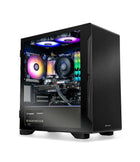 Golf Simulator Gaming Desktop PC by Elite Sim GolfFrom
$1,999.00
Golf Simulator Gaming Desktop PC by Elite Sim GolfFrom
$1,999.00
Show 2 moreShow less
Clean Overhead Tracking Without The Premium-Tier Price.
VTrack gives golfers the overhead simulator experience without forcing them into a much higher price category. It keeps the floor area clear, supports both right- and left-handed golfers without moving the unit, and captures valuable ball and club data through high-speed photometric camera tracking.
With open swing camera replay in ToolKit v2.3.5 — covering mobile devices, USB webcams, and SwingEZ cameras — the system becomes even more useful for practice and coaching. Golfers can review swing video alongside shot data to better understand what happened, why it happened, and what to work on next.
ToolKit v2.3.5 — Open Swing Camera Replay With SwingEZ Cameras In GSPro.
VTrack owners get the full open swing camera replay workflow through VTrack ToolKit v2.3.5. ToolKit supports swing replay using compatible mobile devices, USB webcams, and — new in v2.3.5 — the high-FPS SwingEZ cameras for swing replay inside GSPro and other third-party simulator software, not just the SwingEZ Unity environment.
The setup workflow is the same one introduced for open swing replay; SwingEZ cameras simply plug into that same ToolKit camera pipeline. There is nothing to relearn for existing VTrack owners.
What This Means
VTrack is no longer just an impact and launch monitor. With swing replay support across phones, USB webcams, and SwingEZ cameras, it becomes a stronger training tool — and SwingEZ buyers now get high-quality replay inside GSPro and other simulator software, on top of AI pose analysis in SwingEZ.
SwingEZ Cameras In GSPro
New in v2.3.5. High-FPS SwingEZ cameras now accepted inside VTrack ToolKit for swing replay in GSPro and other third-party simulator software.
Mobile Camera Support
Use compatible mobile devices as swing replay cameras inside the VTrack ToolKit workflow.
USB Webcam Support
Add USB webcams for front-view, down-the-line, or any other swing replay angle.
ToolKit v2.3.5
Released 6/15/2026. Same setup workflow as prior versions — only the new SwingEZ camera pipeline is added.
Installation Requirement — 106" Minimum Ceiling Height
VTrack is designed for overhead mounting. A minimum ceiling height of 106" is required for proper camera angle, field of view, and consistent tracking performance. See the VTrack Setup & Support page for full installation guidelines.
No Required Subscription For Core Use
VTrack core tracking and practice functionality are not locked behind a required annual monitor subscription. Third-party software such as GSPro or E6 may require its own license.
How To Use Swing Cameras In VTrack ToolKit v2.3.5
Watch the VTrack walkthrough covering the open swing camera replay workflow in ToolKit v2.3.5. Learn how to add mobile devices and USB webcams to review motion alongside VTrack shot data — the same workflow that now accepts the high-FPS SwingEZ cameras for replay in GSPro and other third-party simulator software.
Built For Serious Simulator Builds.
Ceiling-Mounted Overhead Design
Clean floor-free setup with a large hitting zone and left/right-handed support.
High-Speed Photometric Tracking
Dual stereoscopic high-speed cameras capture impact for accurate ball and club data.
Markerless Club & Ball
No club stickers, dots, or special balls required for core tracking.
25 Data Points
Spin, path, face angle, attack angle, impact location, and more.
Fast Shot Feedback
Near real-time response for both practice sessions and simulator play.
GSPro & E6 Compatible
Works with leading third-party simulator platforms on a capable gaming PC.
Swing Camera Replay
ToolKit v2.3.5 supports swing replay using compatible mobile devices, USB webcams, and SwingEZ cameras (GSPro & other third-party simulator software).
106" Minimum Ceiling
Designed for dedicated simulator rooms that can support proper overhead installation.
By The Numbers.
Open Platform.
Compatible Simulator Platforms
- GSPro — realistic ball flight, course play, and online simulator golf
- E6 Connect — premium course play and practice environments
- E6 Apex — next-generation E6 visuals and simulator experience
Included VTrack Tools
- VTrack ToolKit for settings, analysis, and updates
- Practice Range for structured training
- CSV Data Export for coaching and performance review
- Swing Camera Replay available in ToolKit v2.3.5 (mobile, USB webcam & SwingEZ cameras)
- SwingEZ AI swing analyzer available as an add-on package
25 Data Points. Plus Impact-Point Video.
VTrack delivers a deep set of ball and club performance metrics for practice, fitting, and coaching — 9 measured club data points, 8 measured ball data points, and 8 calculated ball flight data points, plus impact-point video capture for visual feedback on every shot.
9 Club Data (Measured)
Captured directly by the dual stereoscopic cameras.
- Club Speed
- Club Path
- Face Angle
- Face-To-Path
- Attack Angle
- Dynamic Loft
- Smash Factor
- Horizontal Impact
- Vertical Impact
8 Ball Data (Measured)
Captured directly at impact.
- Ball Speed
- Back Spin
- Side Spin
- Total Spin
- Spin Axis
- Rifle Rotation
- Launch Direction
- Launch Angle
8 Ball Data (Calculated)
Derived from measured inputs.
- Apex Height
- Side Total
- Side Angle
- Total Distance
- Carry Distance
- Flight Time
- Run
- Land Angle
Plus: Impact-Point Video & Swing Camera Replay
Slow-motion impact-point video on every shot, plus swing camera replay support through compatible mobile devices, USB webcams, and high-FPS SwingEZ cameras in VTrack ToolKit v2.3.5.
Pair VTrack With SwingEZ — The AI Swing Analyzer.
Take VTrack from a launch monitor to a full self-training system. SwingEZ is the AI swing analyzer software that combines VTrack’s precise ball and club data with high-definition swing cameras and pose-tracking AI to diagnose your faults, recommend drills, and guide you step-by-step toward a better swing.
More Than Data. A Real Coach In Your Sim.
SwingEZ analyzes VTrack ball and club data alongside front and side swing video, then uses AI pose analysis to identify swing faults and prescribe personalized drills. It is the only AI self-training golf solution built around the VTrack platform.
- AI Pose AnalysisBody movement, club delivery, and swing sequencing.
- Diagnostic ShotsThree swings calibrate your current swing baseline.
- Personalized DrillsAI prescribes a structured drill series for your faults.
- Triple Data LayerBall + club + swing pose, analyzed together.

SwingEZ
The world’s only AI self-training golf solution — built around VTrack.
If This Sounds Like Your Setup, You Are In The Right Place.
Clean Overhead Setup
Perfect for golfers who want nothing sitting beside the ball or on the floor.
Lefty + Righty Play
Great for families, guests, and mixed-handed players without moving the launch monitor.
Data-Driven Practice
For golfers who want ball data, club delivery metrics, impact video, and swing replay.
Long-Term Value
Strong simulator compatibility with no required subscription for core monitor functionality.
Everything You Need To Mount And Run VTrack.
Every VTrack Overhead Launch Monitor order from Elite Sim Golf ships with the full mounting and connection package — no scrambling for cables or hardware on installation day.
- VTrack Launch Monitor
- Mounting Bracket
- Mounting Hardware
- 65ft Ethernet Cable
- 65ft Power Cable
- Installation Instructions
Need help with the install? Walk through every step on the VTrack Setup & Support page.
Add The VTrack Impact Protector.
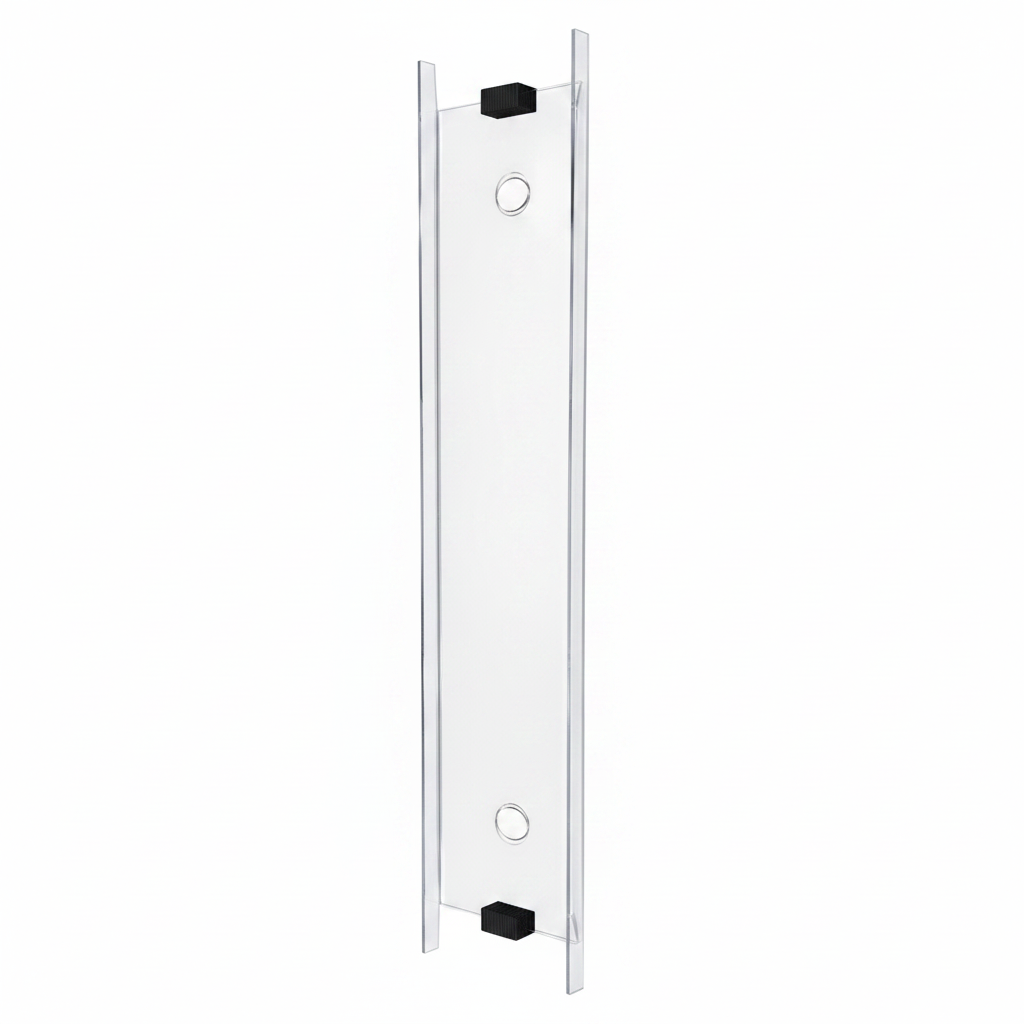
Your VTrack lives directly above the hitting bay. The VTrack Impact Protector is a clear impact shield, manufactured in-house by Elite Sim Golf, that defends the launch monitor from mishits, shanks, and stray drives — without blocking the camera’s view.
Clear Impact Shield Built For VTrack.
Engineered specifically for the VTrack overhead form factor. The clear shield sits inline with the monitor housing, preserves the unit’s field of view, and absorbs direct ball strikes that would otherwise hit the lenses or camera bezel.
- Clear ShieldOptically clear so VTrack’s cameras keep a full unobstructed view of the hitting area.
- Direct-Hit DefenseDesigned to take ball strikes that would otherwise damage the launch monitor.
- Made In-HouseManufactured in-house by Elite Sim Golf for better availability and faster support.
- VTrack-Specific FitBuilt around the VTrack housing — not a generic universal shield.
Or Skip The Sourcing — Go SimKit.
Prefer a complete simulator package instead of piecing everything together? Pair VTrack with the Eagle 12 enclosure, BenQ or Optoma projector, the BeaverTail Hitting Mat (now standard in all SimKit Bundles), and core accessories — choose a ready-made SimKit or build your own from the ground up.
VTrack Pre-Built SimKit Bundles
Ready-made VTrack simulator packages curated by Elite Sim Golf. Each pre-built SimKit pairs VTrack with a matched enclosure, projector, hitting mat, and accessories — no sourcing required.
Build Your Own VTrack SimKit
Configure a custom VTrack SimKit from the ground up. Pick your enclosure size, projector tier, hitting mat, and add-ons like SwingEZ or the VTrack Protector — built around your space and budget.
Already have a projector or enclosure? Start with the VTrack Overhead Golf Launch Monitor and build around your existing space.
Setup, Support, And Partner Resources.
Everything you need before and after purchase — mounting guidance, software setup, free remote setup help, and reseller / installer opportunities.
VTrack Setup & Support
Step-by-step mounting, calibration, and ToolKit setup guides, plus free remote setup help and 8-step troubleshooting for VTrack owners.
Open Setup & Support →SwingEZ AI Swing Analyzer Add-On
Add AI coaching to VTrack. Pose analysis, diagnostic shots, and personalized drills that work alongside your VTrack data.
View SwingEZ Package →VTrack Reseller & Installer Program
Sell or install VTrack. Dealer pricing, factory-direct BenQ & Optoma projector pricing, and deep discounts on Elite Sim Golf enclosures.
Become A Partner →VTrack Buyer FAQ.
What ceiling height does the VTrack launch monitor need?
VTrack requires a minimum ceiling height of 106 inches for proper overhead mounting, camera field of view, and consistent tracking. Lower ceilings will not produce reliable data. Full mounting and clearance specs are on the VTrack Setup & Support page.
Does VTrack require a subscription to use?
No. Core VTrack tracking, the included Practice Range, ToolKit, and CSV export do not require an annual monitor subscription. Third-party simulator software such as GSPro or E6 Connect may require its own separate license.
Is VTrack compatible with GSPro and E6?
Yes. VTrack is compatible with GSPro, E6 Connect, and E6 Apex on a capable Windows gaming PC. Setup steps are covered on the Setup & Support page.
Do I need to use special golf balls or club stickers?
No. VTrack uses markerless high-speed photometric tracking, so no stickers, dots, or branded marked balls are required for core ball and club data.
Does VTrack work for both right- and left-handed golfers?
Yes. Because VTrack is mounted overhead, both right- and left-handed players can use the same setup without moving or repositioning the unit.
What is in VTrack ToolKit v2.3.5?
ToolKit v2.3.5 (released June 15, 2026) is the current cumulative ToolKit release. It supports open swing camera replay using compatible mobile devices, USB webcams, and — new in v2.3.5 — the high-FPS SwingEZ cameras for swing replay inside GSPro and other third-party simulator software, not just the SwingEZ Unity environment. The setup workflow is the same one used for mobile and USB webcam replay — SwingEZ cameras plug into the same ToolKit camera pipeline. SwingEZ cameras now serve double duty: AI pose analysis and personalized drills inside SwingEZ, plus high-quality swing replay inside the simulator software already in use.
How fast is VTrack shot feedback?
VTrack delivers shot feedback in approximately 200–250 milliseconds, which is fast enough for natural-feeling simulator play and uninterrupted practice sessions.
What kind of post-purchase support does Elite Sim Golf provide?
Elite Sim Golf provides direct VTrack support including mounting guidance, software setup, ToolKit help, and free remote setup assistance for ESG customers. Details are on the Setup & Support page.
What is SwingEZ and how does it work with VTrack?
SwingEZ is an AI swing analyzer software add-on that combines VTrack’s ball and club data with front and side swing cameras and AI pose analysis. After three diagnostic swings, SwingEZ identifies swing faults and prescribes personalized drills. Learn more on the SwingEZ add-on package page.
Does VTrack need an impact protector?
VTrack mounts directly above the hitting bay, so a clear impact shield is strongly recommended to defend the launch monitor from mishits and stray drives. The VTrack Impact Protector is manufactured in-house by Elite Sim Golf and is built specifically for the VTrack housing.
What hitting mat comes with a VTrack SimKit Bundle?
The BeaverTail Hitting Mat is now standard in all VTrack SimKit Bundles, both pre-built and Build Your Own configurations. Browse pre-built SimKit bundles or open the SimKit Bundle Builder to configure a custom build.
What is included in the box with the VTrack Launch Monitor?
Every VTrack Overhead Launch Monitor order ships with the VTrack Launch Monitor, mounting bracket, mounting hardware, a 65ft Ethernet cable, a 65ft power cable, and installation instructions.
How does Elite Sim Golf ship VTrack orders?
VTrack orders ship free via UPS Next Day Air Saver where available. If Next Day Air Saver is not available to your ZIP code, your order automatically ships via UPS 2nd Day Air at no extra cost. This is a value-added service — if UPS does not deliver in one business day, no shipping refund is issued.
A Smoother VTrack Experience — From Delivery To Setup.
Where you buy matters as much as what you buy. Elite Sim Golf is built around fast fulfillment, real product knowledge, and post-purchase support that helps you get the most from your VTrack.
Free UPS Next Day Air Saver
FREE UPS Next Day Air Saver on VTrack orders (where available). If Next Day Air Saver is not available to your ZIP code, your order automatically ships UPS 2nd Day Air at no extra cost. This is a value-added service we provide — if UPS does not deliver in 1 business day, no shipping refund is issued.
Inventory-First Fulfillment
Real inventory and active order movement — not extended drop-ship timelines.
In-House VTrack Protectors
Elite Sim Golf manufactures VTrack Protectors in-house for better availability and stronger support.
Real Post-Purchase Support
From setup questions to troubleshooting, our team is known for responsive support after the sale.
Great monitor. Now that the team at elite helped getting it linked to the computer, it has worked nicely. It has struggled to read the woods correctly. Several of my three woods have went farther than my driver can. Several snap hooks left with the woods. I am still working through to figure out why. Some say you have to have a the label from the bal viewable. We will see.
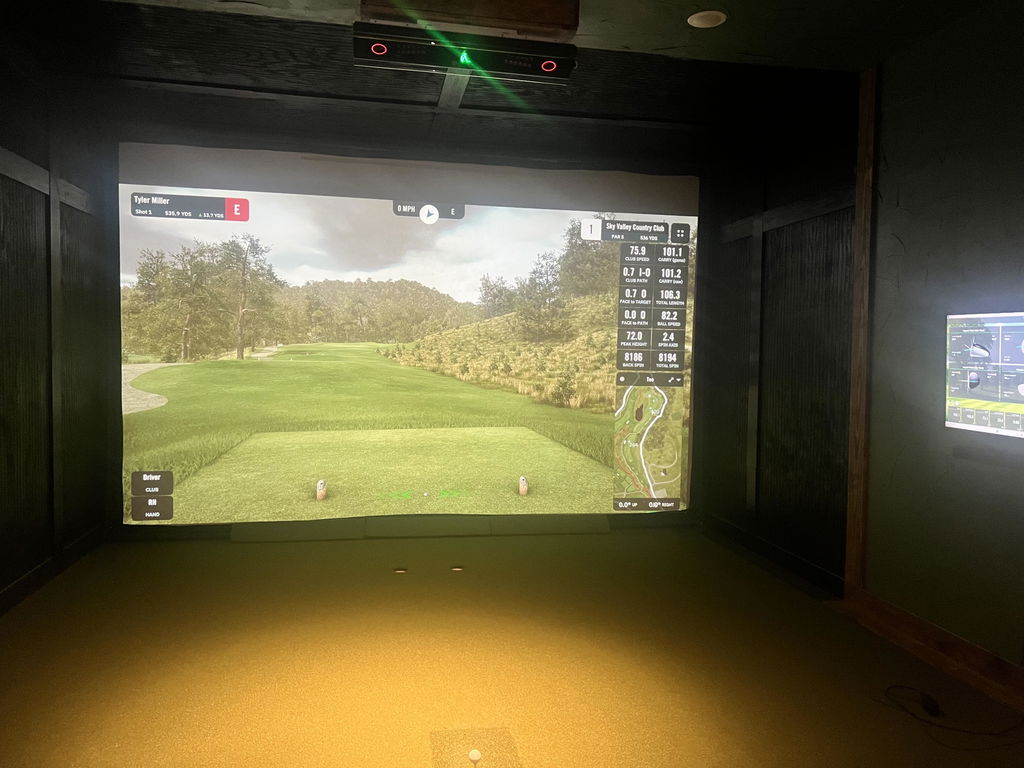
These guys are always great. As a simulator installer I have ventured through the many golf simulator supply companies and Elite Sim Golf takes the cake. They’re fast, knowledgeable, and awesome to work with. 10/5 stars!
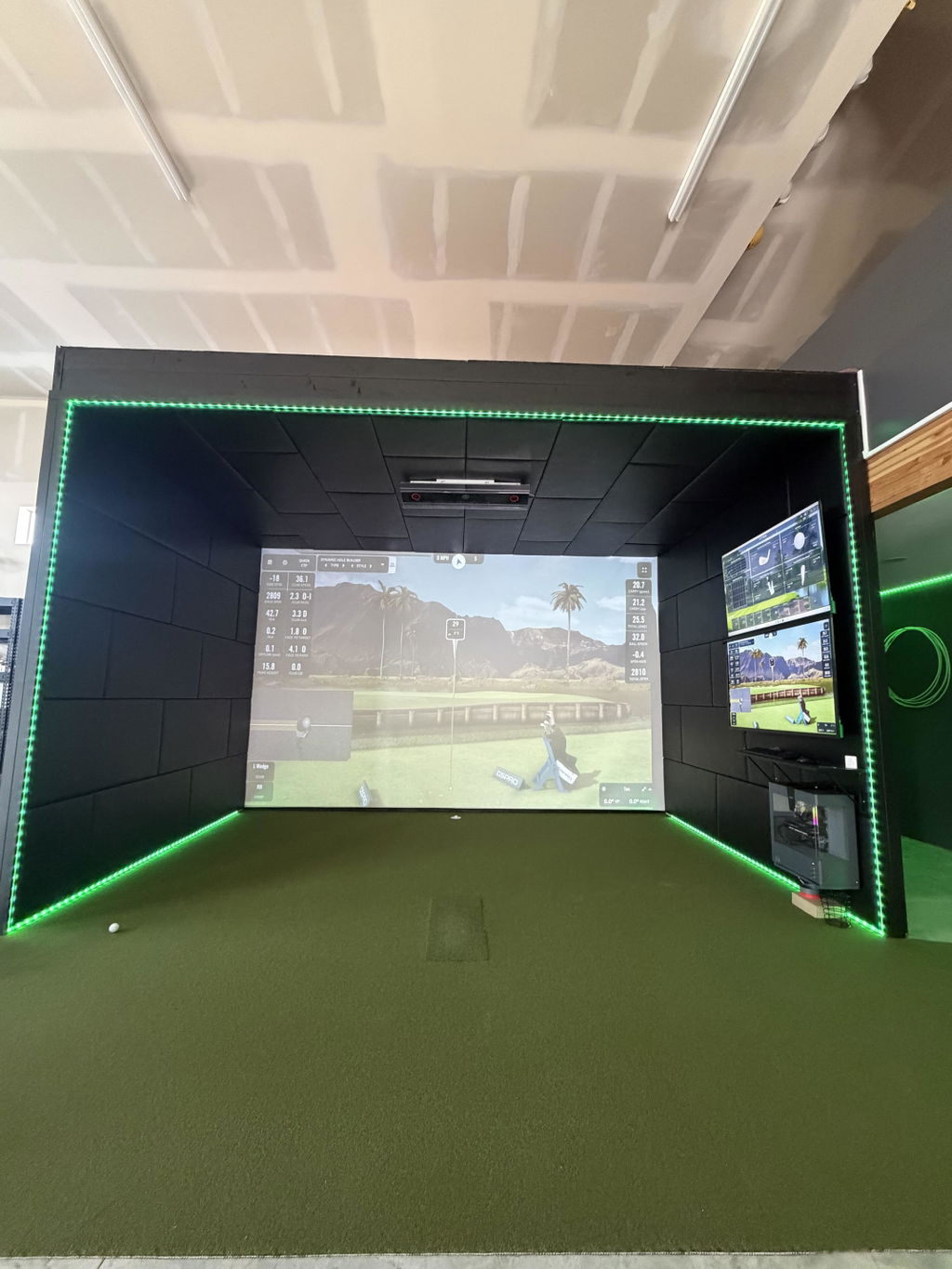
Upgraded from Mevo+ mainly because the Mevo struggled to pick up poorly struck shots hit by my grand children. The VTrack is amazing! Very easy to set up and calibrate, integrates perfectly with GSPro, and seems very accurate. I never putted with the Mevo and didn’t think I was missing anything, but I actually do enjoy it. Software is great and I expect it to keep getting better. Only minor things like the face impact for a three wood showing on an iron background… what a great purchase!
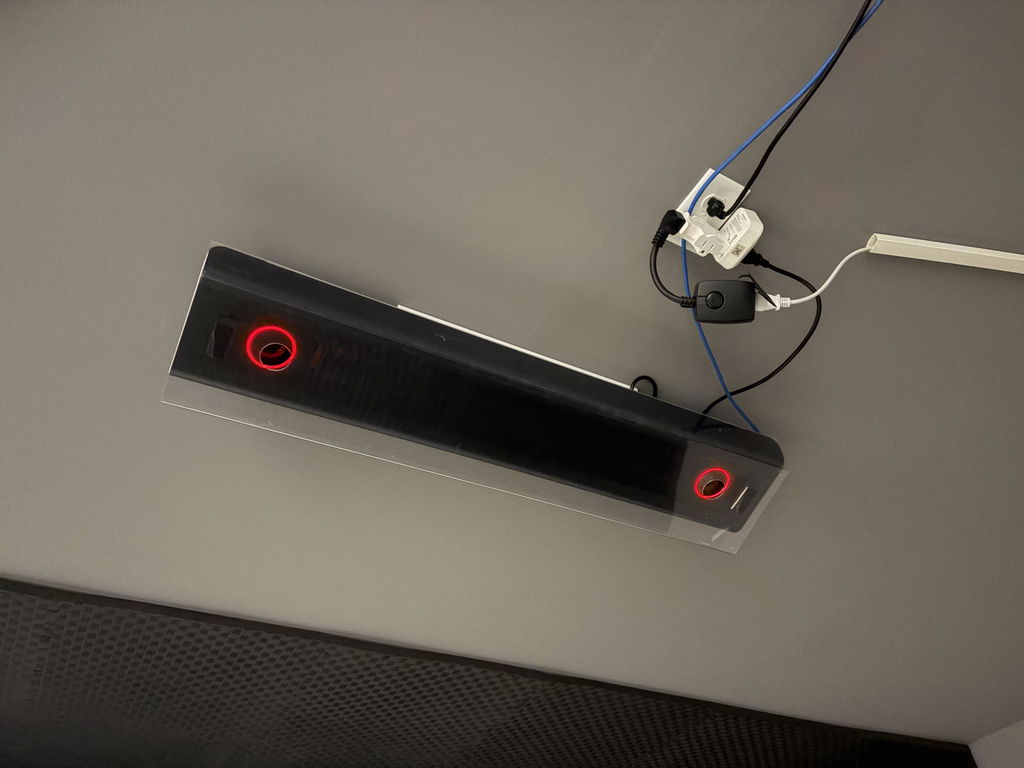
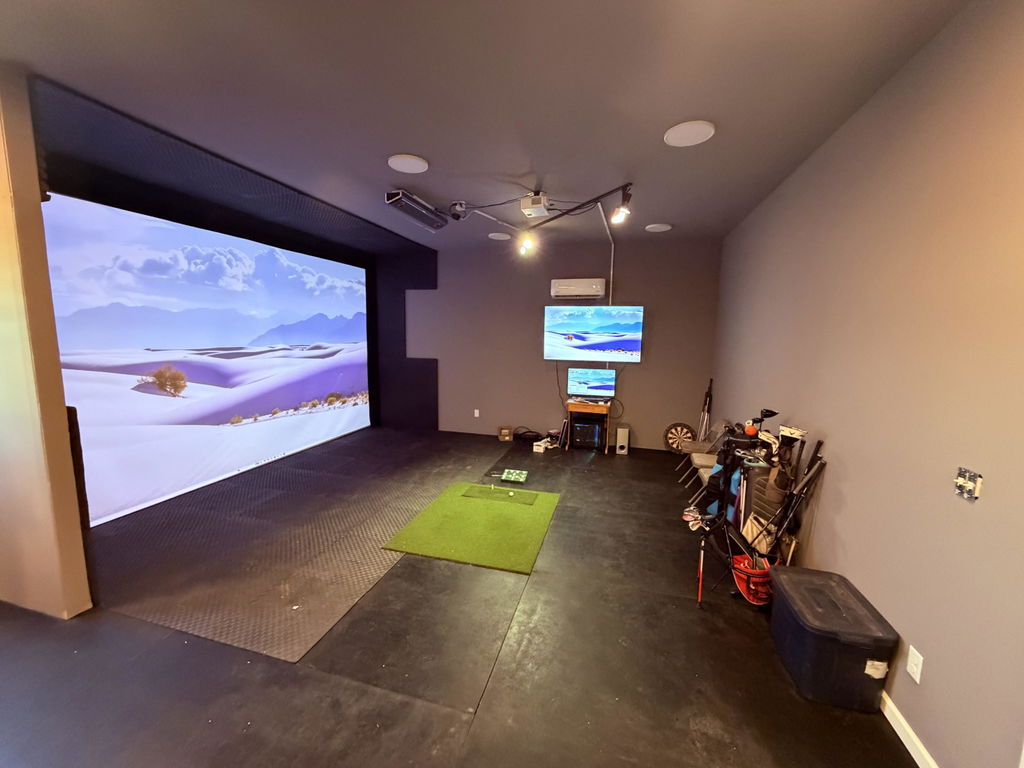
Everything you could want in a launch monitor. Easy to install, huge hitting area, instant shot processing, and every piece of data you could possibly want.
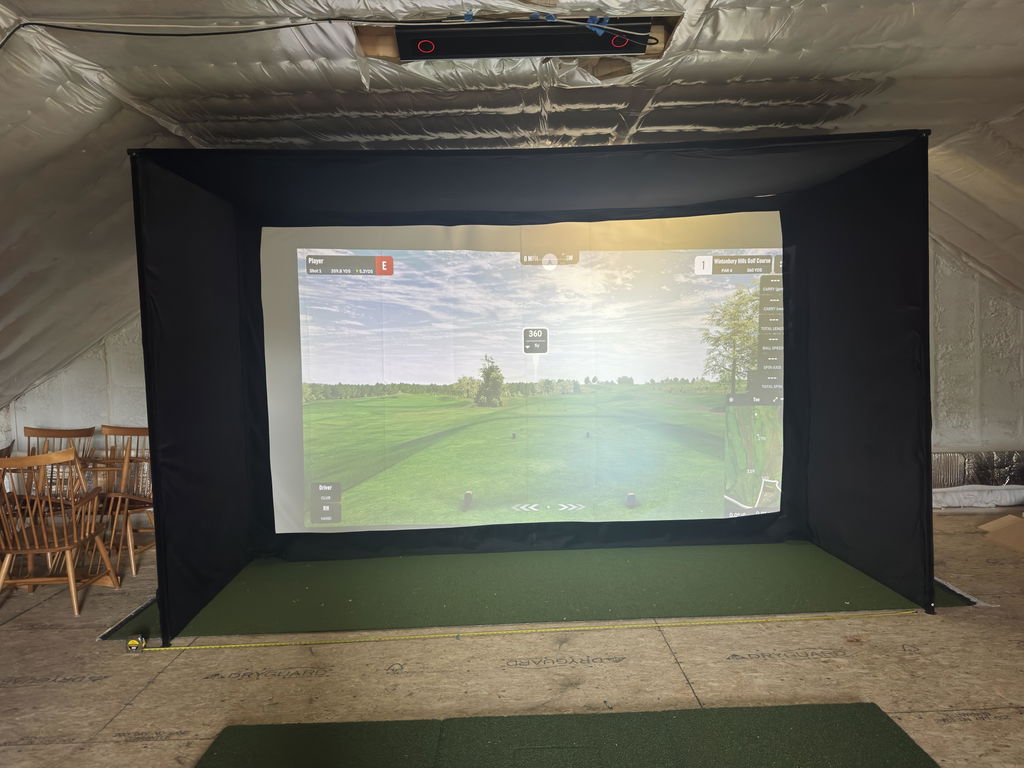
I couldn’t be happier with the VTrack. Setup was super easy, the software is intuitive, and the accuracy is top notch. Ordering through Elite Sim Golf was a great decision. They offered an amazing discount and have followed through with support.
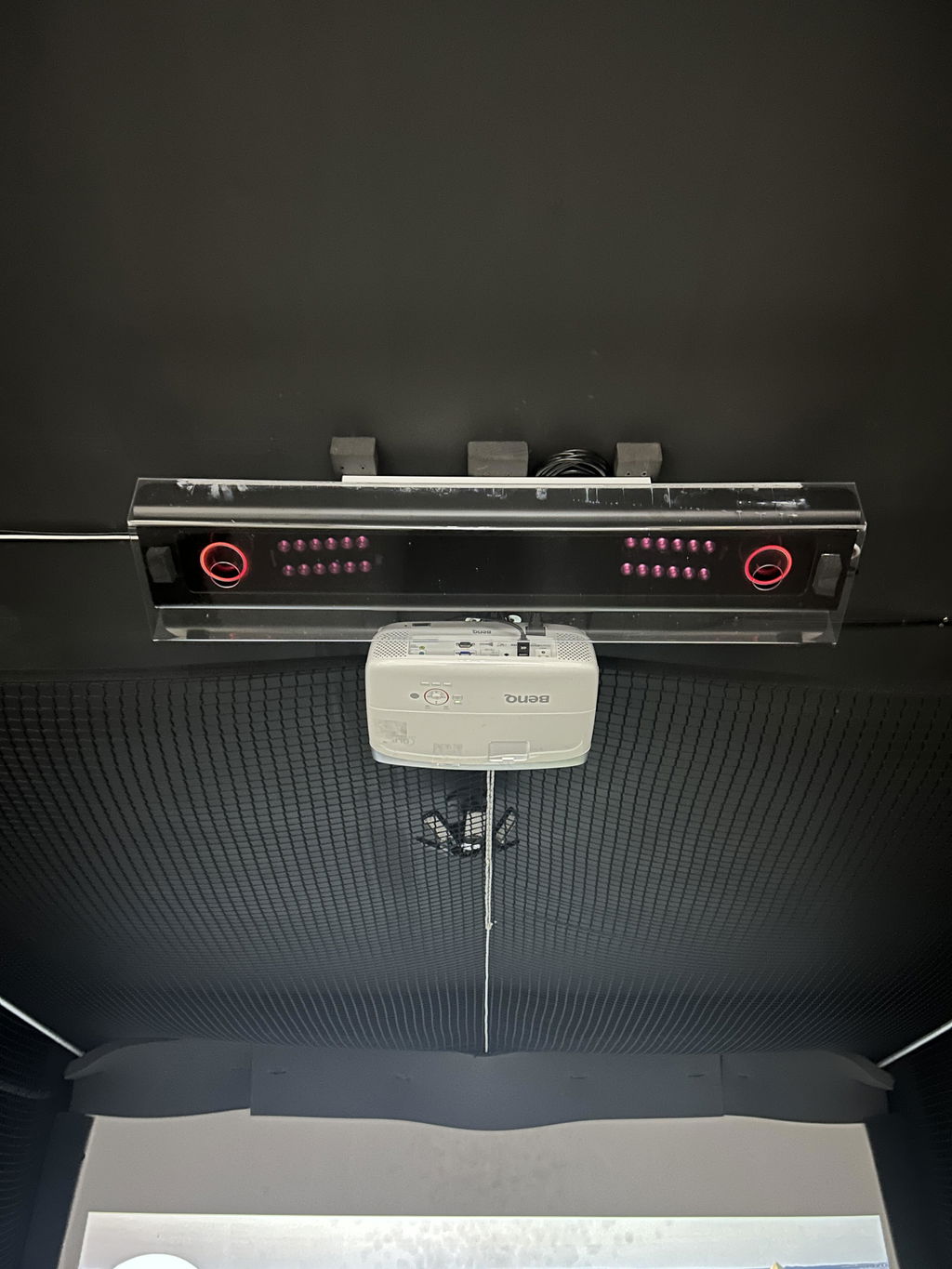
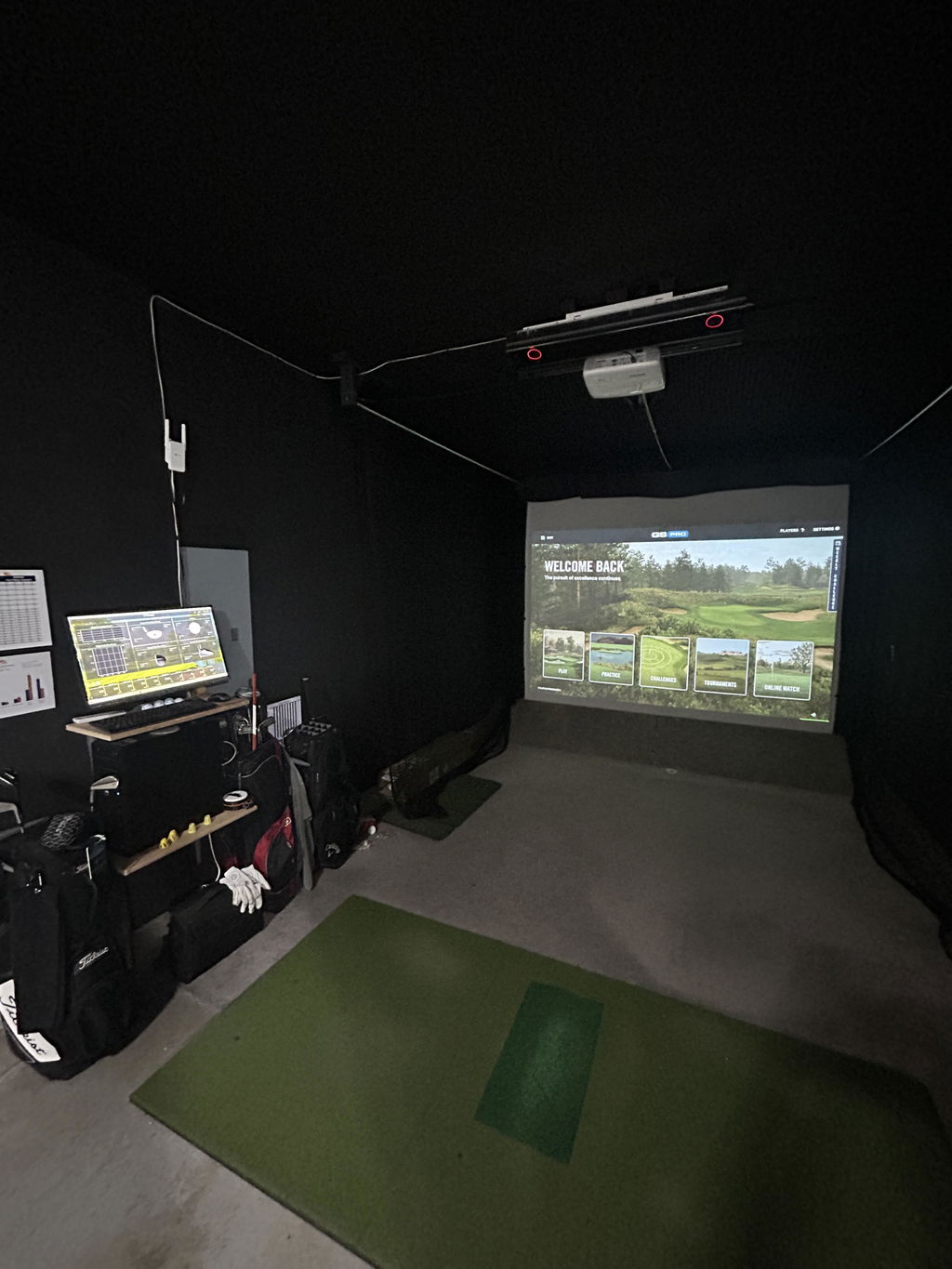
Loving my VTrack so far. Installation was fairly simple. Recommend having a friend help install the unit. Will make it much easier and faster to hang. It has been great. Connected easily with GSPro and the accuracy is spot on compared to much more expensive overhead units. I has a small install error on my part an the guys at Elite Sim were available right away to talk me through it. They were very helpful. I highly recommend.
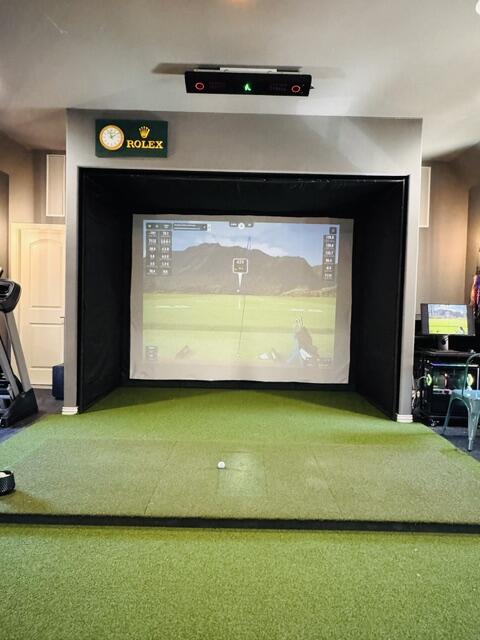
Hi Thomas, thank you for sharing your experience! We're thrilled to hear you're enjoying the VTrack and that our support was helpful. Happy golfing!
Awesome launch monitor. Very accurate and great statistics offered for those looking to improve. For the more casual player looking for realistic entertain it is a tremendous value for an overhead launch monitor. Excited to see the improvements over time too.
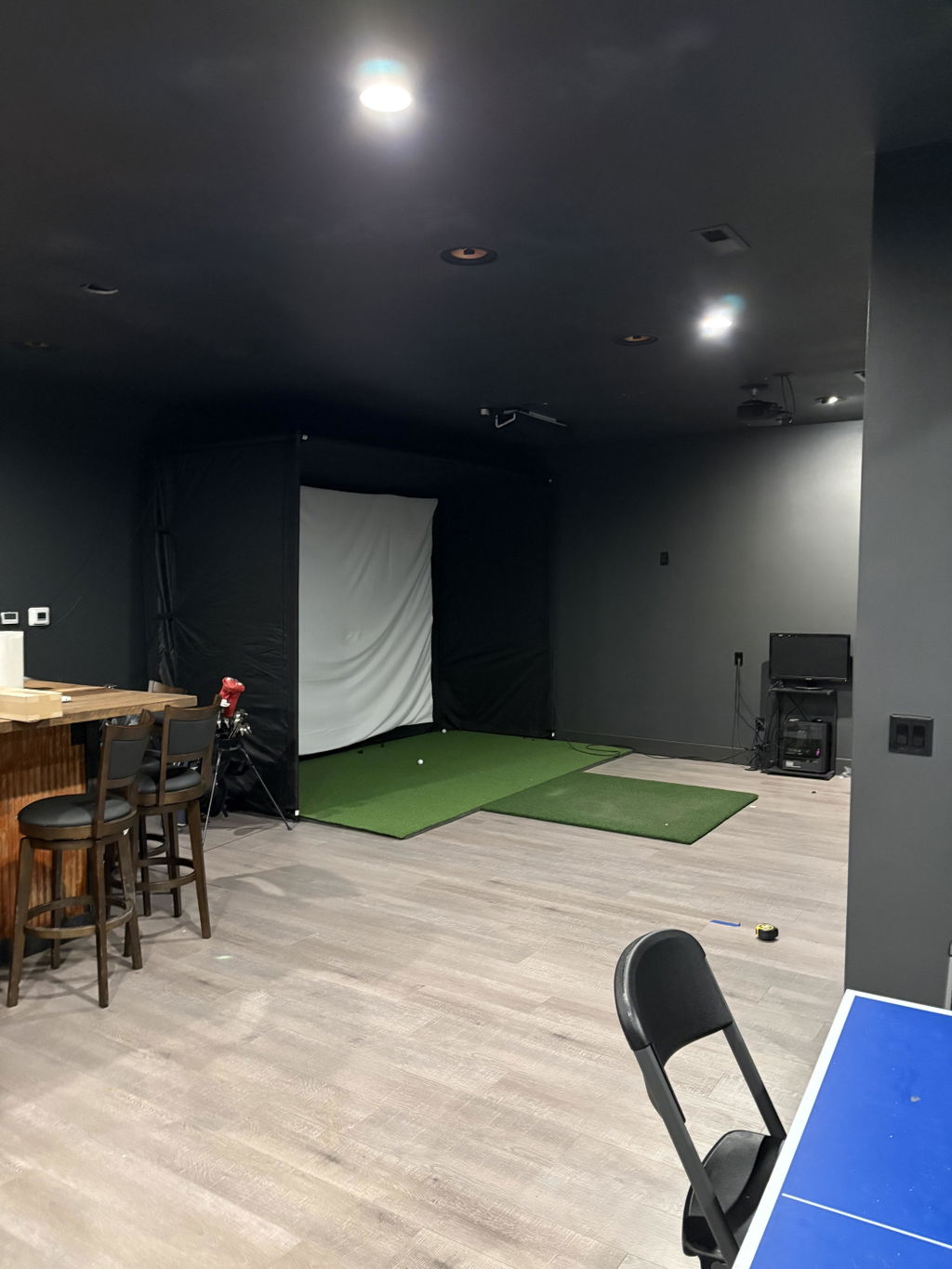
After doing all the research on golf launch monitors the VTrack made the most sense, it has everything you need in a launch monitor at an amazing price. Getting it installed on the ceiling couldn’t have been easier and they provide you with everything you need to get the job done, including a laser to help make sure everything is perfect. Installing the software and hitting my first shots was also just as simple and the VTrack has been performing flawlessly since day 1. John with Elite Sim Golf made the entire process super easy and help answer my questions all the way through the process from ordering to hitting shots and even helping me with a few minor issues with my PC that were unrelated to the VTrack. He also includes a remote for turning the VTrack on and off which makes it really easy to get things going when you want to play some golf. Can’t say enough good things about the VTrack and my experience with Elite Sim Golf, 100% recommend!
Its awesome and custumer service is also very good and responsive
My experience was phenomenal. Elite is my absolute "Go-To" place for anything I need for my Sim because of how good my experience was. Very fast communication, helped me find the combination I needed and at a better price than I was able to find anywhere else. Cannot recommend enough.
FABULOUS. Very fast and easy to install I give it a 10!!!!
Phenomenal service
Fantastic OHLM! Very impressed with the accuracy and easy integration with GSPro (open API.) Been using the VTrack in our commercial setting for a few weeks now and all the customers are LOVING the experience.
The Vtrack was super easy to setup and works better than I expected for the price.
I find the Vtrack to be consistently accurate . We play several round per day and any mis reads are 98% human error and they are few. The data it provides is very helpful . The support I received from my supplier Elite Sim Golf from start to way after the sale has been outstanding.
John and the team were great to work with. Ordering was easy and communication was solid. After a bit of calibration, it’s been extremely accurate and fun to use. Shipping was fast and everything arrived well packed. Would absolutely recommend.
John and the team were great to work with. Couldn’t be happier with this purchase. After a bit of calibration, it’s been extremely accurate and fun to use. Tracking updates were clear and the item arrived on time. Would absolutely recommend.
Elite Sim Golf was fantastic to work with. After a bit of calibration, it’s been extremely accurate and fun to use. Shipping was fast and everything arrived well packed. Exactly what I was hoping for.
John and the team were great to work with. Couldn’t be happier with this purchase. Works great with my software and has been a huge upgrade for my sim. They went above and beyond to make sure I was taken care of. Highly recommend Elite Sim Golf.
Great experience from start to finish. Really impressed with accuracy and reliability after a few sessions. Tracking updates were clear and the item arrived on time. Exactly what I was hoping for.
Ordering was easy and communication was solid. The data has been very consistent and matches what I see on the course. Exactly what I was hoping for.
Great accurate data points for significantly lower than competing launch monitors with similar data. Also no subscription
Ordering was easy and communication was solid. Works great with my software and has been a huge upgrade for my sim. Exactly what I was hoping for.
Amazing launch monitor. Good as any I've played on
⭐️⭐️⭐️⭐️⭐️
Love my V-Track launch monitor — the product is awesome and works exactly as promised. John at Elite SIM Golf was incredible, answered all my questions, and helped me get everything installed and running without ever making me feel rushed. Couldn’t ask for better service. I’d buy again in a heartbeat and recommend Elite SIM Golf with complete confidence.
Top-notch service and a great product. Setup was easier than expected and it’s been rock solid. Customer support was responsive and helpful throughout. I’d buy from them again without hesitation.
Elite Sim Golf was fantastic to work with. After a bit of calibration, it’s been extremely accurate and fun to use. I’d buy from them again without hesitation.
John and the team were great to work with. Ordering was easy and communication was solid. Works great with my software and has been a huge upgrade for my sim. They answered my questions quickly and made sure I ordered the right setup. Exactly what I was hoping for.