






A Full Overhead Simulator Bay, Configured Around the Uneekor EYE XO
The Uneekor EYE XO Premium 4K SIMKIT is a complete, pre-configured golf simulator package built around the Uneekor EYE XO Overhead Launch Monitor — a front-overhead dual high-speed camera system that reads any standard golf ball and keeps the hitting area open for both right- and left-handed golfers. Every major component is selected to work together: launch monitor, projector, enclosure, hitting mat, floor coverage, and install accessories.
This is not a parts list. It is a complete simulator foundation with enclosure choice and the support to back it up. Choose from five enclosures — Birdie 10, Eagle 12, and Albatross 13 in the Elite Series, or the premium finished-bay PRO 10x8 and PRO 12x9 — based on your room width, ceiling height, and preferred screen ratio.

Uneekor EYE XO Launch Monitor
Front-overhead dual camera tracking. 24 ball & club data points, Swing Optix video, GSPro & E6 ready.

BenQ AK700ST Projector
4,000 ANSI lumen 4K laser short throw. Auto Screen Fit, 1.2× motorized zoom, golf-tuned color.
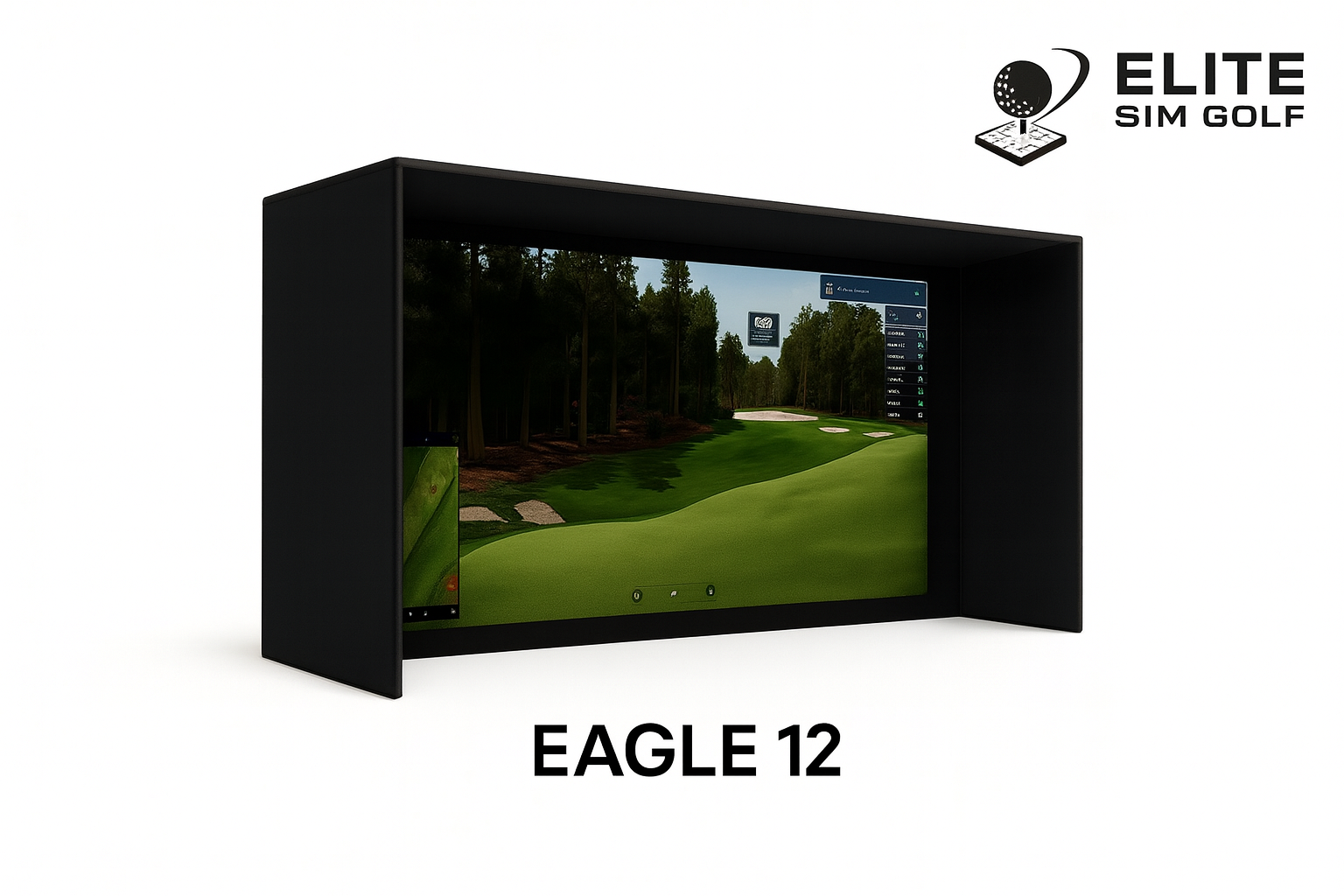
Choice of Elite Enclosure
Five options: Birdie 10, Eagle 12, Albatross 13, PRO 10x8, or PRO 12x9. Select based on room width, height, and screen ratio.
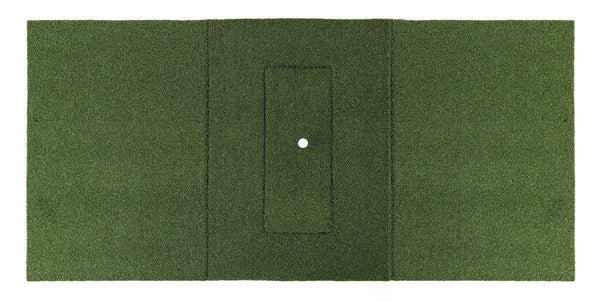
Beaver Tail Hitting Mat
4ft × 8.25ft. Replaceable hitting strip. Premium stance and hitting surface with a long-term maintenance advantage.
Uneekor EYE XO — Front-Overhead Dual Camera Tracking
The Uneekor EYE XO is the tracking foundation of this SIMKIT. It mounts overhead in front of the hitting zone rather than on the floor beside the mat — keeping the entire hitting area open and ready for both right- and left-handed golfers with instant handedness switching and no hardware to reposition between shots.
Dual 1440p infrared cameras running at 180 frames per second capture roughly 2,500 frames through impact, producing 24 total ball and club data points — 11 club measurements, 5 measured ball metrics, and 8 calculated values. Uneekor’s Dimple Optix ball reading works with any standard golf ball, so there is no proprietary marked ball to buy or reorder.
Front-Overhead Mounting
Floor stays clear — no unit to trip over and no repositioning between right- and left-handed players. Requires 9ft–10ft ceiling height.
Dual 1440p IR Cameras
180fps high-speed capture, approximately 2,500 frames recorded through the impact window for precise measured data.
24 Ball & Club Data Points
11 club, 5 measured ball, and 8 calculated metrics — the full data set in the Uneekor overhead lineup.
Dimple Optix — Any Ball
Reads standard golf balls with no markings required. No proprietary marked ball to buy or replace.
Swing Optix Cameras Included
Two Swing Optix cameras ship with this SIMKIT for synchronized face-on and down-the-line swing video alongside every shot.
Right & Left Handed
Instant handedness switching in software. The 12″ W × 16″ L hitting zone serves both setups without moving hardware.
VIEW, Refine+ & GAME DAY
Uneekor VIEW virtual range plus Refine+ and GAME DAY trials, and a one-year AI Trainer subscription included with this bundle.
GSPro, E6, TGC & Awesome Golf
Compatible with GSPro, E6 Connect, TGC 2019, and Awesome Golf for full-course play, practice ranges, and skill games.
BenQ AK700ST — 4,000 Lumen 4K Laser Short Throw
The BenQ AK700ST is engineered around simulator geometry rather than adapted from a home-theater unit. A 4K UHD laser engine rated at 4,000 ANSI lumens holds stable brightness for roughly 20,000 hours — no lamp replacement and none of the lumen fade that hits lamp projectors after a couple thousand hours.
Its 0.69–0.83:1 short throw ratio with 1.2× motorized zoom lets the projector mount behind the hitting area, clear of the swing path, while still filling a large impact screen without shadows. Golf-tuned color modes keep course greens and ball-flight tracers reading correctly in GSPro and E6 Connect.
4,000 ANSI Lumens / 4K
Native 3840 × 2160 laser projection with strong dynamic contrast for crisp course detail, UI overlays, and tracers.
0.69–0.83:1 Short Throw
Mounts behind the player without shadows and fills the screen — compatible with all five enclosure options.
Auto Screen Fit & Quick Focus
One-button screen detection and fill, plus ground-level focus, keystone, corner fit, and 3D keystone at ±30°.
1.2× Motorized Zoom
Fine-tune image size from the remote without repositioning the mount, giving real slack on install placement.
20,000 Hour Laser Engine
Dust-resistant IP5X optical engine built for frequent home and light commercial use with stable long-term brightness.
Simulator-Ready Inputs
Dual HDMI 2.0 plus USB-C with DP Alt Mode for clean integration with any GSPro, E6 Connect, or TGC 2019 PC build.
Select the Bay Size and Screen Ratio That Fits Your Room
This SIMKIT is available with your choice of five enclosures across two lines. The Elite Series — Birdie 10, Eagle 12, and Albatross 13 — uses a 1–1⁄4″ thick-wall powder-coated steel frame, 4K triple-layer impact screen, velvet-lined walls, and tool-free snap-together assembly. The PRO Series — PRO 10x8 and PRO 12x9 — is the premium finished-bay line, built on a 1″ EMT pipe frame with a High Contrast Gray triple-layer screen, RipStop surround, foam-lined heavyweight flaps, bungee bottom, and a built-in 1ft wall stand-off that lets the bay sit directly against the back wall — 6’ total depth with 5’ from the front frame to the screen.
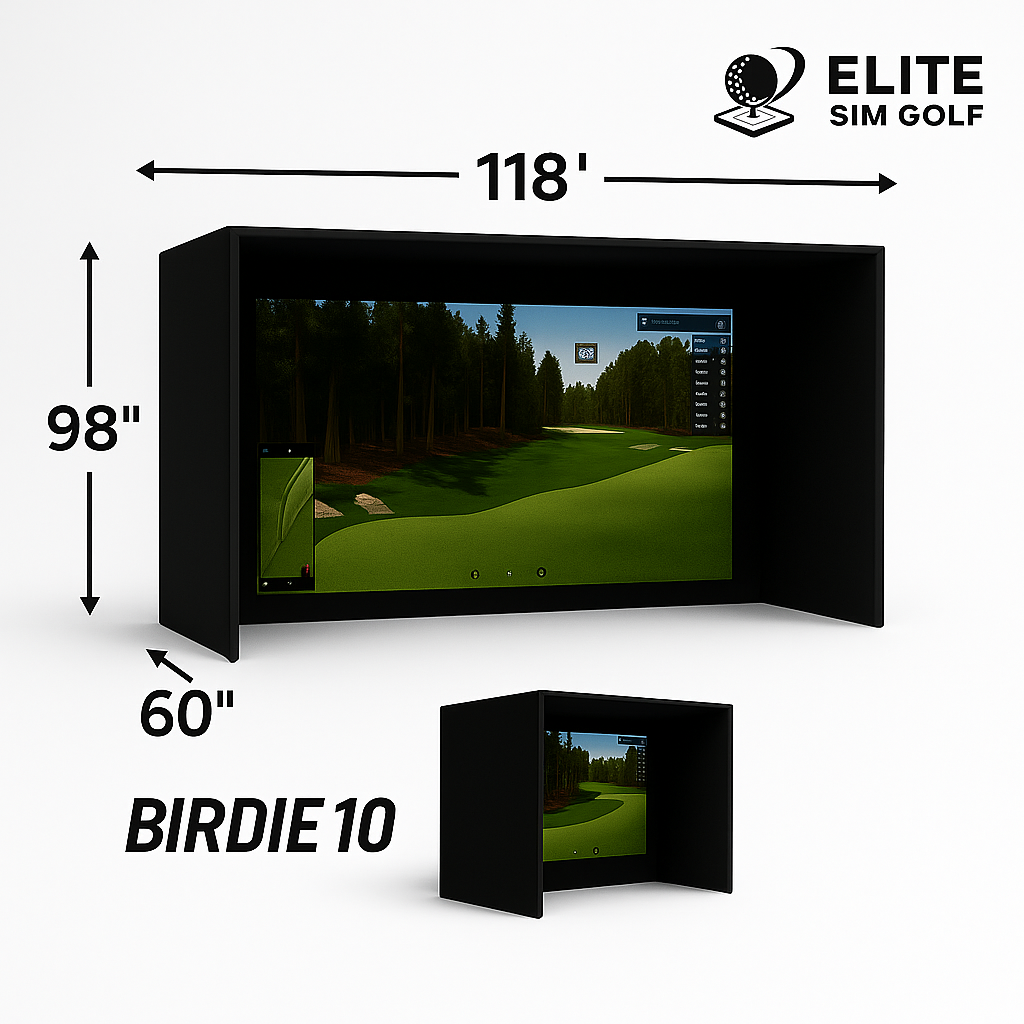
Compact 10ft bay — best for tighter rooms and single-car garages where width is limited.
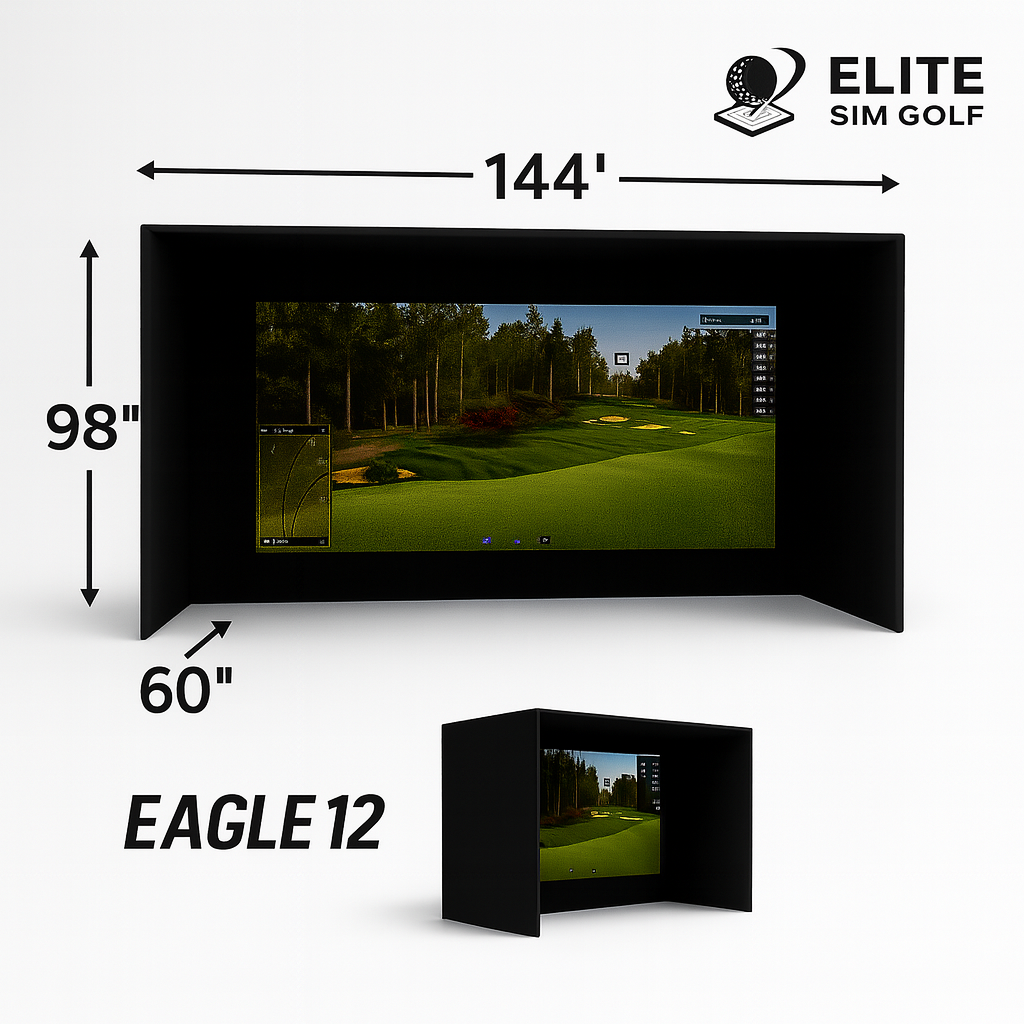
Balanced mid-size bay — the most common choice for dedicated simulator rooms and two-car garages.

Wide-format 16:9 bay — a more cinematic, immersive simulator experience for larger rooms.

Premium finished bay for compact rooms — High Contrast Gray screen, RipStop surround, and a built-in 1ft wall stand-off so the unit installs directly against the back wall.

The largest PRO Series bay — 12ft wide with 9ft of containment height, the widest viewable screen in the PRO line, and the same direct-to-wall stand-off design.
Beaver Tail 4ft × 8.25ft — Replaceable Hitting Strip for Long-Term Ownership
The Beaver Tail 4ft × 8.25ft hitting mat is the current standard included with this SIMKIT. It replaced the previous Elite ProTee 5×10 mat as the SimKit standard because of one key advantage: the hitting strip is replaceable.
The hitting strip is where the mat degrades first. Most mats require full replacement when the hitting area wears out — the Beaver Tail’s replaceable strip changes that equation for regular-use simulator bays.
4ft × 8.25ft Surface
Wide hitting and stance platform for the full range of shot types — drives, irons, wedges, and chips.
Replaceable Hitting Strip
Refresh just the wear zone when needed — no need to replace the entire mat.
Premium Stance Platform
Stable, realistic stance zone for players of any build and swing style.
Long-Term Value
For a home simulator that sees regular play, the replaceable wear zone is a meaningful ownership advantage.
Uneekor EYE XO Premium 4K SimKit — Eagle 12 Bay


Eagle 12 enclosure pictured. Putting green not included in the standard SimKit.
Everything Needed for a Complete Install
Beyond the 4 primary components, this SIMKIT includes the accessories needed for a real-world install — ceiling hardware, cables, floor coverage, and the Swing Optix camera kit.
Projector Install Kit
Ceiling projector mount, 25ft power cable, and 25ft HDMI cable. Cable lengths chosen for real overhead routing — not desktop-length cords that fall short in an actual ceiling install.
Landing Mat (6ft × 12ft or 6ft × 15ft)
Floor coverage in front of the hitting area for a more finished bay look and a consistent surface underfoot.
Swing Optix Camera Kit
Two Swing Optix cameras with mounting hardware and cabling for synchronized face-on and down-the-line swing video on every shot.
What’s In The Box
Every item ships together as one package. Primary components are listed first, followed by included accessories.
For setup guides, frame assembly diagrams, and post-purchase support, visit the Simulator Assembly & Support page.
SimKit Quick Specs
Why Choose This SimKit?
A complete simulator bay requires more than a launch monitor and a screen. It requires the right combination of tracking position, enclosure size, screen ratio, projector output, hitting surface, floor coverage, cables, mounts, and protection — all selected to work together before the first box ships.
The Uneekor EYE XO Premium 4K SIMKIT handles that selection process. EYE XO front-overhead tracking keeps the floor open and reads any standard ball. The BenQ AK700ST delivers 4K laser projection with Auto Screen Fit and a 20,000 hour light engine. The enclosure choice lets the package fit any room from a 10ft single-car bay to a 13ft wide-format build. The Beaver Tail mat provides a replaceable wear zone for better long-term ownership.
Who This SimKit Is Built For
The Dedicated Home Simulator Builder
A golfer converting a garage bay, bonus room, or basement into a full simulator setup who wants a complete package rather than sourcing each component individually.
The Data-Driven Practicer
A golfer who wants measured club delivery numbers, 24 total data points, and synchronized Swing Optix video rather than estimated metrics from a limited sensor.
The Premium Image Buyer
A golfer who wants 4K laser projection, one-button Auto Screen Fit, and a projector with golf-specific color tuning built in.
The Long-Term Ownership Thinker
A buyer who wants a mat with a replaceable wear surface, a thick-wall steel enclosure, any-ball tracking with no proprietary ball to reorder, and support that keeps a simulator running for years.
Prefer a Different Configuration?
This package is pre-configured around the Uneekor EYE XO launch monitor, BenQ AK700ST projector, and Beaver Tail hitting mat. If a different component combination fits your build better, the SimKit Bundle Builder lets you select each component individually.
Build Your Own SimKit
Choose a different launch monitor, projector, enclosure, or hitting mat using the SimKit Bundle Builder. Configure the package around your specific room, budget, and tracking preference.
Open the SimKit BuilderStep Up or Step Down the Uneekor Lineup
The EYE XO2 adds a third camera and the largest hitting zone in the Uneekor overhead range. The EYE XR is the rear-mounted, single-cable value option that requires no club stickers. Both are available as complete SIMKIT packages.
View the EYE XO2 SimKit View the EYE XR SimKitView standalone component pages: Uneekor EYE XO · BenQ AK700ST Projector · Birdie 10 · Eagle 12 · Albatross 13 · PRO Series 10x8 · PRO Series 12x9 · Beaver Tail Mat · EYE XO Protective Case
Setup, Support & Planning
Simulator Assembly & Support
Frame assembly diagrams, setup guides, and post-purchase support for this SimKit package.
View Assembly Guides →Uneekor EYE XO Launch Monitor
Full specs, the complete 24-point data list, software compatibility, and Uneekor AI Studio bundle details.
View EYE XO Product Page →SimKit Bundle Builder
Build a custom simulator package by choosing each component individually — launch monitor, projector, enclosure, mat, and accessories.
Open the Builder →Uneekor EYE XO Premium 4K SimKit — FAQ
Which enclosure should I choose?
Five options are available across two lines. In the Elite Series: the Birdie 10 (120″ W × 98″ H × 60″ D, 4:3) fits tighter 10ft bays, the Eagle 12 (144″ W × 98″ H × 60″ D, 4:3) is the most common choice for dedicated rooms and two-car garages, and the Albatross 13 (158″ W × 98″ H × 60″ D, 16:9) gives a wider cinematic bay. In the PRO Series: the PRO 10x8 (120″ W × 96″ H) and PRO 12x9 (144″ W × 108″ H) add a High Contrast Gray triple-layer screen, RipStop surround, foam-lined flaps, and a built-in 1ft wall stand-off for direct-to-wall installs. Use the Projector Fitment Tool to verify projector placement and ceiling clearance before selecting.
What is the difference between the Elite Series and the PRO Series enclosures?
The Elite Series (Birdie 10, Eagle 12, Albatross 13) uses a 1–1⁄4″ thick-wall powder-coated steel frame with tool-free snap-together assembly and velvet-lined walls. The PRO Series (PRO 10x8, PRO 12x9) is the premium finished-bay line: a High Contrast Gray triple-layer impact screen, RipStop fabric surround, bungee bottom, foam-lined heavyweight flaps, blackout sheet, and a built-in 1ft wall stand-off so the enclosure installs directly against the back wall with no extra rear clearance. PRO Series frames are built from 1″ EMT pipe, which is either supplied by the buyer or added as a pre-cut EMT frame kit on the enclosure product page.
How do I know if the BenQ AK700ST will fit my room and enclosure?
Use the Projector Fitment Tool & Throw Calculator to get the exact mounting distance for your chosen enclosure. Do not estimate throw distance manually — the tool accounts for the specific screen dimensions and installation variables of each enclosure option.
What simulator software does the Uneekor EYE XO work with?
The EYE XO is compatible with GSPro, E6 Connect, TGC 2019, and Awesome Golf for full-course play, driving ranges, and skill games. It also runs Uneekor’s own software: VIEW, Refine+, and GAME DAY. Check the standalone EYE XO product page for the current full compatibility list.
Does the EYE XO require a minimum ceiling height?
Yes. The EYE XO is a front-overhead launch monitor and is designed for rooms with 9ft to 10ft ceiling height. Confirm your ceiling height and mounting position before ordering, and use the Projector Fitment Tool to verify overall room clearance for your chosen enclosure.
Does the EYE XO support both right- and left-handed golfers?
Yes. Because the EYE XO mounts overhead in front of the hitting zone rather than on the floor beside the mat, handedness switches instantly in software with no hardware repositioning. The 12″ W × 16″ L hitting zone serves both setups and the floor stays completely clear.
Do I need special or marked golf balls with the EYE XO?
No. Uneekor’s Dimple Optix technology reads any standard golf ball with no markings, dots, or proprietary balls required. Reflective club stickers are a separate matter: 400 stickers are included and are required for the full set of measured club data.
What Uneekor software and subscriptions come with this SIMKIT?
This SIMKIT includes the Uneekor AI Studio Bundle: the free VIEW virtual range, an Ultimate trial of Refine+, an Ultimate trial of GAME DAY, a one-year AI Trainer subscription, and Swing Optix camera support. Third-party platforms such as GSPro and E6 Connect are licensed separately by those providers.
What are the Swing Optix cameras and are they included?
Yes, two Swing Optix cameras are included with this SIMKIT. They capture synchronized face-on and down-the-line swing video tied to each recorded shot, so swing footage can be reviewed alongside the ball and club data from the same swing.
Does this SIMKIT include a computer?
No. A Windows gaming PC is required to run the EYE XO software and simulator platforms such as GSPro and E6 Connect. The EYE XO connects to the PC over Gigabit Ethernet. Contact the ESG team at elitesimgolf.com/pages/contact-us for PC specification guidance or to add a simulator PC to the order.
What size landing mat is included?
The landing mat size depends on the enclosure selected. The Birdie 10, Eagle 12, PRO 10x8, and PRO 12x9 include a 6ft × 12ft landing mat. The Albatross 13 includes a 6ft × 15ft landing mat to match its wider 16:9 bay footprint.
Is impact protection for the EYE XO included?
Not in the standard package. The Uneekor EYE XO Protective Case is available as an optional add-on and is sold separately from this SIMKIT. It is recommended for high-use bays where shanks, topped shots, or mishits can reach the overhead unit.
Can I customize this package or swap out a component?
Yes. The SimKit Bundle Builder lets you configure a fully custom simulator package by selecting each component — launch monitor, projector, enclosure, hitting mat, and accessories — individually. Use the builder if a different combination fits your room, budget, or tracking preference better than this pre-configured package.
What does Auto Screen Fit on the BenQ AK700ST do?
Auto Screen Fit detects the edges of the simulator impact screen and fills it with one button, replacing the manual keystone and corner adjustment process most projector installs require. Combined with Quick Focus, 3D keystone at ±30° vertical, horizontal, and rotation, and 1.2× motorized zoom, most alignment work is done from the ground with the remote rather than on a ladder.
How does this SimKit ship and how long does delivery take?
This package ships free via UPS Ground to the continental United States. Components ship from Elite Sim Golf directly. For questions about freight, delivery scheduling, or specific component lead times, contact the ESG team at elitesimgolf.com/pages/contact-us before ordering.
A Complete Simulator Package Built by People Who Understand Full-Room Fitment
A SIMKIT is more than a collection of products shipped together. It is a complete simulator foundation designed around launch monitor placement, room planning, projector fitment, enclosure sizing, screen ratio, hitting surface quality, cable management, and long-term support — all decided before the first box ships.
Complete Package Logic
Components are selected to work together. Launch monitor, projector, enclosure, mats, cables, and accessories are matched — not assembled from whatever ships fastest.
Fitment Guidance
Enclosure size, projector placement, screen ratio, room depth, ceiling clearance, and launch monitor requirements are all part of the pre-sale conversation.
Install-Ready Accessories
25ft cables, ceiling mount hardware, landing mat, and the Swing Optix camera kit are included because real installs need real-length components.
Real Post-Purchase Support
Setup questions, installation guidance, and troubleshooting support are available after the sale through remote support and direct contact.
The Uneekor EYE XO Premium 4K SIMKIT delivers EYE XO front-overhead tracking with 24 measured data points and Swing Optix video, 4,000 lumen 4K laser projection with Auto Screen Fit, a choice of five enclosures across the Elite and PRO Series lines, the Beaver Tail hitting mat with a replaceable hitting strip, floor coverage, and install accessories — configured as a complete simulator bay, not a parts list.