






Foresight GCQuad Launch Monitor
Popular Foresight Sports Accessories3 add-ons Foresight Sports buyers order most
The Quadrascopic Benchmark, In A 7.5 Pound Case.
The Foresight GCQuad is the only launch monitor in the industry built on quadrascopic imaging — four high-speed cameras reading the ball and the club face directly at impact rather than inferring one from the other. It is a three-time Golf Digest Editors' Choice winner and the device tour players, club fitters, and OEM engineers reach for when the number has to be right.
All of that lives in a 7" × 12.5" × 4" case that weighs 7.5 lbs and runs 6 to 8 hours on a field-swappable battery. Set it on the mat, square it with the included alignment stick, and it works the same way indoors in a dedicated bay or outdoors on the range.
The Full Foresight Software Stack — No Monthly Subscription Required.
The GCQuad ships as a licensed device rather than a subscription device. The purchase includes FSX Play, FSX 2020, and FSX Pro licenses along with Foresight Fairgrounds. FSX Play arrives preloaded with a 25-course library at no additional cost.
Foresight also includes a Bushnell Pro X3+LINK laser rangefinder with every GCQuad purchase, shipped separately. Redemption instructions arrive by email roughly 24 hours after the order is placed.
What This Means
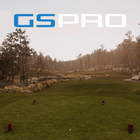
The GCQuad is a one-time purchase, not a recurring license. Core tracking and the included FSX software suite stay active without an annual device subscription. Additional FSX courses and third-party platforms such as GSPro are sold separately.
FSX Play
Foresight's flagship 4K simulation software with a 25-course library included and 300+ additional courses available à la carte.
FSX 2020
The legacy performance simulation platform. FSX 2020 course licenses unlock inside FSX Play under the same FSX Live account.
FSX Pro
The fitting and performance analysis environment for shot-by-shot data review, club comparison, and session reporting.
Foresight Fairgrounds
Skill challenges, target games, and casual formats for practice sessions and family-friendly play.
Placement Requirement — 22" Beside The Hitting Area
The GCQuad sits upright on a level surface roughly 22" from the center of the hitting zone, raised to the same height as the hitting surface when a mat is used. A fold-out ground stabilizer keeps it square on uneven ground. Nothing is mounted and nothing is drilled. For indoor bays, plan the usual 10 to 12 ft between ball and impact screen and enough ceiling height for a full driver swing — Elite Sim Golf installation services can verify the room.
No Required Device Subscription
The GCQuad is a licensed device, not a subscription device. The included FSX Play, FSX 2020, and FSX Pro licenses do not expire. Additional FSX courses, and third-party software such as GSPro, are purchased separately.
Tour-Level Data That Travels.
Quadrascopic Camera System
Four high-speed cameras capture direct ball and club measurements at impact — the only quadrascopic imaging system in the industry.
18" × 14" Hitting Zone
A large capture area for a portable unit, giving room to move the ball position between clubs without repositioning the device.
Indoor And Outdoor
The same measured data on a range tee or in a dedicated bay, with no recalibration between environments.
Field-Swappable Battery
A removable 10,400 mAh lithium-ion pack runs 6 to 8 hours and swaps out mid-session without shutting anything down.
Reflective Memory Display
A premium reflective screen stays readable in direct sunlight, with a manual backlight for indoor bays.
Alignment Stick Included
The proprietary reflective alignment stick squares the unit to any target line, with up to 10° of adjustment read on the display.
Wi-Fi, Ethernet, And USB-C
Bluetooth for mobile apps plus wired Ethernet or USB-C for a rock-solid connection to the simulator PC.
Full Club Face Measurement
Club head speed, path, face angle, attack angle, loft and lie at impact, impact location, and closure rate with the club data module.
By The Numbers.
The FSX Ecosystem, Plus GSPro.
Compatible Simulator Platforms
- FSX Play — Foresight's 4K flagship, 25 courses included
- FSX 2020 — legacy performance simulation platform
- FSX Pro — fitting and performance analysis
- Foresight Fairgrounds — casual games and challenges
- GSPro — supported through the Foresight integration, licensed separately
- E6 Connect and TGC 2019 — supported, licensed separately
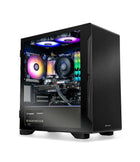
Simulator PC Requirements For FSX
- 64-bit Windows 10 or newer
- 7th generation or newer Intel i5, i7, or i9 processor
- 16 GB RAM recommended
- NVIDIA GeForce RTX 3060 or better — Quadro and AMD cards are not supported
- No macOS, iOS, or Android support for FSX simulation
Ball And Club, Both Measured, Neither Inferred.
Radar devices calculate club delivery from ball flight. The GCQuad reads 8 club data points and 6 ball data points directly from the quadrascopic array at impact, then models the rest of the flight from those measurements. That distinction is why it holds up as a fitting and teaching instrument, not just a gaming device.
8 Club Data (Measured)
Captured directly by the four-camera array at impact.
- Club Head Speed
- Smash Factor
- Club Path
- Angle Of Attack
- Loft And Lie At Impact
- Face Angle
- Impact Location
- Closure Rate
6 Ball Data (Measured)
Read off the ball itself, not inferred from club delivery.
- Ball Speed
- Launch Angle
- Side Angle
- Total Spin
- Side Spin / Spin Axis
- Carry
3 Ball Enhanced Data
Displayed on the device with the ball enhanced data module.
- Ball Apex
- Ball Descent Angle
- Ball Offline
Plus: Putting Analysis And Every Club In The Bag
Essential putting analysis is available as a GCQuad module, so short game and putting sessions run inside the same hitting zone without moving the unit. Club data requires Foresight club markers applied to the club face — markers are included in the box.
Start With Ball Data. Add The Modules You Actually Use.
The GCQuad is sold as a base ball-data device with three measurement modules layered on top. Fitters and coaches typically run all three; a golfer building a home bay for course play often starts with ball data and adds club measurement later. Confirm which modules are enabled on the configuration ordered before checkout.
Club Head Measurement
Unlocks the eight measured club data points — path, face angle, attack angle, loft and lie at impact, impact location, closure rate, club head speed, and smash factor. Requires club markers on the face.
Essential Putting Analysis
Measures putter delivery inside the same hitting zone, so putting practice and short game sessions do not need a second device or a mode change.
Ball Enhanced Data
Adds ball apex, descent angle, and offline directly on the GCQuad display, useful outdoors on the range where no simulator software is running.
Not Sure Which Configuration Fits
Elite Sim Golf can walk through how the modules map to how the unit will actually be used — home course play, teaching studio, or a fitting bay. Send the details through a custom simulator quote and the right GCQuad build gets quoted alongside the rest of the room.
Five Minutes From Case To First Shot.
There is no mounting hardware and no permanent install. The GCQuad sits roughly 22" beside the hitting area, level with the hitting surface, cameras facing the zone. Power on, pick handedness, drop the alignment stick to square the target line, and the on-screen placement aid shows exactly where the ball needs to sit.
Level Surface, 22 Inches, Square To Target.
If a hitting mat is used, the GCQuad has to be raised so its base sits level with the top of the mat. The fold-out ground stabilizer handles uneven surfaces outdoors. Target alignment is adjustable up to 10° through the on-device menu using the reflective alignment stick.
- Level With The MatRaise the unit to match hitting surface height so the camera plane reads correctly.
- 22" OffsetThe center of the hitting zone sits about 22" in front of the GCQuad, beside the ball.
- Handedness On DeviceSelect left or right on the display — no repositioning the unit between players.
- Club Markers For Club DataAdhesive fiducial markers on the club face enable the club measurement module.

Placement At A Glance
Foresight's recommended setup for the GCQuad, measured from the hitting surface.
FSX Play — 4K Course Play Built Around Foresight Data.
FSX Play is Foresight's current-generation simulation software and the primary way most GCQuad owners play indoors. It pairs a modern Unity graphics engine with the GCQuad's measured shot data, and it is included with the launch monitor rather than sold as an upgrade.
25 Courses Included. 300+ Available.
FSX Play installs with a 25-course library at no additional cost, including Teton Pines, Beaver Hills Country Club, Butterfield Country Club, Willow Crest, Linfield National, and more. Premium venues such as Pebble Beach, Pinehurst No. 2, St Andrews Old Course, and Harbour Town are available as one-time à la carte licenses that are owned permanently rather than rented.
- 4K Course RenderingRich textures, 3D grass and foliage, and modern lighting on a Unity engine.
- Game ModesStroke play, match play, skins, scramble, and stableford for up to four players.
- FSX Live AccountShot and round data syncs to the cloud for later review at no extra cost.
- Course OwnershipPurchased courses are permanent licenses tied to the FSX Live account.
FSX Play
Included with the GCQuad, alongside FSX 2020, FSX Pro, and Foresight Fairgrounds.
Two Short-Throw Projectors Matched To A GCQuad Bay.
The GCQuad sits on the floor beside the ball, so the projector has to clear the hitter without casting a shadow into the hitting zone. Both of these Optoma DuraCore laser projectors are 4K UHD, fixed short throw, and rated for 30,000 hours — the difference is brightness and how much room and screen they have to cover.
Optoma ZK521ST-B
5,000 ANSI lumens through a 0.79:1 fixed short-throw lens, filling a 10 ft wide screen from roughly 8 feet out. At 6.6 lbs it is the lighter ceiling load of the two, and vertical lens shift from 104% to 125% lets it sit above the image without keystone correction, keeping geometry clean.
- Golf Sim Mode tuned for simulator color and response
- 300,000:1 dynamic contrast, HDR10 and HLG
- Runs GSPro, E6 Connect, TGC 2019, Awesome Golf, and Foresight FSX
Optoma ZK608TST
6,000 ANSI lumens behind an IP6X sealed optical engine and a tighter 0.58:1 lens, so it mounts closer to the screen and still covers the widest impact screens. Rated for 24/7 operation with full ProAV connectivity including HDBaseT — the pick for commercial bays, teaching studios, and rooms with real ambient light.
- IP6X dust-sealed engine rated for 24/7 continuous use
- HDBaseT and full ProAV connectivity for integrated installs
- Covers impact screens up to 300" diagonal
Confirm Throw Before Ordering
Both projectors are fixed short throw, so screen width and mount position determine which one fits. Run the numbers in the Elite Sim Golf projector fitment tool and throw calculator, or browse the full short-throw projector lineup.
If This Sounds Like Your Build, You Are In The Right Place.
Club Fitters
Measured impact location, closure rate, and delivered loft and lie are the reason the GCQuad sits in fitting bays worldwide.
Teaching Professionals
The same device works on the lesson tee outdoors and in the studio indoors, with data that holds up in front of a student.
Serious Home Golfers
For players who want tour-level measurement in a dedicated bay without a permanent overhead installation.
Travel And Range Use
7.5 lbs, a carry bag, and a swappable battery mean the unit goes to the range, the course, or a second location.
Everything Needed To Set Up And Start Hitting.
Every Foresight GCQuad order arrives ready to run. There is no mounting hardware to source and no installation step — the unit, its power and data cables, the alignment stick, and club markers all travel in the included carry bag.
- GCQuad Launch Monitor
- GCQuad Carry Bag
- Removable Lithium-Ion Battery
- Power Adapter And Cable
- USB-C Cable
- Reflective Alignment Stick
- Club Markers
- FSX Software Suite
- Bushnell Pro X3+LINK Rangefinder
Software licenses for FSX Play, FSX 2020, FSX Pro, and Foresight Fairgrounds are fulfilled digitally to the FSX Live account. The Bushnell rangefinder ships separately with redemption instructions emailed roughly 24 hours after purchase. Setup questions? Everything starts at the Elite Sim Golf install and support hub.
Or Skip The Sourcing — Build A GCQuad SimKit.
A launch monitor is one piece of the room. The Elite Sim Golf SimKit Bundle Builder walks through the full simulator step by step — enclosure, projector, mounting, hitting mat, landing turf, and simulator PC — and prices the complete package around the GCQuad so nothing arrives mismatched.
Choose Your Enclosure
Birdie 10, Eagle 12, or Albatross 13 — sized to leave clear floor space beside the ball for the GCQuad.
Step 02Select Your Projector
Short-throw 4K and 1080p options matched to your screen width and ceiling geometry.
Step 03Select Your Hitting Mat
Mat height matters — the GCQuad base has to sit level with the top of the hitting surface.
Step 04Select Your Sim PC
Windows machines specified for FSX Play at 4K, prebuilt and tested before shipment.
Build Your Own GCQuad SimKit
Configure a custom GCQuad SimKit from the ground up in the SimKit Bundle Builder. Pick the enclosure size, projector tier, projector mount, hitting mat, landing turf, simulator PC, and accessories — priced as a single package built around your room dimensions and budget.
Pre-Built Foresight Packages
Prefer a package that is already spec'd? Browse the SIM IN A BOX and Foresight simulator packages curated by Elite Sim Golf, each pairing a Foresight launch monitor with a matched enclosure, projector, hitting mat, and accessories.
Want a hand spec'ing it? Send the room dimensions through a custom simulator quote and Elite Sim Golf will confirm the whole bay before anything is ordered.
Setup, Fitment, And Package Resources.
Everything worth checking before and after purchase — setup guidance, projector fitment math, and the rest of the Foresight lineup.
Install & Support Hub
Assembly guides, enclosure instructions, and setup support for every Elite Sim Golf build, including portable launch monitor bays.
Open Install Hub →Projector Fitment & Throw Calculator
Confirm throw distance, mounting height, and image size for your bay before ordering a projector to pair with the GCQuad.
Run The Calculator →Shop The Foresight Lineup
Compare the GCQuad against the GC3S, GCHawk, Falcon, and the rest of the Foresight Sports range carried by Elite Sim Golf.
View Foresight Collection →Foresight GCQuad Buyer FAQ.
Where does the GCQuad sit relative to the ball?
Upright on a level surface roughly 22" from the center of the hitting zone, beside the ball with the cameras facing the hitting area. When a hitting mat is used, the unit must be raised so its base is level with the top of the mat. A fold-out ground stabilizer adds stability on uneven surfaces outdoors.
How big is the GCQuad hitting zone?
18" × 14" with club tracking disabled, and approximately 14" × 14" with club tracking enabled. The on-device placement aid shows the ball position relative to the zone so there is no guessing.
Does the GCQuad require a subscription?
No. The GCQuad is a licensed device rather than a subscription device. FSX Play, FSX 2020, and FSX Pro licenses are included with the purchase and do not expire. Additional FSX course licenses and third-party software such as GSPro are purchased separately.
What software is included with the GCQuad?
Every GCQuad includes FSX Play with its 25-course library, FSX 2020, FSX Pro, and Foresight Fairgrounds. Licenses are delivered digitally and tied to an FSX Live account.
Is the GCQuad compatible with GSPro?
Yes. Foresight devices including the GCQuad connect to GSPro through Foresight's integration. GSPro is licensed separately and requires its own annual subscription. E6 Connect and TGC 2019 are also supported and licensed separately.
Do I need club markers for GCQuad club data?
Yes. Measured club data uses adhesive fiducial markers applied to the club face, and club markers are included in the box. Ball data does not require markers or special golf balls.
What is the difference between the GCQuad and the GC3S?
The GCQuad uses four cameras in a quadrascopic array with an 18" × 14" hitting zone, a swappable battery, a reflective outdoor-readable display, and a 2-year warranty. The GC3S uses a triscopic three-camera system with a smaller 7" × 10" hitting zone, a fixed battery, and a 1-year warranty. The GCQuad is the fitting and teaching instrument; the GC3S is the value entry into Foresight photometric data.
Can the GCQuad be used outdoors?
Yes. The GCQuad is designed for indoor and outdoor use, and the reflective memory display stays readable in direct sunlight. The 6 to 8 hour swappable battery means no power source is needed on the range. It is not a weatherproof device, so it should not be left out in rain.
How long does the GCQuad battery last?
The removable 10,400 mAh lithium-ion battery runs 6 to 8 hours per charge and is field swappable, so a second pack keeps a teaching studio or range session going without downtime.
What are the GCQuad data modules?
Three modules layer on top of the base ball-data device: club head measurement, essential putting analysis, and ball enhanced data. Confirm which modules are enabled on the configuration being ordered, or ask Elite Sim Golf to spec it.
Does the GCQuad support left-handed and right-handed players?
Yes. Handedness is selected on the device display and the unit does not need to be repositioned between players.
What computer does the GCQuad need?
FSX simulation requires a 64-bit Windows 10 or newer PC with a 7th generation or newer Intel i5, i7, or i9 processor, 16 GB of RAM recommended, and an NVIDIA GeForce RTX 3060 or better. Quadro and AMD graphics cards are not supported, and there is no macOS, iOS, or Android support for FSX simulation. Elite Sim Golf builds and tests simulator PCs specified for FSX Play.
Which projector pairs best with a GCQuad bay?
Two short-throw 4K laser projectors are recommended. The Optoma ZK521ST-B at 5,000 lumens and a 0.79:1 throw ratio suits most home bays and is the lighter ceiling load at 6.6 lbs. The Optoma ZK608TST at 6,000 lumens and a 0.58:1 throw ratio is the choice for bright rooms, the widest impact screens, and commercial bays. Confirm placement with the projector fitment tool and throw calculator before ordering.
What is included in the box?
The GCQuad launch monitor, carry bag, removable lithium-ion battery, power adapter and cable, USB-C cable, reflective alignment stick, club markers, the FSX software suite, and a Bushnell Pro X3+LINK laser rangefinder shipped separately.
What warranty comes with the GCQuad?
The GCQuad carries a 2-year limited warranty from Foresight Sports. Elite Sim Golf assists with warranty claims and support coordination for units purchased through the store.
Can Elite Sim Golf build a complete GCQuad simulator package?
Yes. Configure a full build in the SimKit Bundle Builder — enclosure, projector, projector mount, hitting mat, landing turf, simulator PC, and accessories — or browse pre-built simulator packages. For anything non-standard, submit a custom simulator quote.
A Smoother GCQuad Build — From Spec To First Shot.
A portable launch monitor is easy to set up and easy to set up wrong. Elite Sim Golf specs the whole bay around the GCQuad so mat height, ball position, screen distance, and projector throw all line up before anything ships.
Foresight Sports Dealer
Elite Sim Golf carries the Foresight lineup, so the GCQuad, GC3S, Falcon, and GCHawk can be compared against the same real-world builds.
Fitment Verified First
Room depth, mat height, screen distance, and projector throw checked against your space before the order is placed.
Complete Bay Sourcing
Enclosure, impact screen, projector, mount, mat, turf, and simulator PC all sourced through one order with the SimKit Bundle Builder.
Real Post-Purchase Support
From placement questions to FSX Play activation and warranty coordination, the ESG team stays involved after the sale.