






Foresight Falcon Launch Monitor
Popular Foresight Sports Accessories3 add-ons Foresight Sports buyers order most
Quadrascopic Accuracy, Mounted Overhead, In Half The Footprint.
The Foresight Falcon brings the same quadrascopic photometric camera platform found in the GCHawk into a 43-inch, 26-pound overhead housing that mounts cleanly to the ceiling above the hitting bay. Nothing sits on the floor, nothing has to be moved between shots, and nothing has to be repositioned when a left-handed golfer steps in.
A 59" × 28" hitting zone gives right- and left-handed players room to set up naturally, and four high-speed cameras capture direct club and ball measurements at impact — ball speed, spin, spin axis, launch and side angle, club path, face angle, loft and lie at impact, impact location, and closure rate. It is professional-grade Foresight data in a form factor built for a real simulator room.
The Full Foresight Software Stack — No Monthly Subscription Required.
Unlike the subscription-tier Foresight devices, the Falcon ships as a licensed device. The purchase includes FSX Play, FSX 2020, and FSX Pro licenses along with full club-head measurement, Foresight Fairgrounds, and an Awesome Golf lifetime membership. FSX Play arrives preloaded with a 25-course library at no additional cost.
Foresight also includes a Bushnell Pro X3+LINK laser rangefinder with every Falcon purchase, shipped separately. Redemption instructions arrive by email roughly 24 hours after the order is placed.
What This Means
The Falcon is a one-time purchase, not a recurring license. Core tracking, club data, and the included FSX software suite stay active without an annual device subscription. Additional FSX courses and third-party platforms such as GSPro are sold separately.
FSX Play
Foresight's flagship 4K simulation software with a 25-course library included and 300+ additional courses available à la carte.
FSX 2020
The legacy performance simulation platform. FSX 2020 course licenses unlock inside FSX Play under the same FSX Live account.
FSX Pro
The fitting and performance analysis environment for shot-by-shot data review, club comparison, and session reporting.
Fairgrounds + Awesome Golf
Foresight Fairgrounds plus a lifetime Awesome Golf membership for family-friendly games and casual sessions.
Installation Requirement — 9.5 To 10.5 Ft Mounting Height
The Falcon mounts overhead, roughly 4 ft in front of the hitting surface, at a height of 9.5 to 10.5 ft measured from the hitting surface. The ceiling structure must support a minimum of 75 lbs. Plan for 10 to 12 ft between the ball and the impact screen. Not sure your room qualifies? Start with Elite Sim Golf installation services.
No Required Device Subscription
The Falcon is a licensed device, not a subscription device. The included FSX Play, FSX 2020, and FSX Pro licenses do not expire. Additional FSX courses, and third-party software such as GSPro, are purchased separately.
Built For Dedicated Simulator Rooms.
Quadrascopic Camera System
Four high-speed cameras capture direct ball and club measurements at impact — the same photometric platform as the GCHawk.
59" × 28" Hitting Zone
1,652 square inches of capture area, the largest hitting zone in the Foresight overhead lineup.
Lefty And Righty Ready
Both handedness settings work from the same overhead position with no repositioning between players.
Compact 43" Housing
Roughly half the length of the GCHawk at 43 inches and 26 lbs, with an integrated power supply.
Automatic Latching Mount
The included ceiling mount latches the unit into position, making install and removal a one-person job.
Rubberized Impact Protection
A replaceable rubberized strike surface over a reinforced aluminum frame absorbs errant shots.
Gigabit Ethernet Connection
USB-C, Wi-Fi, and gigabit Ethernet options keep shot data moving to the simulator PC without lag.
Full Club Data Included
Club head speed, path, face angle, attack angle, loft and lie at impact, impact location, and closure rate.
By The Numbers.
The FSX Ecosystem, Plus GSPro.
Compatible Simulator Platforms
- FSX Play — Foresight's 4K flagship, 25 courses included
- FSX 2020 — legacy performance simulation platform
- FSX Pro — fitting and performance analysis
- Foresight Fairgrounds — casual games and challenges
- Awesome Golf — lifetime membership included
- GSPro — supported through Foresight integration, licensed separately
Simulator PC Requirements
- 64-bit Windows 10 or newer — macOS, iPadOS, and Android are not supported
- Dedicated NVIDIA GeForce GPU — Quadro and AMD cards are not supported by FSX
- Wired network preferred — gigabit Ethernet gives the most consistent shot delivery
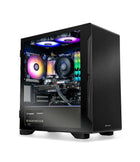
- Need a machine? Browse Elite Sim Golf simulator PCs built and tested for FSX Play
More Than A Dozen Measured Data Points Per Shot.
The Falcon delivers 9 measured club data points and 5 measured ball data points directly from the quadrascopic camera array, with full ball flight modeled from those measurements inside FSX. Foresight positions it as the most measured data of any overhead launch monitor in its lineup outside the GCHawk.
9 Club Data (Measured)
Captured directly by the four-camera array at impact.
- Club Head Speed
- Club Path
- Angle Of Attack
- Face Angle At Impact
- Lie Angle At Impact
- Loft At Impact
- Impact Location
- Closure Rate
- Smash Factor
5 Ball Data (Measured)
Read off the ball itself, not inferred from club delivery.
- Ball Speed
- Vertical Launch Angle
- Horizontal Launch Angle
- Total Spin
- Spin Axis
6 Ball Flight (Modeled)
Derived from measured inputs inside FSX.
- Carry Distance
- Total Distance
- Offline
- Apex Height
- Descent Angle
- Backspin / Sidespin Split
Plus: Every Club In The Bag
The Falcon captures shots from driver through putter inside the same hitting zone, so short game and putting sessions run without moving the unit or switching modes. Club data requires Foresight fiducial markers on the club face — a dispenser is included in the box.
FSX Play — 4K Course Play Built Around Foresight Data.
FSX Play is Foresight's current-generation simulation software and the primary way most Falcon owners play. It pairs a modern Unity graphics engine with the Falcon's measured shot data, and it is included with the launch monitor rather than sold as an upgrade.
25 Courses Included. 300+ Available.
FSX Play installs with a 25-course library at no additional cost, including Teton Pines, Beaver Hills Country Club, Butterfield Country Club, Willow Crest, Linfield National, and more. Premium venues such as Pebble Beach, Pinehurst No. 2, St Andrews Old Course, and Harbour Town are available as one-time à la carte licenses that are owned permanently rather than rented.
- 4K Course RenderingRich textures, 3D grass and foliage, and modern lighting on a Unity engine.
- Game ModesStroke play, match play, skins, scramble, and stableford for up to four players.
- FSX Live AccountShot and round data syncs to the cloud for later review at no extra cost.
- Course OwnershipPurchased courses are permanent licenses tied to the FSX Live account.
FSX Play
Included with the Falcon, alongside FSX 2020, FSX Pro, Fairgrounds, and Awesome Golf.
If This Sounds Like Your Build, You Are In The Right Place.
Dedicated Sim Rooms
For golfers with 9.5 to 10.5 ft of usable height who want the floor completely clear.
Mixed-Handed Households
Families and guests switch between right and left handed without touching the hardware.
Fitters And Coaches
Measured club delivery, impact location, and closure rate feed FSX Pro fitting sessions.
Commercial Bays
An overhead unit out of reach of customers, with a large hitting zone and replaceable impact protection.
Everything Needed To Mount, Calibrate, And Run The Falcon.
Every Foresight Falcon order arrives with the mounting, calibration, and connection hardware required for installation day. Ceiling mounting screws are not included, since the correct fastener depends on the joist and ceiling structure.
- Falcon Launch Monitor
- Automatic Latching Ceiling Mount
- Calibration Wand
- Power Cord
- Ethernet Cable
- USB To USB-C Cord
- Fiducial Dispenser
- Rubberized Tees (2)
- Bushnell Pro X3+LINK Rangefinder
Software licenses for FSX Play, FSX 2020, and FSX Pro, plus Foresight Fairgrounds and an Awesome Golf lifetime membership, are fulfilled digitally to the FSX Live account. Installation questions? Everything starts at the Elite Sim Golf install and support hub.
Get The Falcon Hung Right The First Time.
Overhead installs are unforgiving. The Falcon has to land 4 ft in front of the hitting surface at 9.5 to 10.5 ft, square to the bay, on structure rated for at least 75 lbs — and then be calibrated with the included wand. Elite Sim Golf handles that end-to-end for customers who would rather not be on a ladder with a stud finder.
Professional Install, Calibration, And Handoff.
Enclosure, screen, projector, PC, and Falcon mounting handled as one job — measured, mounted, calibrated, and verified with live shots before the crew leaves.
- Structural CheckJoist location and load confirmed before anything is fastened to the ceiling.
- Precise PlacementMount height and 4 ft setback measured against the finished hitting surface.
- Full CalibrationCalibration wand routine plus FSX Play setup and a live shot verification pass.
- Whole-Bay InstallEnclosure, impact screen, projector, and simulator PC handled in the same visit.

Install Requirements
Foresight's recommended room for the Falcon, measured from the finished hitting surface.
Two Short-Throw Projectors Matched To The Falcon.
The Falcon lives on the ceiling, so the projector has to share that space without throwing a shadow across the hitting zone or crowding the mount. Both of these Optoma DuraCore laser projectors are 4K UHD, fixed short throw, and rated for 30,000 hours — the difference is brightness and how much room and screen they have to cover.
Optoma ZK521ST-B
5,000 ANSI lumens through a 0.79:1 fixed short-throw lens, filling a 10 ft wide screen from roughly 8 feet out. At 6.6 lbs it is the lighter ceiling load of the two, and vertical lens shift from 104% to 125% lets it sit above the image without keystone correction, so geometry stays clean next to the Falcon mount.
- Golf Sim Mode tuned for simulator color and response
- 300,000:1 dynamic contrast, HDR10 and HLG
- Runs GSPro, E6 Connect, TGC 2019, Awesome Golf, and Foresight FSX
Optoma ZK608TST
6,000 ANSI lumens behind an IP6X sealed optical engine and a tighter 0.58:1 lens, so it mounts closer to the screen and still covers the widest impact screens. Rated for 24/7 operation with full ProAV connectivity including HDBaseT — the pick for commercial bays, rooms with real ambient light, or any Falcon build running long daily hours.
- IP6X dust-sealed engine rated for 24/7 continuous use
- HDBaseT and full ProAV connectivity for integrated installs
- Covers impact screens up to 300" diagonal
Confirm Throw Before Ordering
Both projectors are fixed short throw, so screen width and mount position determine which one fits. Run the numbers in the Elite Sim Golf projector fitment tool and throw calculator, or browse the full short-throw projector lineup. The projector mounts forward of the Falcon, not beside it — keeping the 4 ft setback in front of the hitting surface clear.
Or Skip The Sourcing — Build A Falcon SimKit.
A launch monitor is one of four pieces. The Elite Sim Golf SimKit Bundle Builder walks through the full simulator step by step — enclosure, projector, mounting, hitting mat, landing turf, and simulator PC — and prices the complete package around the Falcon so nothing arrives mismatched.
Choose Your Enclosure
Birdie 10, Eagle 12, or Albatross 13 — sized to clear the Falcon's overhead mounting window.
Step 02Select Your Projector
Short-throw 4K and 1080p options matched to your screen width and ceiling geometry.
Step 03Select Your Hitting Mat
Mat height matters with an overhead unit — mounting height is measured from the hitting surface.
Step 04Select Your Sim PC
Windows machines specified for FSX Play at 4K, prebuilt and tested before shipment.
Build Your Own Falcon SimKit
Configure a custom Falcon SimKit from the ground up in the SimKit Bundle Builder. Pick the enclosure size, projector tier, projector mount, hitting mat, landing turf, simulator PC, and accessories — priced as a single package built around your room dimensions and budget.
Pre-Built Foresight Packages
Prefer a package that is already spec'd? Browse the SIM IN A BOX and Foresight simulator packages curated by Elite Sim Golf, each pairing a Foresight launch monitor with a matched enclosure, projector, hitting mat, and accessories.
Want a hand spec'ing it? Send the room dimensions through a custom simulator quote and Elite Sim Golf will confirm Falcon fitment before anything is ordered.
Setup, Fitment, And Package Resources.
Everything worth checking before and after purchase — install guidance, projector fitment math, and the rest of the Foresight lineup.
Install & Support Hub
Assembly guides, enclosure instructions, and setup support for every Elite Sim Golf build, including overhead launch monitor installations.
Open Install Hub →Projector Fitment & Throw Calculator
Confirm throw distance, mounting height, and image size for your bay before ordering a projector to pair with the Falcon.
Run The Calculator →Shop The Foresight Lineup
Compare the Falcon against the GC3S, GCHawk, and the rest of the Foresight Sports range carried by Elite Sim Golf.
View Foresight Collection →Foresight Falcon Buyer FAQ.
What ceiling height does the Foresight Falcon need?
Foresight specifies a mounting height of 9.5 to 10.5 ft measured from the hitting surface, with the unit positioned about 4 ft in front of the ball. Rooms above 10.5 ft can still run the Falcon using a drop mount. Because mounting height is measured from the hitting surface, a thicker hitting mat effectively lowers available clearance. Elite Sim Golf can verify fitment through installation services.
How much room does a Falcon simulator bay need?
Foresight recommends roughly 21 ft of depth and 14 ft of width with 9.5 to 10.5 ft of height. Plan for 10 to 12 ft between the ball and the impact screen and enough space behind the ball for a full driver swing. Use the SimKit Bundle Builder to match an enclosure to those dimensions.
Does the Falcon require a subscription?
No. The Falcon is a licensed device rather than a subscription device. FSX Play, FSX 2020, and FSX Pro licenses are included with the purchase and do not expire. Additional FSX course licenses and third-party software such as GSPro are purchased separately.
What software is included with the Falcon?
Every Falcon includes FSX Play with its 25-course library, FSX 2020, FSX Pro, full club-head measurement, Foresight Fairgrounds, and an Awesome Golf lifetime membership. Licenses are delivered digitally and tied to an FSX Live account.
Is the Falcon compatible with GSPro?
Yes. Foresight devices including the Falcon connect to GSPro through Foresight's integration. GSPro is licensed separately from Foresight and requires its own annual subscription.
Do I need club markers or stickers for club data?
Yes. Like other Foresight camera systems, measured club data uses fiducial markers applied to the club face. A fiducial dispenser is included in the box, and replacement fiducials are inexpensive consumables. Ball data does not require markers or special golf balls.
Does the Falcon work for both right- and left-handed golfers?
Yes. The 59" × 28" hitting zone covers both sides of the tee area, so right- and left-handed players share the same setup with no repositioning of the unit.
How is the Falcon different from the GCHawk?
Both use a quadrascopic high-speed camera system. The Falcon is far more compact at 43 inches and 26 lbs with an integrated power supply, gigabit Ethernet, and an automatic latching mount, and it offers a 59" × 28" hitting zone. The GCHawk is 89 inches, 35 lbs, uses a slide-in mount and external power supply, and captures a 52" × 30" zone. The GCHawk remains the top of the overhead lineup for measured data.
What data does the Falcon measure?
Measured ball data includes ball speed, vertical launch angle, horizontal launch angle, total spin, and spin axis. Measured club data includes club head speed, club path, angle of attack, face angle, lie angle, loft at impact, impact location, closure rate, and smash factor. Full ball flight including carry, total distance, offline, apex, and descent angle is modeled from those measurements in FSX.
Can the Falcon be installed in a garage?
Only if the environment stays within Foresight's operating range of 35°F to 115°F and the space is protected from direct sunlight. The Falcon is an indoor device and is not weatherproofed. Unconditioned garages in cold climates are not a supported installation.
Does the Falcon support multi-sport play?
No. The Falcon is a golf-only launch monitor. Multi-sport software packages are not supported on this unit.
What is included in the box?
The Falcon launch monitor, automatic latching ceiling mount, calibration wand, power cord, Ethernet cable, USB to USB-C cord, fiducial dispenser, two rubberized tees, and a Bushnell Pro X3+LINK laser rangefinder shipped separately. Ceiling mounting screws are not included because fastener selection depends on the ceiling structure.
What warranty comes with the Falcon?
The Falcon carries a 2-year limited warranty from Foresight Sports. Elite Sim Golf assists with warranty claims and support coordination for units purchased through the store.
Which projector pairs best with the Foresight Falcon?
Two short-throw 4K laser projectors are recommended. The Optoma ZK521ST-B at 5,000 lumens and a 0.79:1 throw ratio suits most residential Falcon builds and is the lighter ceiling load at 6.6 lbs. The Optoma ZK608TST at 6,000 lumens and a 0.58:1 throw ratio is the choice for bright rooms, the widest impact screens, and commercial bays. Confirm placement with the projector fitment tool and throw calculator before ordering.
Can Elite Sim Golf build a complete Falcon simulator package?
Yes. Configure a full build in the SimKit Bundle Builder — enclosure, projector, projector mount, hitting mat, landing turf, simulator PC, and accessories — or browse pre-built simulator packages. For anything non-standard, submit a custom simulator quote.
A Smoother Falcon Build — From Spec To First Shot.
An overhead launch monitor is only as good as the room it is mounted in. Elite Sim Golf specs the whole bay around the Falcon so the mounting height, screen distance, projector throw, and mat thickness all line up before anything ships.
Foresight Sports Dealer
Elite Sim Golf carries the Foresight lineup, so the Falcon, GC3S, and GCHawk can be compared against the same real-world builds.
Fitment Verified First
Ceiling height, mat thickness, screen distance, and projector throw checked against your room before the order is placed.
Complete Bay Sourcing
Enclosure, impact screen, projector, mount, mat, turf, and simulator PC all sourced through one order with the SimKit Bundle Builder.
Real Post-Purchase Support
From mounting questions to FSX Play activation and warranty coordination, the ESG team stays involved after the sale.