What is included in the VTrack SwingEZ Add-On Package?
The package includes (2) SwingEZ cameras configured for Face-On and Down-The-Line capture, plus a lifetime, transferable license to the SwingEZ AI Swing Analyzer software. The VTrack Launch Monitor itself is not included — this is an add-on to an existing or newly purchased VTrack build.
What are the two primary SwingEZ modules?
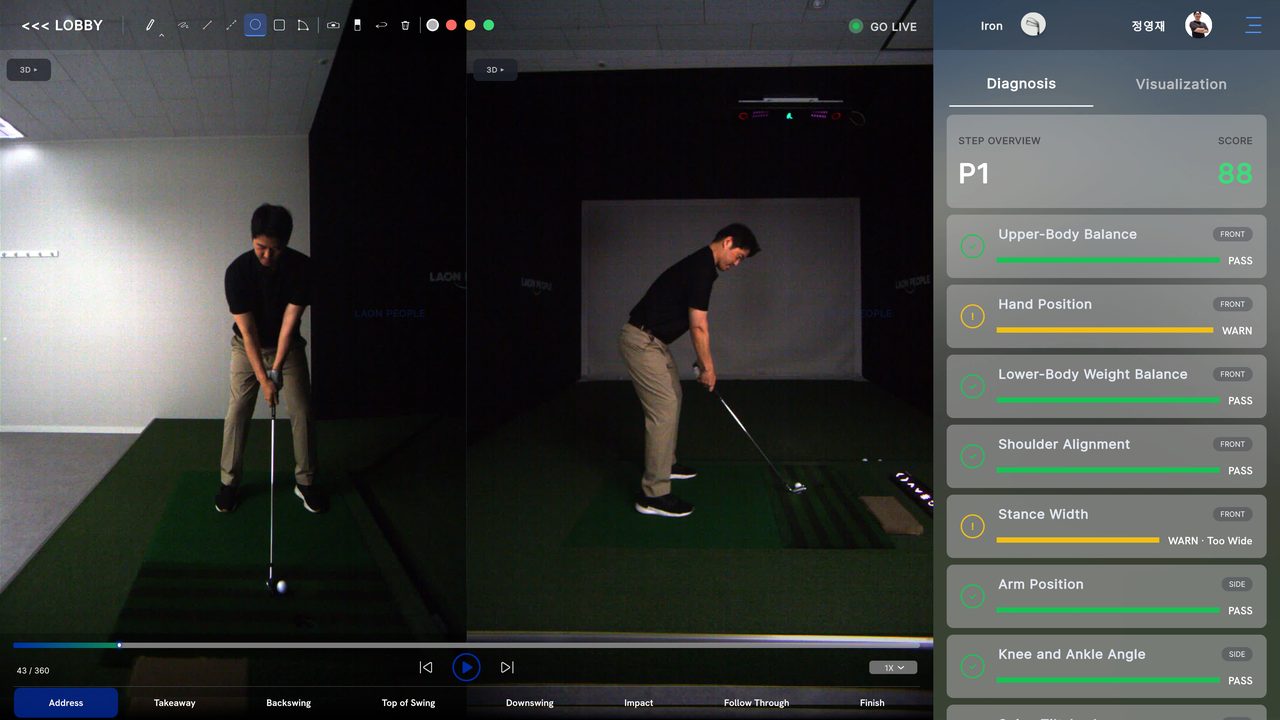
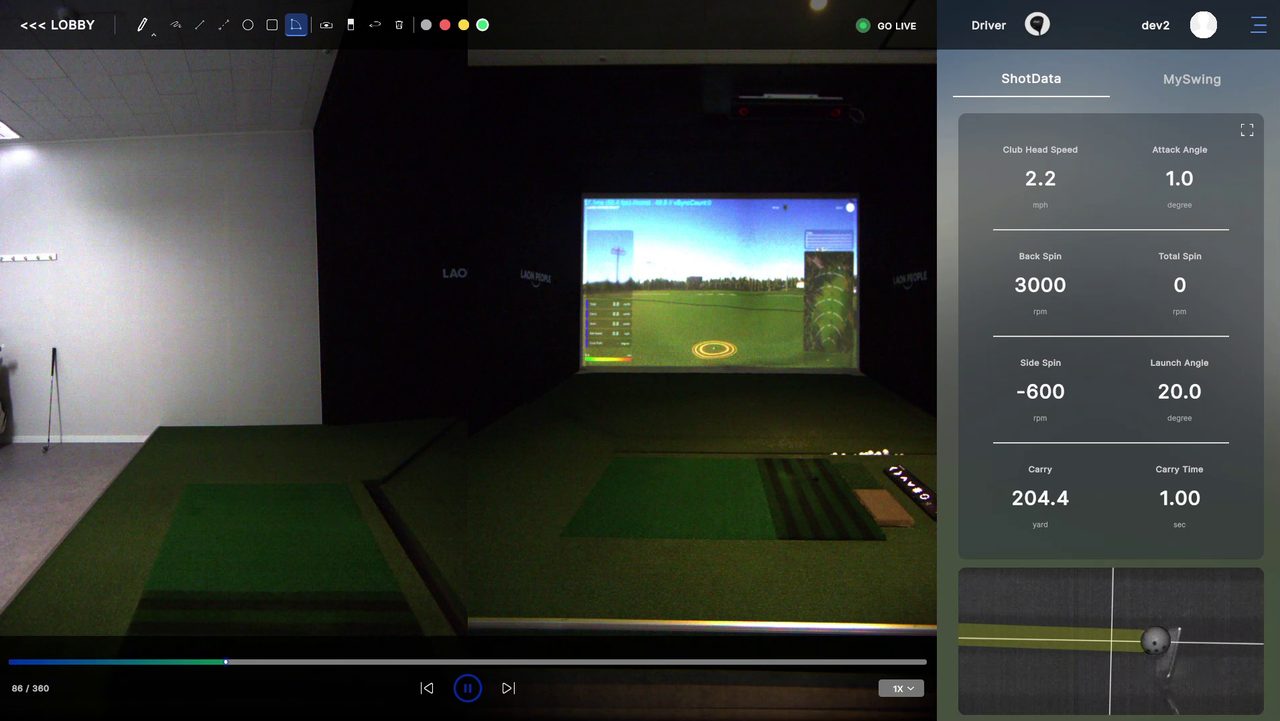
SwingEZ ships with two core modules. AI Pose Analysis & Diagnosis segments every swing into eight steps and grades positions like Upper-Body Balance, Hand Position, Lower-Body Weight Balance, Shoulder Alignment, Stance Width, Arm Position, and Knee and Ankle Angle with PASS / WARN scoring. SwingEZ Range is the practice-bay module that records every shot with full VTrack launch data (Club Head Speed, Attack Angle, Back Spin, Total Spin, Side Spin, Launch Angle, Carry, Carry Time) plus synced Face-On and Down-The-Line swing video.
Is a VTrack Launch Monitor required to use SwingEZ?
Yes. SwingEZ is built around VTrack and uses VTrack’s ball and club data as one of its three input layers. Without a VTrack Launch Monitor, the SwingEZ cameras and AI engine cannot function as designed. The required base unit is the VTrack Overhead Launch Monitor.
Can the SwingEZ cameras be used inside GSPro or other third-party simulators?
Yes, as of VTrack ToolKit v2.3.5 (June 15, 2026). ToolKit now accepts the high-FPS SwingEZ cameras for swing replay inside GSPro and other third-party simulator software, not just the SwingEZ Unity environment. The cameras serve double duty — AI pose analysis and personalized drills inside SwingEZ, plus high-quality swing replay inside the simulator software already in use. Driverless UVC USB webcam support from v2.2.8 is retained.
Is the SwingEZ AI license a one-time purchase or a subscription?
The SwingEZ AI license included with this package is a lifetime, transferable license. There are no monthly fees and no annual renewal for the SwingEZ AI engine itself. The license transfers with the hardware if the system is ever resold.
Where do the SwingEZ cameras need to be placed?
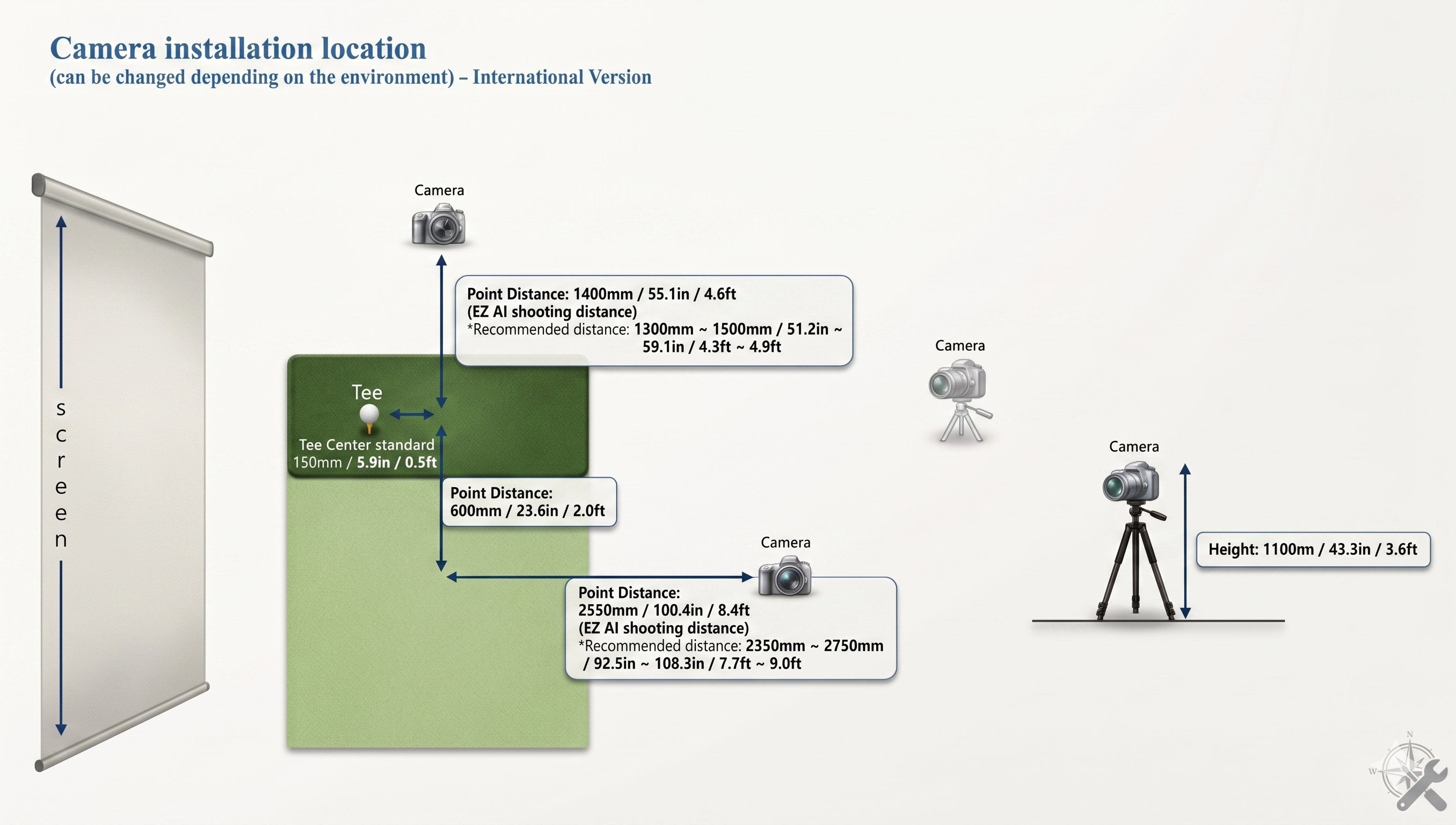
One camera is positioned Face-On, centered on the golfer’s body line. The other is positioned Down-The-Line, aligned with the target line. The room must have enough space behind and beside the golfer for both cameras to capture the full swing. Camera height, distance, and angle should be kept consistent so swing comparisons stay meaningful session to session.
Does SwingEZ work for both right- and left-handed golfers?
Yes. Like VTrack, SwingEZ supports both right- and left-handed players. The Face-On camera mirrors with the body line and the Down-The-Line camera aligns with the target line, so the layout adapts to either handed setup.
What kind of swing analysis does the AI deliver?
The SwingEZ AI engine segments every swing into eight precise steps and identifies issues across body movement, club delivery, and tempo. It then delivers customized lessons, training missions, and overlay comparison tools to help users improve session over session.
What projector type does SwingEZ recommend?
SwingEZ runs inside a Unity 6 simulator environment. The manufacturer recommends an LCD projector and notes that other projector technologies may cause RGB flickering. In Elite Sim Golf’s in-house testing, no flickering issues have been observed with laser projectors, so both LCD and laser are viable for VTrack + SwingEZ builds. DLP and other technologies should be evaluated case by case.
What PC specs are recommended for SwingEZ?
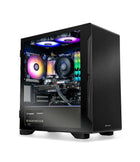
The manufacturer recommends Windows 10 or 11 (64-bit), an Intel Core i7-14700K CPU, an NVIDIA GeForce RTX 4060 Ti GPU, 32GB DDR4 RAM or higher, 30GB free SSD storage, two USB 3.0 ports, and dual FHD (1920 × 1080) monitors. Plan the build PC around these specs for the best SwingEZ experience.
Can SwingEZ be added later to an existing VTrack setup?
Yes. The SwingEZ Add-On Package is designed to integrate with an existing VTrack build at any time. The cameras connect via USB 3.0, the AI license activates the SwingEZ software, and the cameras need to be positioned for proper Face-On and Down-The-Line capture.
Is the SwingEZ Add-On Package in stock?
Yes. The SwingEZ Add-On Package is now shipping. Orders include both SwingEZ cameras and the lifetime, transferable AI license.
Does SwingEZ work without VTrack ToolKit?
SwingEZ is designed to integrate with VTrack data, which is delivered through VTrack ToolKit. Keep ToolKit installed and updated on the build PC (v2.3.5 or newer recommended) alongside the SwingEZ software so the AI engine has full access to VTrack ball and club data on every swing.
What kind of post-purchase support does Elite Sim Golf provide for SwingEZ?
Elite Sim Golf provides direct VTrack and SwingEZ support including camera placement guidance, software setup, and free remote setup assistance for ESG customers. Details are on the VTrack Setup & Support page.
How does Elite Sim Golf ship SwingEZ orders?
The SwingEZ Add-On Package ships using standard carrier shipping options at checkout. SwingEZ does not qualify for the free UPS Next Day Air Saver promotion that applies to the VTrack Launch Monitor. Shipping rates and delivery estimates are calculated at checkout based on the destination ZIP code.