






Square Home Edition SimKit Basic — ZW350ST + Elite Fairway
By SQUARE GOLF


Popular SQUARE GOLF Accessories4 add-ons SQUARE GOLF buyers order most
 Square Golf 3D Printed Case by Elite Sim Golf$64.99$99.99
Save $35
Square Golf 3D Printed Case by Elite Sim Golf$64.99$99.99
Save $35
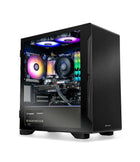 Golf Simulator Gaming Desktop PC by Elite Sim GolfFrom
$1,999.00
Golf Simulator Gaming Desktop PC by Elite Sim GolfFrom
$1,999.00
Show 1 moreShow less
A True Camera-Based Golf Simulator Bay — Under $4,000
The Square Home Edition Budget SimKit pairs the $699 photometric Square Golf launch monitor with an Elite Sim Golf enclosure, a 3,600-lumen Optoma short-throw laser projector, the BenQ CM00G3 ceiling mount, a full 25-foot cable install kit, and the Elite Fairway 4’×5’ hitting mat. Every component is confirmed compatible and ships together in one order.
This SimKit is designed to be the fastest, lowest-cost path to a real camera-based simulator bay. Choose the enclosure that fits the room — Birdie 10, Eagle 12, or Albatross 13S — add your own iPad or golf sim PC to run the software, and start playing.


Free UPS Ground Shipping
Continental US — no shipping charges on any enclosure choice.
Pre-Configured Package
Every component matched for compatibility, cable length, and throw distance.
In-House Accessories
Elite Sim Golf enclosure, mat, mount, and install kit — supported directly.
ESG-Backed Support
Install questions, replacement parts, and setup help from the ESG team.
Square Golf Home Edition — Camera-Based Tracking at $699
The Square Golf Home Edition sits beside the ball and uses two high-speed cameras with an eight-sensor infrared array to measure ball and club data in real time. No radar depth is required, and the unit works in a room as tight as 10’×10’.
Two-Camera Photometric
2 high-speed cameras + 8 infrared sensors capture ball and club at impact for photometric-grade accuracy.
13 Ball & Club Metrics
Ball speed, launch angle, spin, apex, carry, total, plus club path, face angle, dynamic loft, and angle of attack.
Left & Right Handed
Flip handedness in the app — no physical repositioning required for switching golfers.
Free GSPro & E6 Connect
Zero connector fee. Runs on iOS, Android, and Windows. 1,000 credits (~55 rounds) included at purchase.
Floor-based, no ceiling install. The Square Home Edition sits on a small stand or a level surface at ball height. There is no overhead rail or ceiling mount — ideal for basements, spare rooms, or garages with lower ceilings.
What You Need to Add to Play
This SimKit includes everything for the physical bay. To run the simulation, add either an iPad (or iPhone) or a golf sim PC. The free Square Golf app runs on iOS, Android, and Windows with 12 built-in courses. GSPro and E6 Connect are optional Windows-only add-ons.
Optoma ZW350ST — 3,600-Lumen Short-Throw Laser
The Optoma ZW350ST is a compact DuraCore laser projector purpose-tuned for golf simulators on a budget. At a 0.521:1 throw ratio it fills a 100″ image from just over 4 feet, and the laser light source is rated for 30,000 hours with no lamp to replace.
3,600 ANSI Lumens
Bright enough to hold contrast against room ambient light and deliver a sharp image on the impact screen.
WXGA Native (1280×800)
16:10 native with support for 16:9 and 4:3, matching every enclosure screen in the ESG lineup.
0.521:1 Short Throw
Mounts close to the screen on the included BenQ CM00G3 ceiling mount — clear of the swing path.
DuraCore Laser — 30K Hours
Solid-state laser light engine with no lamp to replace over the practical life of the sim bay.
Throw distance and ceiling clearance depend on the chosen enclosure and mounting height. Confirm fitment for your room using the Projector Fitment Tool before install.
Birdie 10, Eagle 12, or Albatross 13S
Every enclosure uses a powder-coated steel frame, triple-layer impact screen, velvet-lined walls, and tool-free snap-together assembly. Pick the width and screen ratio that best fits the room — the landing mat is included with each.

Birdie 10 — 10’ W × 8’ H × 5’ D
Fits rooms where width is limited — a single-car garage, a basement lane, or a tighter dedicated sim room. 4:3 screen delivers a full sim view. Includes the 6×12 landing mat.

Eagle 12 — 12’ W × 8’2″ H × 5’ D
The most popular size for dedicated sim rooms and two-car garages. 4:3 screen, 45–60 minute assembly. Includes the 6×12 landing mat.

Albatross 13S — 13’ W × 8’6″ H × 5’ D
The widest enclosure in the standard lineup at 156″ wide with a 16:9 cinema-scale screen. Includes the 6×15 landing mat.
Room fit check. Ceiling height, wall stand-off, and side clearance drive final enclosure choice. Confirm room dimensions with the Projector Fitment Tool before ordering.
Elite Fairway 4’×5’ Golf Hitting Mat
The Elite Fairway 4’×5’ is Elite Sim Golf’s in-house nylon-fiber hitting mat — sized to fit inside every enclosure in the lineup and paired with a deep landing mat that comes with the frame.
4’ × 5’ Hitting Surface
Enough room for a full stance and swing without stepping off the mat between shots.
Real-Tee Acceptance
Accepts a standard wood or plastic tee — no rubber-tee-only compromise.
Nylon Fiber Turf
Consistent contact feel with a fiber blend built to handle daily practice sessions.
Paired Landing Mat
Combines with the enclosure’s 6×12 or 6×15 landing mat for full floor coverage inside the bay.
Square Home Edition Budget SimKit — Real Bay


Eagle 12 enclosure shown for reference (installed bay pictured includes an overhead launch monitor which is NOT part of this SimKit — the Square Home Edition sits on the floor in front of the ball). Putting green and iPad/PC are not included. Add your own iPad or golf sim PC to run the Square Golf app, GSPro, or E6 Connect.
Everything the Bay Needs to Run
BenQ CM00G3 Ceiling Mount
Universal ceiling mount rated for the Optoma ZW350ST and every projector in the ESG short-throw lineup.
25ft Projector Cable Kit
25-foot HDMI cable and 25-foot power cable for clean ceiling-mount routing in real-world rooms.
Landing Mat Included
6×12 landing mat with Birdie 10 or Eagle 12. 6×15 landing mat with Albatross 13S.
Full SimKit Contents
Primary Components
- Square Golf Home Edition launch monitor
- Optoma ZW350ST 3,600-lumen laser projector
- Enclosure — Birdie 10, Eagle 12, or Albatross 13S
- Elite Fairway 4’×5’ hitting mat
Accessories
- BenQ CM00G3 universal ceiling mount
- 25ft HDMI cable
- 25ft power cable
- Landing mat (6×12 with Birdie/Eagle, 6×15 with Albatross)
Square LM Box Contents
- Replaceable Li-ion battery
- USB-A-to-C charging cable
- Remote control
- 3 dotted golf balls
- Club marker stickers
- Virtual Swing Stick & safety strap
- 1,000 course credits (~55 rounds)
At a Glance
Why Choose This SimKit
- Camera-based launch monitor under $700
- Lowest total cost for a real enclosure bay
- No subscription — 1,000 credits included
- Free GSPro and E6 Connect integration
- Choose enclosure width to fit the room
- ESG-supported install with matched cables
Best-Fit Golfers
First-Time Builders
Golfers building a first indoor bay who want a complete package rather than sourcing components separately.
Budget-Focused Setups
Buyers targeting the lowest total spend for a full enclosure bay with camera-based tracking.
iPad-Only Households
Households that prefer to run the sim from an iPad or iPhone rather than dedicate a Windows PC to the bay.
Basement & Garage Rooms
Rooms with 8–9 foot ceilings and 10–13 feet of width — the enclosure options cover the full range.
Prefer a Different Build?
Build Your Own SimKit
Swap the projector, upgrade the mat, or pick a different launch monitor entirely — the Bundle Builder rebuilds the package with live pricing and fit checks.
Upgrade the Projector
Move up to the 1080p BenQ AH700ST or 4K BenQ AK700ST inside the same Square + enclosure structure by ordering through the Bundle Builder.
Or shop components standalone: Square Home Edition · Optoma ZW350ST · Birdie 10 · Eagle 12 · Albatross 13S
Plan the Install
Projector Fitment Tool
Confirm throw distance, ceiling clearance, and mount position for the Optoma ZW350ST inside the chosen enclosure.
Open fitment tool →SimKit Bundle Builder
Swap any component and rebuild the SimKit with live pricing, bundle savings, and compatibility fit checks.
Open the builder →Install & Support Hub
Enclosure assembly, projector setup, cable runs, launch monitor pairing, and post-order support in one hub.
Open install hub →Square Home Edition Budget SimKit FAQ
Do I need a PC to play?
No. The Square Golf app runs on iPad, iPhone, or Android and includes 12 built-in courses plus range, chipping, and putting modes. A Windows PC is only required if you want to run GSPro or E6 Connect.
What is included in this SimKit?
Square Golf Home Edition launch monitor, Optoma ZW350ST projector, BenQ CM00G3 ceiling mount, 25ft HDMI + 25ft power cable kit, Elite Fairway 4’×5’ hitting mat, and your choice of Birdie 10, Eagle 12, or Albatross 13S enclosure with its included 6×12 or 6×15 landing mat.
Which enclosure should I choose?
Birdie 10 fits tighter rooms (10’ wide). Eagle 12 is the most popular size and fits dedicated sim rooms and two-car garages (12’ wide). Albatross 13S is the widest at 13’ with a cinema-scale 16:9 screen.
Will the projector fit in my room?
The Optoma ZW350ST is a short-throw 0.521:1 projector that mounts close to the screen. Confirm ceiling clearance and mount distance for your specific room using the Projector Fitment Tool.
Is there a subscription or monthly fee?
No monthly fee. Square Golf uses a credit model — 1,000 credits are included at purchase (about 55 full rounds). Refill credits cost roughly $0.02 each. GSPro and E6 Connect are separate optional purchases with their own pricing.
What ceiling height do I need?
The Square Home Edition is floor-based and does not add ceiling requirements. Ceiling height is driven by the enclosure: 8’ minimum for Birdie 10, 8’2″ for Eagle 12, and 8’6″ for Albatross 13S. Projector mount adds a few inches beyond that.
Does it support left-handed golfers?
Yes. Handedness switches inside the Square Golf app — the unit does not need to be physically repositioned between right and left-handed players.
What software does the Square Home Edition support?
Free Square Golf app on iOS, Android, and Windows. Free connectors to GSPro and E6 Connect (Windows only). Awesome Golf is also supported.
What landing mat comes with the enclosure?
The Birdie 10 and Eagle 12 include a 6×12 landing mat. The Albatross 13S includes a 6×15 landing mat. The Elite Fairway 4’×5’ hitting mat is separate and sits on top of or beside the landing mat as the stance/hit surface.
How does shipping work?
SimKits ship free via UPS Ground to the Continental US. Multiple boxes may arrive on different days depending on component origin.
Can I upgrade the projector or mat later?
Yes. Every component in this SimKit is a standalone product and can be upgraded independently. Rebuild the same kit with a 1080p or 4K projector, or a premium Beaver Tail mat, in the SimKit Bundle Builder.
Where do I get help after the order arrives?
Elite Sim Golf supports every component in the kit directly — enclosure assembly, projector setup, launch monitor pairing, and replacement parts. Full install and support resources live in the Install Hub.
Lowest-Cost Camera-Based Bay, Built Right
The Square Home Edition Budget SimKit exists to remove the friction between a $699 launch monitor and a working simulator bay. Every projector, cable, mount, mat, and enclosure in this kit is a product Elite Sim Golf sells and supports individually — nothing in the box is a placeholder or a substitution. Add your iPad or golf sim PC, follow the install guide, and start playing.